
Google Business Profile Posts: Boost Local SEO with a Strategic Content Calendar
Why Your Google Business Profile Posts Matter
Want it done for you? See our local SEO services.
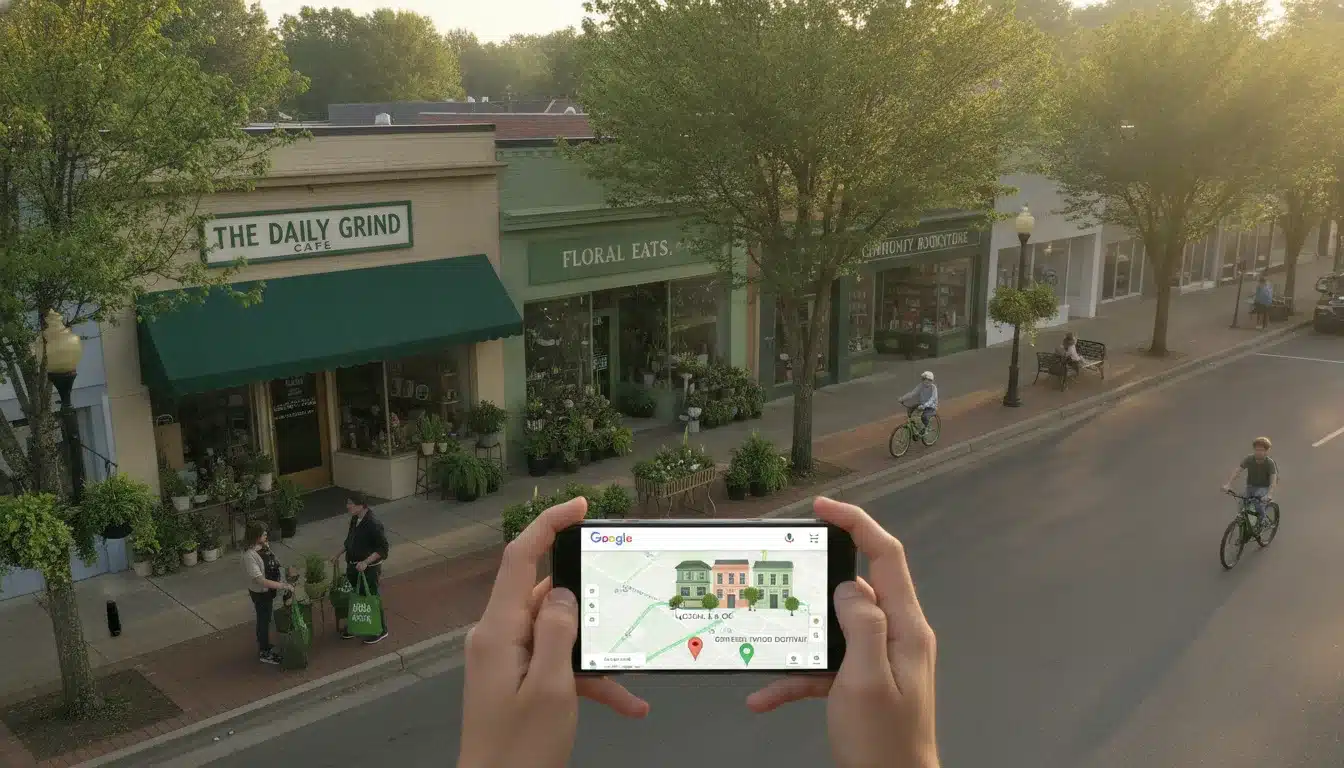
Google Business Profile (GBP) posts are like social media updates that appear directly in your Google Business listing. They’re a powerful but often overlooked tool that can significantly impact your local search visibility. When you consistently share fresh, relevant content through GBP posts, you signal to Google that your business is active and engaged with customers. This increases your chances of appearing in the local pack and enhances your overall local SEO performance. Our Asheville SEO clients who maintain regular posting schedules see up to 35% more profile interactions and increased call volumes. Let’s dive into creating a sustainable content calendar that keeps your GBP fresh and engaging without becoming another marketing burden.
Building Your GBP Content Calendar Framework
Creating a successful GBP posting strategy isn’t about random, sporadic updates. It requires intentional planning that aligns with your business goals and customer needs. Here’s how to build a framework that works:
Step 1: Audit Your Current Local Presence
Before planning future content, assess your current GBP performance. Look at which types of posts have generated the most clicks, calls, or direction requests. Check which competitors consistently post to their profiles and what content seems to work for them. This baseline understanding will inform your strategy moving forward.
Step 2: Define Your Post Categories
A well-rounded GBP content calendar should include different post types to keep your audience engaged. We recommend including:
What’s New – Company updates, new team members, or business changes
Offers – Special promotions, discounts, or limited-time deals
Events – Upcoming workshops, open houses, or community involvement
Products/Services – Highlighting specific offerings with clear benefits
Customer Success – Case studies and testimonials that build trust
Behind-the-Scenes – Authentic glimpses into your business operations
Step 3: Establish Your Posting Rhythm
Consistency trumps frequency when it comes to GBP posts. For most local businesses, posting once a week provides the right balance between staying visible and maintaining quality. However, if you’re in a highly competitive market like Asheville’s tourism sector, you might benefit from posting twice weekly. The key is selecting a schedule you can maintain long-term. Remember that GBP posts expire after seven days (except for events), so timing matters.

Step 4: Create a Monthly Planning Template
We’ve found that planning GBP content in monthly blocks works best for our clients. This provides enough structure without becoming overwhelming. A simple spreadsheet with the following columns works well:
– Post Date
– Post Type (from your categories)
– Main Message/Headline
– Call-to-Action
– Image/Video
– URL Destination
Want more customers from Google & AI search?
Get a free SEO audit of your site — see exactly what to fix first.
Content Creation Tips That Drive Engagement
The effectiveness of your GBP posts depends largely on their content quality. Here are practical guidelines that have proven successful for our Asheville clients:
Write Clear, Action-Oriented Headlines
Your headline should immediately communicate value. Keep it under 60 characters and focus on the benefit to customers. Instead of “New Spring Menu Items,” try “Taste Our Fresh Spring Flavors – Available Now!”
Use High-Quality, Original Images
Posts with images get 42% more engagement than text-only updates. Use authentic photos of your business, team, or products rather than stock photography. Maintain a 4:3 aspect ratio for optimal display on mobile devices, where most people will view your GBP.

Include a Strong Call-to-Action
Every post should direct users toward a specific next step. Google provides several CTA buttons including “Learn more,” “Book,” “Order online,” “Buy,” and “Call now.” Select the one that best aligns with your post’s purpose.
Keep Copy Concise but Compelling
You have limited space in GBP posts, so make every word count. The first 100 characters appear before users need to click “Read more,” so front-load your most important information. Focus on addressing the customer’s needs rather than just promoting your business.
Measuring Impact and Refining Your Strategy
A successful GBP posting strategy evolves based on performance data. Google provides insights on how users interact with your Business Profile, including which posts generate the most engagement. Review these metrics monthly and adjust your strategy accordingly.
Pay particular attention to:
Related: When should i refresh old blog content?.
In this video
- 0:00 Why Asheville Businesses Miss the Map Pack
- 1:19 Hidden Address Suppresses GBP Visibility
- 1:55 Three Google Local Ranking Signals Explained
- 2:29 What Asheville Competitors Are Not Doing
- 2:56 How Long GBP Gains Actually Take
- 3:32 Review Recency Beats Review Volume
- 4:15 How Google AI Reads Your Profile
- 4:49 Six Steps from Position 17 to Top Three
- 6:03 Video Verification and NAP Consistency
- 6:37 GBP vs Website SEO Priority Order
- 7:24 Three Advanced Moves Competitors Skip
– Which post types drive the most calls or website clicks
– Optimal posting times based on customer engagement
– Topics or offers that resonate with your local audience
– Seasonal trends that affect engagement patterns Implementing local SEO strategies for small businesses can significantly enhance your online presence and drive targeted traffic. It’s essential to leverage Google My Business profiles and optimize for local keywords to ensure that your services are easily discoverable by nearby customers. Additionally, engaging with community events and local partnerships can further strengthen your brand’s visibility in the local search landscape.
We’ve helped numerous Asheville businesses transform their local search performance through strategic GBP posting. One local plumbing company saw a 27% increase in call volume after implementing a consistent weekly posting schedule that highlighted their emergency services and positive customer feedback.
Take Control of Your Local Search Presence
Your Google Business Profile is often the first impression potential customers have of your business. With a strategic content calendar for GBP posts, you can control that impression and stand out from competitors who neglect this powerful tool.
Ready to boost your local visibility with a customized Google Business Profile strategy? Contact our Asheville SEO team today for a free GBP audit and personalized content calendar recommendation. Let’s make sure potential customers find you when they need you most. With our expertise, we will optimize your GBP to attract more local traffic and improve engagement. Additionally, we provide access to a local SEO key metrics dashboard, allowing you to track your progress and identify areas for further enhancement. Together, we can transform your online presence and elevate your business right in your community. In today’s competitive market, prioritizing SEO for business growth is essential for staying ahead of the curve. Our team is dedicated to implementing the latest strategies tailored specifically for your needs, ensuring your business stands out. With ongoing support and regular updates, we will help you adapt to changing trends and continue to thrive locally.
Call us at 828-333-3977 or visit our website to schedule your free consultation.
Key Takeaways
- The best GBP posts are tied to a real customer question, season, or job you just finished, not generic “we’re open” updates.
- A 4-week rotation of one update, one offer, one proof post, and one seasonal or event post covers most small businesses.
- Posts that break Google’s content policies get rejected or removed, so keep offers dated, claims honest, and contact details in the buttons.
- Tag every post link with UTM parameters so you can see which posts send website visits, not just views.
- Batch your posts once a month in about 90 minutes instead of writing them on the fly.
- Posts support your ranking factors but do not replace categories, reviews, and accurate business information.
What Home-Service Businesses Should Actually Post
Post what a customer would want to know right before they call you: what you fix, what it costs, how fast you show up, and proof you did it well. Home-service searchers are usually in a hurry or comparing two or three names, so a post should answer one question quickly.
Here are post ideas that work across common trades. Each one starts from something that already happens in your business.
- Completed-job posts: A photo of a finished water heater swap, a cleaned gutter line, or a repaired roof section, with the neighborhood and the problem solved in two sentences.
- Problem-and-fix posts: “Water stains on the ceiling after heavy rain? Here is what we check first.” Pair it with a “Learn more” button to the matching service page.
- Price-range and process posts: Explain what affects the cost of a common job and how long it usually takes. Use ranges and plain language, and only state numbers you can honor.
- Emergency availability posts: Confirm your after-hours or same-day policy and the areas you cover. Update it when your hours or coverage change.
- Team and credential posts: A new license, a certification, or a technician introduction. These answer the “can I trust you in my home?” worry.
- Review highlight posts: Quote a real customer review (with permission if you name them) and connect it to the service. Our guide to ethical review generation strategies covers how to get reviews worth featuring.
If you want more ideas on turning these formats into leads, our article on GBP content marketing that converts goes further into engagement tactics.
A Sample Four-Week GBP Calendar You Can Copy
A four-week rotation with one post per week gives you variety without extra work. Swap the topics for your own trade and repeat the pattern each month with fresh details.
You may also find this useful: Content pruning.
| Week | Post type | Example topic (plumber) | Suggested button |
|---|---|---|---|
| 1 | Update (completed job) | Tankless water heater install finished this week, with a short note on what the homeowner needed | Learn more |
| 2 | Offer | Free drain camera inspection with any drain-cleaning service, valid through a set end date | Call now or Book |
| 3 | Proof (review or before/after) | Customer review about a late-night burst pipe repair, plus a photo of the repaired section | Learn more |
| 4 | Seasonal or event | Pipe-freeze prevention checklist before the first hard freeze | Learn more |
If you post twice a week, add a short “question of the week” post and a team or community post in the open slots. Do not add a second offer in the same month unless you have a real reason for one.
Update, Offer, or Event: Which Post Type to Choose
Use an update for general news and proof, an offer for a dated promotion, and an event only for something with a set date and time. Choosing the wrong type makes the post feel off and can trigger the wrong fields in the editor.
| Post type | Best for | Required details | Common misuse |
|---|---|---|---|
| Update (What’s New) | Completed jobs, tips, team news, reviews | Text, plus a photo or video and an optional button | Posting vague “we’re here to help” lines with no specifics |
| Offer | Discounts, free estimates, seasonal specials | Title, start and end dates, optional terms or code | Running an offer with no end date or hidden conditions |
| Event | Open houses, workshops, community days | Title, start and end date and time | Using it for an ongoing service that has no actual date |
Check the current options in the Google Business Profile Help Center, because Google adjusts which post types and buttons are available. Business categories can also affect what you see. If you are unsure your categories match what you sell, read our guide on choosing the right GBP categories first.
Seasonal Post Ideas for Carolina Businesses
Seasonal posts work because they match the moment a customer notices a problem. For businesses in the Greenville and Asheville areas, the weather and local calendar give you plenty of natural topics.

Spring
- Pollen season: HVAC filter changes, window and exterior cleaning, pressure washing.
- Heavy spring rain: gutter checks, crawl space moisture, roof inspections.
- Pre-summer tune-ups: AC maintenance before the first hot week.
Summer
- Cooling failures and what to check before calling a technician.
- Storm cleanup, tree work, and fast-response availability.
- Tourism and short-term rental turnover in the mountains, if you serve vacation properties.
Fall
- Leaf season: gutter cleaning, drainage, and yard cleanup.
- Heating system checks before the first cold snap.
- Busy leaf-viewing weekends in the mountains that change traffic and booking demand.
Winter
- Frozen pipe prevention and what to do if a pipe bursts.
- Furnace and heat pump service reminders.
- Holiday schedule and emergency availability.
Plan these a month ahead. A freeze-prevention post that goes live the day after a hard freeze has missed its moment.
How to Write a Month of Posts in 90 Minutes
Batch your posts once a month: collect photos, draft copy, and schedule everything in one sitting. This works better than writing on the fly because you are not hunting for ideas every Monday.
- Collect raw material (20 minutes). Pull job photos from the past month, recent reviews, and any questions customers asked. Ask your crew to send photos to a shared folder as they finish jobs.
- Pick four to eight topics (10 minutes). Match them to your rotation: update, offer, proof, seasonal. Remove any that feel like filler.
- Draft the copy (30 minutes). Write the first sentence as the main point. Then add one detail, such as the neighborhood, timeline, or what the customer gets.
- Prepare images and links (15 minutes). Crop photos, check that each one is clear on a phone screen, and add the destination page. Our mobile-first local SEO guide explains why phone-sized checks matter.
- Add UTM tags and schedule (15 minutes). Tag each link, schedule posts if your tool allows it, and set a calendar reminder to review results.
Keep a running “idea bank” note on your phone. Every time a customer asks something twice, it becomes a post.
Post Content That Gets Rejected or Removed
Google reviews posts against its content policies, and rejected posts waste your effort and can draw attention to your profile. The safest approach is to stay specific, honest, and relevant to your business.
Review Google’s current rules in the Business Profile Help Center before you publish. These are the patterns that most often cause trouble:
- Misleading offers: Discounts with unclear terms, no end date, or prices that do not match what you charge.
- Off-topic content: Political messages, personal announcements, or promotions for unrelated businesses.
- Restricted or sensitive content: Anything covered by Google’s prohibited and restricted content rules, which differ by industry.
- Contact details crammed into the text: Use the call and website buttons so customers can reach you, rather than pasting extra phone numbers or links into the copy.
- Copy that looks like spam: All caps, excessive symbols, or the same post pasted over and over.
- Fake or unverifiable claims: “Best in town” or “#1 rated” statements you cannot back up.
If a post is declined, read the reason in your dashboard, fix the specific issue, and resubmit. Do not repost the same content repeatedly hoping it passes.

Track Which Posts Bring Visitors and Calls
Add UTM parameters to every post link so your analytics shows which posts send website visits. Without them, GBP traffic often blends into general “Google” or “direct” traffic and you cannot tell what worked.
A simple UTM setup for a post link looks like this in words: source is “google”, medium is “gbp-post”, and campaign is a short label like “spring-ac-tuneup”. Keep naming consistent, using lowercase and hyphens, so reports stay clean.
What to review each month
- Website sessions from each campaign label: Which post topics send visitors who view a service page or contact form?
- Calls and direction requests: Compare months, not single days, because daily numbers swing too much to trust.
- Post-type patterns: Do offers, proof posts, or seasonal tips lead to more actions? Keep what works and cut what does not.
- Lead quality: Ask new customers how they found you and note when they mention seeing a post.
To put these numbers next to your other local metrics, use the framework in our local SEO analytics dashboard metrics article. Give any new posting approach at least eight to twelve weeks before judging it, since local results move slowly and vary by market.
Common GBP Posting Mistakes to Avoid
Most posting problems come from inconsistency and vagueness, not from technical errors. Fixing these five habits usually improves your posts faster than any new tool.
In this video
- 0:00 Why Asheville Visibility Gaps Cost Revenue
- 0:20 Who Jeremy and PushLeads Are
- 0:38 Asheville Market Stats That Drive Urgency
- 1:02 Why Generic SEO Fails Asheville Businesses
- 1:28 Local Pack Mechanics Relevance and Prominence
- 1:52 Google Business Profile Optimization Essentials
- 2:21 GBP Features That Separate Ranked Profiles
- 2:49 Citations NAP Consistency and Local Backlinks
- 3:27 Review Strategy for Local Pack Placement
- 4:00 Mobile Speed and Core Web Vitals
- 4:28 ROI Tracking and Monthly Data Sets
- 5:06 What PushLeads Builds for Asheville Businesses
- Posting in bursts, then going silent. Three posts in a day followed by two months of nothing looks neglected. A steady, modest rhythm beats a sprint.
- Using the same CTA button on every post. “Learn more” on everything ignores intent. Use “Call now” for urgent services and “Book” when scheduling is the next step.
- Linking every post to the home page. Send readers to the page that matches the post, such as the drain-cleaning page for a drain post.
- Ignoring the photo. A blurry or dark picture can undo good copy. Check how it looks on a phone before you publish.
- Treating posts as a ranking shortcut. Posts help your profile look active and answer questions, but they do not outweigh categories, reviews, proximity, or accurate information. Our GBP mastery guide for service businesses shows how all those pieces fit together.
Your Monthly GBP Posting Checklist
Run this checklist at the start of each month to keep your calendar honest. It takes about 15 minutes once you have a routine.
- Confirm your business hours, holiday hours, and service areas are current.
- Review last month’s top and bottom posts by calls, clicks, and website visits.
- Choose next month’s seasonal topic and check it against local weather or events.
- Gather at least four original photos from recent jobs.
- Draft the offer with a clear title, start date, end date, and terms.
- Add UTM tags to every link and test each one.
- Check for any declined posts and fix them.
- Pick one recent review to feature in a proof post.
Need Help Building Your Posting Plan?
If you would rather hand off the planning, we can review your profile, build a calendar around your services and seasons, and set up tracking so you can see what brings in calls. You can talk with the PushLeads team about what a realistic posting plan looks like for your business.
Frequently Asked Questions
How long should a Google Business Profile post be?
Aim for 100 to 300 characters, even though the editor allows up to 1,500. Shorter posts are easier to read on a phone and put the main point up front. Use extra length only when you are explaining a process or offer terms.
Do Google Business Profile posts directly improve rankings?
Google has not published posts as a confirmed ranking factor, so treat them as a support tool. They keep your profile current, answer customer questions, and give people reasons to call or click. Categories, reviews, proximity, and accurate information matter more for ranking.
Can I reuse the same post on multiple locations?
You can reuse the core idea, but you should change details for each location. Mention the local neighborhood, team, or service area, and use photos from that location. Identical posts across profiles add little value and can look like spam.
Should I put keywords in my GBP posts?
Yes, but use them naturally, the way a customer would describe the problem. A sentence like “We repaired a leaking water heater in West Asheville” is better than a list of repeated terms. Writing for the customer first also helps assistants and search features understand what you do.
What should I do if my post is declined?
Read the reason in your dashboard, edit the specific issue, and resubmit. Common fixes include removing exaggerated claims, adding clear offer dates, and taking extra contact details out of the text. If you cannot find the problem, check Google’s content policy pages or ask the Business Profile support team.
How often should I change the photos in my posts?
Use a new original photo with every post whenever possible. Recent job photos, team shots, and local project images show real activity and avoid the stale look of repeated images. Keep a shared folder where your team drops photos each week.
Is it worth posting if I only have time for one post a month?
Yes, but weekly is a better target for most businesses. If time is limited, make the monthly post count: use a real job photo, a clear point, and a trackable link. Then increase the pace once the batching routine feels easy.
Keep Reading
Want more customers from Google & AI search?
Get a free SEO audit of your site — see exactly what to fix first.
Your path · The Ultimate Google Business Profile Guide
Keep going: read these next
 You’re hereGoogle Business Profile Posts: Boost Local SEO with a Strategic Content Calendar
- Up nextHow to Choose the Perfect Google Business Profile Categories: A Strategic Guide for Local SEO Success
- Google Business Profile Content Marketing: Engagement Strategies That Convert
- The Ultimate Google Business Profile Guide: Dominate Local Search


Want this done for you?
Scan your site. See the gaps. Decide with numbers.
- Rankings, Google Business Profile and site-speed teardown
- Report lands in your inbox in about a minute
- No obligation · 4.9 from 67 Google reviews
 Continue reading
