
Manufacturing Companies: How to Shorten Your Sales Cycle with Video Marketing
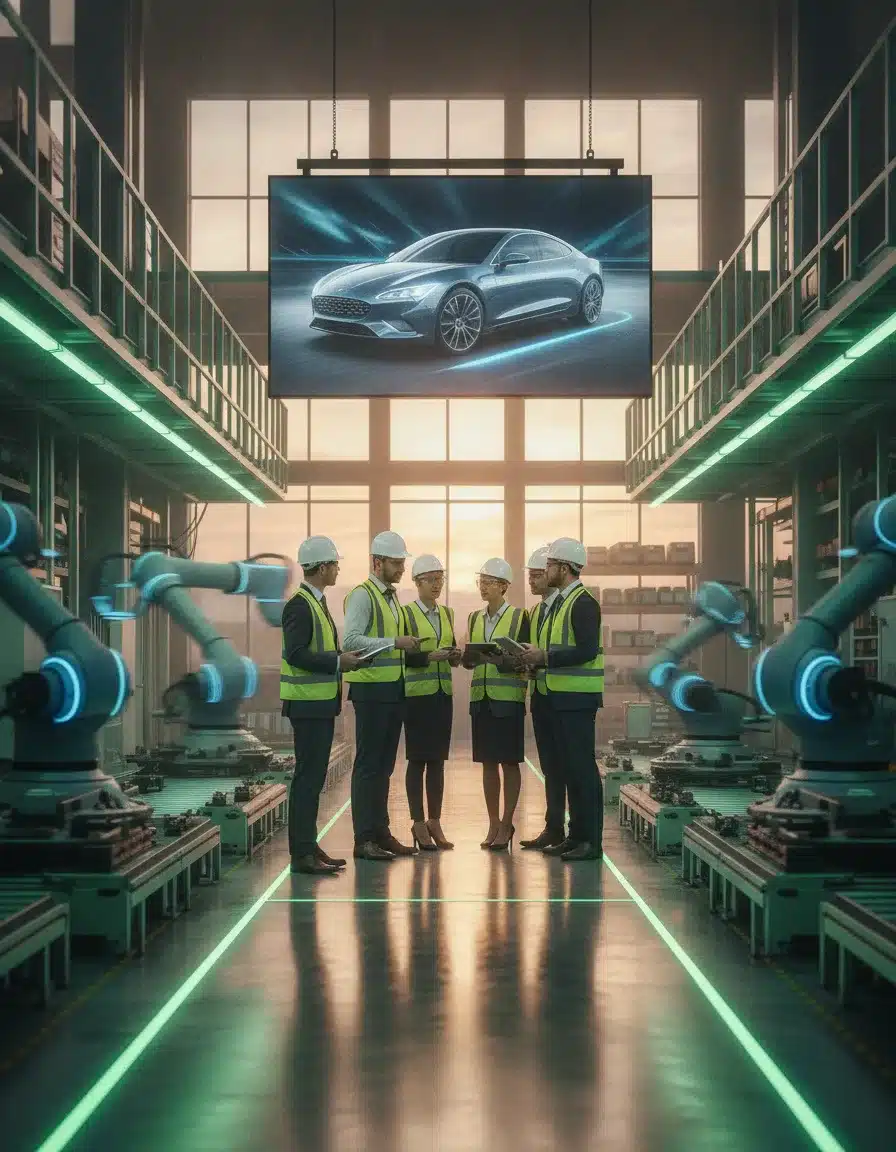
In the manufacturing world, long sales cycles are the norm. With high-value products and complex purchasing decisions, buyers need time to evaluate options and build confidence. But what if you could significantly compress this timeline? Video marketing has emerged as a powerful tool that manufacturing companies can leverage to educate prospects, showcase capabilities, and ultimately accelerate the path to purchase. Let’s explore how strategic video content can transform your sales process and drive faster conversions.
Why Traditional Sales Cycles in Manufacturing Are So Long
Want it done for you? See our local SEO services.
Manufacturing sales cycles typically stretch 6-12 months or longer for good reasons. Buyers face substantial risks: significant investments, potential production disruptions, and long-term commitments. They need comprehensive information and multiple touchpoints before making decisions. This traditionally involves numerous meetings, facility tours, and detailed technical discussions—all time-consuming activities that extend the sales timeline.
How Video Content Transforms the Buyer’s Journey
Video content works as a sales acceleration tool by addressing key buyer needs at every stage of their journey. From initial awareness through final decision, video delivers information in a format that’s engaging, memorable, and easy to share among decision-makers.
In this video
- 0:00 LinkedIn B2B Lead Gen for Manufacturers
- 0:25 Why LinkedIn Dominates B2B Social Leads
- 1:40 LinkedIn vs Traditional Manufacturing Marketing
- 2:46 Four Broken Areas Costing You Pipeline
- 3:23 Company Page Optimization and Description Fix
- 4:29 Content Cadence and Format Strategy
- 5:34 LinkedIn Ads and Lead Gen Forms
- 7:02 Employee Advocacy the Underused Multiplier
- 8:24 Benchmarks to Track LinkedIn Performance
- 9:15 Four-Week Repair Sequence to Start Now
- 10:49 LinkedIn and SEO Working as One System
- 11:25 Closing the Gaps and Next Steps
Awareness Stage: Establishing Credibility Quickly
At the top of the funnel, video helps manufacturing companies capture attention and build brand recognition. Company overview videos that showcase your facilities, equipment, and team can establish credibility in minutes rather than months. These videos help prospects visualize your capabilities without scheduling an initial visit, removing a significant early barrier in the sales process.
Consideration Stage: Demonstrating Solutions Visually
As prospects evaluate options, video becomes invaluable for explaining complex manufacturing processes or product specifications. Product demonstrations, production walkthroughs, and technical explanations are far more compelling when shown visually than when described in text. These videos allow buyers to “see it in action” before committing to in-person demonstrations, compressing weeks of evaluation into minutes of viewing time.
Decision Stage: Building Trust Through Authenticity
Near the decision point, customer testimonial videos and case studies featuring similar companies create powerful social proof. These authentic endorsements address concerns and build confidence in ways that written testimonials simply cannot match. Video also allows prospects to “meet” your team virtually, helping to establish relationships and trust before formal meetings occur.
Want more customers from Google & AI search?
Get a free SEO audit of your site — see exactly what to fix first.
Strategic Video Types That Manufacturing Companies Should Prioritize
Different video formats serve specific purposes in shortening your sales cycle:
Virtual Facility Tours
Show prospects your production capabilities without requiring travel time. High-quality walkthroughs of your manufacturing floor demonstrate capacity, technology sophistication, and quality control measures that might otherwise require in-person visits to appreciate fully.
Product Demonstration Videos
Create detailed demonstrations that highlight key features, functions, and benefits of your equipment or components. These videos provide the technical information engineers and purchasing teams need while allowing them to share this content easily with other stakeholders.
Process Explanation Videos
Break down complex manufacturing processes into clear, visual explanations. These videos help prospects understand your approach to quality assurance, custom engineering, or unique production methods, addressing technical questions that often delay sales progress.
Customer Success Stories
Document real results from similar customers in your prospect’s industry. These narrative-driven videos should focus on specific challenges solved and measurable outcomes achieved, helping prospects envision similar success with your company.
Implementing Video Throughout Your Sales Process

To maximize impact on your sales cycle, integrate video strategically into existing sales touchpoints:
Embed Videos in Sales Emails
Include relevant video content directly in prospecting and follow-up emails. A personal introduction video from your sales rep combined with targeted product information can replace several early sales calls. Track viewing data to gauge interest and prioritize follow-up efforts.
Create Video Sales Presentations
Replace standard PowerPoint decks with dynamic video presentations that sales teams can use in virtual meetings. These presentations maintain consistency in messaging while delivering information in a more engaging format.
Develop Video Resource Libraries
Build comprehensive libraries of video content organized by product line, application, or industry. This allows sales teams to quickly share exactly what prospects need at each stage, without scheduling additional presentations or calls.
Measuring Video’s Impact on Your Sales Cycle
To quantify results, track key metrics before and after implementing your video strategy:
Look at time-to-close metrics for prospects who engage with video content versus those who don’t. Monitor viewing patterns to identify which videos most effectively move prospects to the next stage. Gather feedback from both sales teams and customers about how video content influenced their decision process.

Start Shortening Your Manufacturing Sales Cycle Today
Ready to compress your sales timeline with strategic video marketing? PushLeads can help you develop and implement a comprehensive video strategy designed specifically for manufacturing companies. Our approach combines technical understanding with marketing expertise to create video content that educates, builds trust, and accelerates your sales process.
Contact us today for a free consultation and discover how we’ve helped manufacturing companies like yours shorten sales cycles by 30% or more through strategic video marketing.
Ready to accelerate your manufacturing sales cycle?
Schedule your free SEO audit today and learn how strategic video content can transform your sales process.
Get Your Free SEO Audit ($497 Value)Key Takeaways
- Find the specific step where your deals stall, then make the video that removes that delay instead of producing a generic brand film.
- Build videos for each person on the buying committee, because engineers, purchasing, quality, and finance each ask different questions.
- Short, plain videos shot on the plant floor often do more for a deal than one polished production, and they cost far less.
- Put every video on a crawlable page with a transcript, so buyers and AI assistants can find and quote it.
- Decide what you can’t show (customer parts, drawings, restricted work) before the camera comes out.
Find Where Your Deals Actually Stall Before You Shoot Anything
The fastest way to shorten a sales cycle is to locate the handful of steps where deals sit idle and aim video at those steps. Most manufacturers have two or three predictable delays, and they are rarely the ones marketing assumes.
Pull your last 10 to 20 closed deals, both won and lost, and write down the date of each major step. Typical steps are first inquiry, first call, RFQ submitted, quote delivered, technical review, sample or first article, internal approval, and PO. The gaps between steps tell you where to work.
Ask Your Sales Team Three Questions
Your reps already know why deals drag. Ask them these questions and record the answers:
- What question do prospects ask in nearly every first call?
- What do you end up explaining three or four times to different people at the same company?
- What objection shows up right before a deal goes quiet?
Each repeated answer is a video topic. If a rep explains your tolerances, lead times, or quoting process on every call, that explanation should exist as a link they can send in 10 seconds.
Rank the Delays
List the stalls and score each one by how often it happens and how long it adds. A delay that occurs in most deals and adds weeks goes first. A rare objection that only affects one product line can wait.
Match Videos to the Buying Committee
Manufacturing purchases are rarely made by one person, so a video that satisfies only one role will not speed up the group. Map each role to the question that role needs answered, then build or choose a video for it.
| Role | What they need to know | Video that helps |
|---|---|---|
| Design or process engineer | Can you hold the spec, and how do you handle design for manufacturability? | Engineer-led technical walkthrough or Q&A |
| Purchasing or procurement | Is the quote process clear, and are lead times dependable? | “How we quote and schedule” explainer |
| Quality manager | How do you inspect, document, and handle nonconformance? | Inspection and traceability walkthrough |
| Operations or plant manager | Will onboarding disrupt our line? | “What happens after the PO” video |
| Executive or finance approver | Is this a safe, stable supplier? | Short leadership message plus a customer story |
This table also helps your reps. When a new stakeholder joins a deal, the rep can send the one video built for that person instead of scheduling another meeting.
Videos That Remove Specific Delays
The most effective sales-cycle videos answer one narrow question each and run a few minutes at most. The ideas below are different from the broad overview and demo formats most manufacturers start with, and each one targets a common stall point.
The “How We Quote” Video
Walk through what you need from a buyer to quote accurately: drawings or models, material, quantities, tolerances, finish, and delivery expectations. Then explain how long a quote typically takes and what happens next. Incomplete RFQs cause many of the back-and-forth emails that add days to the early cycle, so this video pays off quickly.
The Capabilities Walkthrough With Real Equipment
Instead of reading an equipment list, show the machines running while someone explains what each one does best, including size limits and materials. Buyers disqualify suppliers quickly when they can’t tell if you can do the work. Clear limits also help you, since they screen out poor fits before your team spends time on a quote.
The Inspection and Traceability Video
Show how a part moves through inspection: the gauges, the CMM or measurement tools, the paperwork, and how lot traceability works. Quality managers often hold up approval until they trust your process. Seeing it on video can replace part of a supplier audit conversation, though it won’t replace the audit itself when one is required.
The Engineer Q&A
Sit an applications engineer in front of a phone or camera and have them answer the five most common technical questions in plain language. Keep each answer under two minutes and publish them as separate clips. Engineers on the buyer side tend to trust other engineers more than a polished narrator.
The “What Happens After the PO” Video
Many buyers hesitate at the end because they fear the unknown: onboarding, first article, communication, and delivery. Walk through your post-PO steps with realistic timeframes. Removing that uncertainty can pull a final approval forward.
The Problem-Solved Story
Pick one job where something went wrong or a part was hard to make, and explain how your team fixed it. Prospects learn more from how you handle a problem than from a highlight reel. The same before-and-after structure works in other trades too, as shown in this guide to before-and-after video storytelling.
Video Length, Cost, and Timeline Ranges
Most manufacturers can build a useful video library in a few months without a large budget, because the highest-value videos are simple and short. Costs vary widely by region, crew, and how much travel and editing are involved, so treat the ranges below as planning estimates, not quotes.
| Video type | Suggested length | In-house cost range | Agency cost range | Typical timeline |
|---|---|---|---|---|
| Engineer Q&A clip | 1 to 2 minutes each | Minimal beyond equipment | Low hundreds to low thousands per batch | 1 to 2 weeks |
| “How we quote” explainer | 2 to 4 minutes | Minimal | Low to mid thousands | 1 to 3 weeks |
| Capabilities walkthrough | 3 to 6 minutes | Low | Mid to high thousands | 2 to 4 weeks |
| Inspection and traceability | 3 to 5 minutes | Low | Mid thousands | 2 to 4 weeks |
| Customer story | 2 to 4 minutes | Low to moderate | Mid to high thousands | 3 to 8 weeks, depending on the customer’s schedule |
Customer stories take longest because you depend on someone else’s calendar and approvals. Start those requests early and film other videos while you wait.
When to Do It In-House and When to Hire Out
Shoot Q&A clips, quick explainers, and rep introductions in-house. Hire a crew for customer stories, facility tours with drone or gimbal work, and anything leadership will put on the homepage. If you shoot your own, our guide to in-house manufacturing photography equipment covers lighting and setup choices that also apply to video.
Plant-Floor Shoot Checklist
A shoot goes smoothly when the safety, noise, and scheduling problems are solved before anyone presses record. Use this checklist the day before and the day of.
Before the Shoot
- Write a one-page outline for each video with the single question it answers.
- Pick the shift and time with the least foot traffic and the most visible activity.
- Tell the floor supervisor, and confirm the crew will follow all PPE and safety rules.
- Clear drawings, part numbers, screens, whiteboards, and labels that should not appear on camera.
- Choose the speaker. Pick someone who knows the subject and talks easily, not necessarily the most senior person.
During the Shoot
- Record clean audio first. Use a lavalier or small shotgun microphone, and move to a quieter spot for speaking segments if the noise is too much.
- Capture B-roll of machines, hands, parts, and gauges for at least a minute per scene, so editing has material to cover cuts.
- Shoot the speaker in a few short takes. People do better with 30-second answers than with a single long one.
- Film in landscape for web pages and sales emails. Add a vertical version only when you plan to post to social channels.
After the Shoot
- Add captions. Many people watch work videos without sound.
- Have the speaker and one sales rep review for technical accuracy.
- Name files by topic and product line so your sales team can find them later.
Protect Confidential Work Before You Film
You can show your capabilities without exposing customer information, and you should set the rules before filming starts. A single careless frame can create a legal problem or damage a customer relationship.
- Customer parts and drawings: Get written permission before showing any part made for a named customer, or use parts you have designed or made for your own catalog.
- Restricted work: If you handle export-controlled or defense-related work, keep that production area off camera and check with your compliance contact first.
- Process details: Decide which parameters are proprietary. You can explain what you do without showing speeds, feeds, or settings on screen.
- People: Ask employees before they appear, and let them opt out.
Keep a short, written approval record for each video. It saves time when a customer or compliance officer asks what was shown.
Make Your Videos Findable on Search and AI Assistants
A video only shortens a sales cycle if the right person can find it, so each one needs a text-rich home page, not just a YouTube upload. Google and AI assistants read the text around a video far more reliably than the video itself.
Give Every Video Its Own Page or Section
Place each video on a relevant product, capability, or resource page with a clear heading, a short written summary, and the full transcript below. Use a descriptive file name and title that reflect what a buyer would type, such as “how to prepare an RFQ for custom machined parts.” Google Search Central documents how to help Google find and understand videos on a page, including structured data options, and it is worth having your developer review it.

Write Transcripts That Read Well
Auto-generated transcripts contain errors in technical terms. Clean up part names, material grades, and standards by hand. If you want help turning transcripts into articles, our post on using AI for content drafting shows a workflow, though a subject-matter expert should still review every technical claim.
Distribute Where Engineers Look
Upload to YouTube for search visibility, and post clips on LinkedIn where industrial buyers spend time. For platform-specific tactics, see our LinkedIn visual content strategy for manufacturers. Always point back to your own site so interested viewers land on a page that can capture an inquiry.
A Follow-Up Sequence Your Reps Can Use
A simple, repeatable sequence of video touchpoints keeps deals moving without extra meetings. Here’s a template you can adapt to your own steps.
- After the first inquiry: Send a short personal intro video from the rep plus the “How we quote” video, so the buyer knows exactly what to send.
- After the RFQ arrives: Send a note confirming receipt with the capabilities video that matches the part type.
- With the quote: Include a brief video where the rep or engineer explains the quote assumptions, lead time, and any design suggestions.
- During technical review: Send the inspection video and the relevant engineer Q&A clips to the technical contacts.
- Before approval: Send the customer story and the “What happens after the PO” video to the decision-maker.
- If the deal goes quiet: Send a short check-in that addresses the most common objection, rather than asking “just checking in.”
Keep each message to a few sentences and one video link. Log which videos each contact opened so reps can adjust their next step.
Mistakes That Slow Video Down
Most video programs stall because of planning errors, not budget. These are the mistakes we see most often and how to avoid them.
- Making one long film for everyone: A 10-minute corporate video forces each stakeholder to hunt for their answer. Make several short videos and let people choose.
- Starting with company history: Buyers care about whether you can solve their problem. Open with the answer, then add background only if it supports it.
- Poor audio: Viewers forgive rough visuals before they forgive muffled sound. Invest in a microphone first.
- Hiding the videos: A video buried on a page nobody visits does nothing. Add it to emails, quotes, proposals, and the relevant product page.
- No owner: Assign one person to maintain the library, retire outdated videos, and ask sales for new topics each quarter.
- Overpromising: Don’t show best-case lead times or capabilities you can’t consistently deliver. A video that sets false expectations will cost you the deal later.
A 90-Day Rollout Plan
You can have a working video sales toolkit in about 90 days if you start with the delays that matter most. The plan below keeps the scope small and builds on what works.
Days 1 to 30: Diagnose and Plan
Review closed deals, interview your reps, and rank the delays. Choose the top three videos to create. Gather equipment, assign a speaker for each topic, and confirm any customer permissions.
Days 31 to 60: Shoot and Publish
Film your first three videos, clean the transcripts, and publish each on its own page. Give the sales team a one-page guide showing which video to send at which step.
Days 61 to 90: Use, Measure, and Adjust
Have reps use the videos in every new opportunity and log the results. Compare the time between key steps for deals that included video against earlier deals, keeping in mind that deal size and product mix affect every comparison. Use what you learn to plan the next three videos, and consider a fuller strategy across photography and social, as described in our visual content guide for manufacturers.
Get Help Building Your Video Plan
If you want a second set of eyes on where your deals stall and which videos to make first, we can help you map it out. Talk with the PushLeads team about your sales process, and we’ll suggest a practical starting point sized to your budget.
Frequently Asked Questions
How many videos does a manufacturer need to shorten its sales cycle?
Three to five well-targeted videos are enough to start. Begin with the ones that answer your most common stalls, such as your quoting process, a capabilities walkthrough, and an inspection overview. Add more once you see which ones your reps actually use.
Should manufacturing videos be gated behind a form?
Generally no, especially for early-stage videos. Buyers researching suppliers often leave when asked for contact information before they have seen proof. Gate only high-value assets like detailed technical guides, and leave quoting, capabilities, and Q&A videos open.
How long should a B2B manufacturing video be?
Match the length to the question it answers. Most explainers and Q&A clips work best between one and four minutes, while a capabilities or inspection walkthrough can run a bit longer. If the topic needs more time, split it into chapters or separate clips.
Can I use smartphone video for a manufacturing website?
Yes, for many video types. Modern phones record good video, so focus on steady framing, good lighting, and clear audio with an external microphone. Reserve professional crews for customer stories and brand-level films where production quality affects credibility.
How do I know if video is shortening my sales cycle?
Compare the time between key steps, such as RFQ to quote or quote to PO, for deals where the buyer received video and those where they did not. Treat the results as directional, since deal size and complexity vary. Also ask buyers which materials helped them decide, and track which videos prospects watched before moving forward.
What if my customers won’t let me show their work?
Use your own sample parts, internal prototypes, or generic examples of your process instead. You can also create anonymized stories that describe the challenge and result without naming the customer or showing their parts. Always get written approval for anything that could identify them.
Who should appear on camera?
Choose the people who know the subject best and speak naturally, such as applications engineers, quality leads, and experienced production staff. Buyers value hearing from the people who will actually handle their work. Coach speakers to answer as if talking to a colleague, not reading a script.
Keep Reading
Want more customers from Google & AI search?
Get a free SEO audit of your site — see exactly what to fix first.
Your path · Visual Content Marketing for Manufacturers
4 articles. About 50 minutes.

- 7 Essential Equipment Setup Tips for In-House Manufacturing Photography
- You’re hereManufacturing Companies: How to Shorten Your Sales Cycle with Video Marketing
- Up nextLinkedIn Visual Content Strategy for Industrial Manufacturers: Driving Engagement and Leads

Want this done for you?
Scan your site. See the gaps. Decide with numbers.
- Rankings, Google Business Profile and site-speed teardown
- Report lands in your inbox in about a minute
- No obligation · 4.9 from 67 Google reviews
 Continue to Part 4
