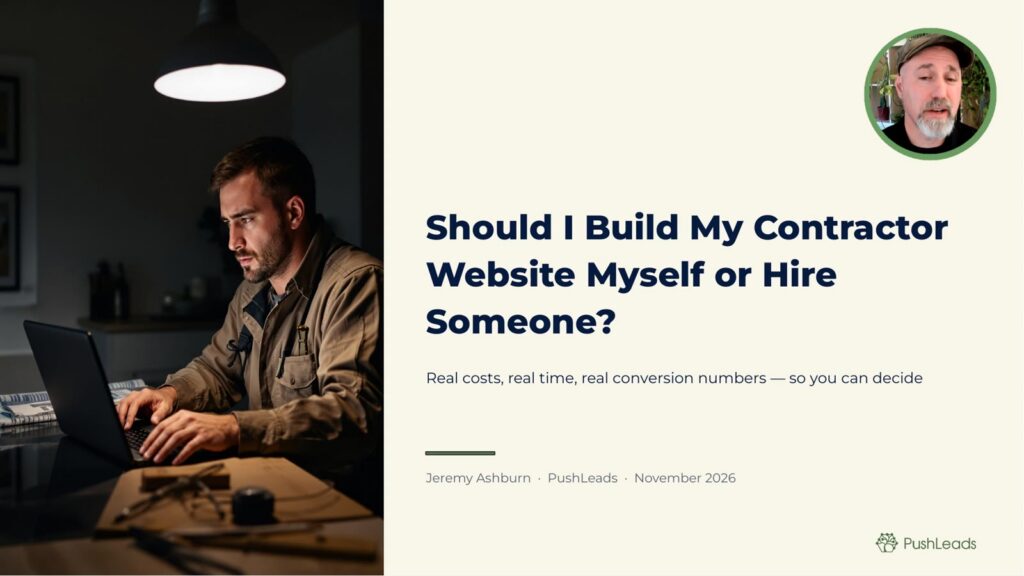
0:00 Intro
0:33 Hire a Professional If You Want Leads Within Ninety Days
1:29 What DIY Website Builders Miss: Service Area Pages and Schema Markup
3:08 Real Time Cost: Forty to Eighty Hours to Build a Decent Contractor Site Yourself
4:22 Professional Site Cost Range: Three Thousand to Twelve Thousand Dollars
5:40 Conversion Rate Differences: DIY Sites Convert One to Two Percent, Professional Sites Three to Eight Percent
6:40 Why Mobile Speed and Call Button Placement Matter More Than Design
7:49 The SEO Foundation Most DIY Builders Skip Entirely
8:56 Lead Capture Forms and CRM Integration Complexity
10:01 When DIY Makes Sense: Very Small Service Area or Startup Budget Under Five Thousand Dollars Total
10:58 How to Evaluate Contractor Website Designers and See Past Client Results
12:12 Ongoing Costs: Hosting, Maintenance, and Content Updates
13:13 ROI Timeline: When a Professional Site Pays for Itself in Leads
Full transcript
0:00 Intro
If you want leads coming in within 90 days of launching a new website, it’s always best to hire a professional. That’s the short answer. But the longer answer depends on real numbers, real -time costs, and a comparison that actually helps you decide which path makes sense for your business right now. So I’m going to walk you through both of these options honestly, and including when DIY is actually the right call. So let’s get into it. Hire a professional if you want leads within 90 days.
0:33 Hire a Professional If You Want Leads Within Ninety Days
Here’s the core issue. A website that sits there looking decent is not the same as a website that generates calls and leads. Most DIY contractor sites take three to six months, just to start showing up in search results, if they ever do. And that’s because the technical foundation, the content structure, the local SEO signals, they’re usually missing or they’re done wrong from the start. Now, on the other hand, a professionally built contractor site done by somebody who actually knows what they’re doing, knows local SEO, this website can start ranking and generating inbound leads within 60 to 90 days of launch. Now, that’s not a guarantee, but that’s a realistic target when the work is done right. The difference isn’t design. The difference is infrastructure. What DIY website builders miss? Service area pages and schema markup.
1:29 What DIY Website Builders Miss: Service Area Pages and Schema Markup
The two things that DIY builders almost always skip are service area pages and schema markup. Now, service area pages are just individual pages on your website, targeting each city or town that you work in, not one page at least 20 different cities. You do one page per city, each page has real unique content on it. If you do garage to a repair in the areas of Asheville, we reveal, or Black Mountain, the areas around where I live, you’ll need three separate pages built around that specific location. Wix and Squarespace and GoDaddy site builders don’t tell you to do this. They just tell you to build one homepage and call it done. Why? Because they don’t really care if your business gets leads. They just care that you’re using their service. Now, schema markup is the other gap. Schema is the code that tells Google exactly what the business is, where it operates, what service it offers, and how to contact you. And schema is invisible to the visitor, but it’s read by search engines. Without schema, Google is guessing at your site relevance. With it, you’re explicitly telling Google that you’re a licensed HVACT contractor to address. Most DIY builders either don’t offer schema or they offer a watered -down version that doesn’t cover the signals that matter for local contractors. Real -time cost, 40 to 80 hours to build a decent contractor website yourself.
3:08 Real Time Cost: Forty to Eighty Hours to Build a Decent Contractor Site Yourself
Now, let’s talk about time. Building a contractor website yourself, one that looks actually decent, is probably going to take 40 to 80 hours. Now, if you’re using AI to build your site, it could be faster. But again, AI won’t really care about adding schema to your website. You have to be careful about that. But, of course, AI can’t help you save time. Now, this 40 to 80 hours is a set -up time. That’s total time invested before launch. What I’m including in that time is writing the copy, uploading photos, figuring out the page structure, setting up contact forms, connecting Google Analytics, verifying Google Search Console, configuring your business schema, writing service area pages, handling mobile layout areas and issues, and troubleshooting whatever breaks. So, if you build at $100 an hour in the field, 40 hours of your actual time is $4,000. So, 80 hours is $8,000. You’re not saving money by doing it yourself. You’re paying with a different currency. And that doesn’t include the ongoing learning curve when something breaks six months later, when Google updates its guidelines and your site drops off the first page.
4:22 Professional Site Cost Range: Three Thousand to Twelve Thousand Dollars
Professional site costs range, $3,000 to $12,000. So, what it actually does it cost to hire somebody for a contractor website that’s built to generate leads, expect to pay between $3,000 and $12,000 for the initial bill. Now, if we talk about price ranges, $3,000 to $5,000 gets you a solid, 10 -page website with proper SEO foundation, service pages, schema market, and a mobile optimized layout. $5,000 to $8,000 adds more service area pages, more detailed content, possibly a blog foundation and deeper CRM integration, and then $8,000 to $12,000 is for larger operations, multi -location contractors, or businesses that need custom functionality. These are real ranges that I see in today’s market, but not every agency price is the same way, and there are cheaper options that exist, but if somebody quotes you $900 for a contractor site, ask what’s not included. The answer is usually everything that actually drives leads. Conversion rate differences, DIY sites convert 1 to 2%. Professional sites convert 3 to 8%. Now, here’s where the math gets important.
5:40 Conversion Rate Differences: DIY Sites Convert One to Two Percent, Professional Sites Three to Eight Percent
In my experience, DIY contractor sites generally convert at 1 to 2% of visitors, while professional sites built for lead generation typically convert 3 to 8%. So let’s work through what that means for a real business. Let’s picture a roofing company getting about 500 visitors a month at a 2 % conversion that’s 10 leads a month, at a 5% conversion that’s 25 leads a month. So if you close 30% of those leads and your average job is $4,000, you go from $12,000 in a potential revenue per month to $30,000. Same traffic, different website. The conversion difference usually comes from how the page is structured, where the call button lives, how fast the page loads, and whether the visitor immediately understands what you do and where you do it. So design is part of this, but structure and speed matter more. Why mobile speed and call button placement matter more than design.
6:40 Why Mobile Speed and Call Button Placement Matter More Than Design
Most contractors are focused on how the site looks, but what actually moves the needle is how fast it loads and whether or not someone can call you in 2 seconds. 70 to 80% of contractor website traffic in my experience across local service businesses comes from mobile devices. So if your site takes more than 3 seconds to load on the phone, a large portion of those visitors leave before they see anything at all. So Google also uses mobile page speed as a ranking signal. A slow site means slower ranking, means lower ranking, and less visibility in Google. The other factor is call button placement. Your phone number needs to be visible without scrolling on every page. It should be a tapped call link, not a number somebody has to manually dial, and it should appear on the header of every page. It should also appear again mid -page, and it should appear at the bottom of every service page. Now that sounds obvious, but most DIY sites don’t do it, and I’ve seen professional sites skip it too. So if somebody has to hunt for your number, they’re calling you a competitor instead. The SEO Foundation most DIY builders skip entirely.
7:49 The SEO Foundation Most DIY Builders Skip Entirely
There’s a layer of SEO work that happens before you write a single word. It’s keyword research tied to local intent. Not just something like roof repair, but roof repair Asheville NC, or emergency plumber near me and your specific Metro. It’s the competitor gap analysis, figuring out which terms your competitors rank for that you don’t even have pages targeting for you. It’s also your internal linking structure. They can show your website passes authority to your service pages and your service area pages linked to your other service area pages. It’s also title tags and meta descriptions written to earn clicks, not just rank. And most DIY builders give you a text box that says SEO title and expect you to know what to put there. If you haven’t done keyword research first, that text box is useless. And this is the foundation. You can of course have the best -looking contractor website on the Internet, but if your foundation is wrong, the site doesn’t rank, nobody visits, and nobody calls. Lead capture forms and CRM integration complexity.
8:56 Lead Capture Forms and CRM Integration Complexity
Your website form just isn’t a form. It’s also the start of a workflow. When someone fills out a contact or attack form at 11 p .m. asking about a water heater replacement, what happens? Do you get a text, an email? Does it go into a CRM? Does an automated response go out immediately? For most DIY contractor sites, the form just sends an email to whoever the address that you have set up for, and that’s it. But you have professional setups that integrate with CRM tools so that every lead is logged, tagged with the source, and entered into a follow -up sequence. And speed to lead matters enormously when you’re talking about home services. So if you call back within five minutes of a form submission, your close rate is significantly higher than if you call back the next morning. That integration, that automation is not something that Wix set up for you by default. It requires connecting tools, setting up automations and testing the whole chain from end to end. And that’s the work that professional web designers should include or at least set up for you to handle. When DIY makes sense, very small service area or start up budget under $5,000 total.
10:01 When DIY Makes Sense: Very Small Service Area or Startup Budget Under Five Thousand Dollars Total
Now I want to be fair here. DIY is sometimes the right answer. If you’re just starting out and you’re working with a small geographic area and your total marketing spend is under $5 ,000, building your own site temporarily makes sense. Just get something live, claim your Google Business Profile, get some reviews, and start learning what works. A basic site that’s live beats a perfect site that’s still in planning six months from now. And if you’re a solo operator doing local handyman work in one specific zip code, a simple three -page Wix website might be all you need while you build capital. The calculus changes when you’re doing over $300,000 a year. You’re in a competitive market or you’re trying to grow beyond word -of -mouth referrals. At that point, the professional site pays for itself. The DIY site becomes the thing holding you back. How to evaluate contractor website designers and see past client results.
10:58 How to Evaluate Contractor Website Designers and See Past Client Results
Not every agency that says they build contractor websites actually knows how to generate leads for contractors. Here’s what to ask. First, ask to see contractor websites they built. Not portfolio screenshots, actual live URLs that you can visit and test on your phone. Second, ask what their sites convert at. If they can’t answer that question, they’re not tracking it, which means they don’t know if their sites work. Third, ask who handles their ongoing SEO. Some agencies build beautiful websites and hand it off. There’s no ongoing work after that. The site might rank well for six months and then get overtaken by competitors who are actively working their SEO. Fourth, ask how they handle schema and service area pages. If they don’t know what schema is, walk away. Fifth, ask for references from contractors specifically. Plumbers, roofers, contractors, HVAC, electrician, garage door people. Local service businesses with real service areas, not restaurants, not e -commerce. The website for a coffee shop and the website for a roofing company are completely different animals. You want someone who knows the difference. Ongoing costs, hosting, maintenance, and content updates.
12:12 Ongoing Costs: Hosting, Maintenance, and Content Updates
The bill cost is not the whole number. You also have to pay for hosting, typically $20 to $100 a month depending on your platform and traffic. Maintenance, security updates, plug -in updates, backup management, typically $30 to $100 a month if you’re paying someone to handle it. Content updates, new blog posts, updated service area pages, fresh photos are ongoing. If you want your site to keep ranking as the search evolved, you have to keep feeding in. That’s another $200 to $600 a month for active content work or time you spend doing yourself. Add it up. Over two years, a professional site at $5,000 a front plus $200 a month in maintenance and content is $9,800 total. A DIY site with a $50 a month platform fee plus 40 to 80 hours you spend building it plus the same content cost is not dramatically cheaper, especially when you account for the conversion gap. ROI timeline when a professional site pays for itself in leads.
13:13 ROI Timeline: When a Professional Site Pays for Itself in Leads
Let’s close with a math that actually matters. Take a contractor averaging a $2,000 job. A professional site costs $6,000 to build. It needs to produce three jobs that you wouldn’t have gotten otherwise to break even at that build cost alone. If the site generates five additional leads a month and you close two of those, you’ve recovered your build costs in three months. After that is pure margin. Now that’s a realistic illustration for what a mid -size contractor in a competitive market can get. Your numbers will vary by market, by trade, and by average job size. The point is that this is not a question of whether a professional site costs more. It costs more front, but it earns more money over time. The DIY site costs less upfront and often costs more over than the first two years in loss leads, loss ranking, and your own time. If you’re not sure what your site stands right now, the first step is knowing what you’re actually working with. So go to PushLeads .com slash check and get your free AI visibility check. It shows how your site is performing, what’s missing, and where you’re leaving leads on the table. Or call us directly at 828 -348 -7686. Take the guesswork out of it. I’m Jeremy Ashford with PushLeads. I help small businesses get more leads without struggle and frustration. Talk soon.
Key Takeaways
Want it done for you? See our contractor web design.
If you want leads within 90 days, hiring a professional to build your contractor website almost always makes more sense than doing it yourself. DIY sites typically take three to six months just to start appearing in search results, and they usually miss the technical foundations that drive local leads. The cost difference between DIY and professional is smaller than most contractors expect once you account for your own time, the conversion gap, and the ongoing ranking disadvantage.
- Professional contractor websites can start generating inbound leads within 60 to 90 days when built with proper local SEO foundations.
- DIY sites almost always skip service area pages and schema markup, the two elements that matter most for local search visibility.
- Building a decent contractor site yourself takes 40 to 80 hours, which at $100 per hour in the field equals $4,000 to $8,000 of your own time.
- Professional contractor sites typically convert 3 to 8 percent of visitors into leads, compared to 1 to 2 percent for DIY builds.
- Mobile page speed and call button placement drive more conversions than visual design does.
- DIY makes sense only if your total startup marketing budget is under $5,000 or you serve a single small zip code.
- A professional site at $6,000 can pay for itself in as little as three months when it generates consistent additional jobs.
Build Contractor Website Yourself or Hire Someone: The Decision That Actually Affects Your Revenue

If you want leads coming in within 90 days of launch, hiring a professional to build your contractor website is almost always the right call. That is the short answer. A website that sits there and looks decent is not the same thing as a website that generates calls. Most DIY contractor sites take three to six months just to start appearing in search results, if they ever do, because the technical foundation, content structure, and local SEO signals are either missing or set up incorrectly from day one.
A professionally built contractor site, done by someone who actually understands local SEO, can realistically start ranking and driving inbound leads within 60 to 90 days of launch. That is not a guarantee, but it is an achievable target when the work is done correctly. The difference between a site that ranks and a site that sits idle is not how it looks. It is what is built underneath it.
In this video
- 0:00 PushBrowse AI Tool Overview
- 1:02 How PushRank Controls PushBrowse
- 1:36 Remodels Page Built in 10 Minutes
- 2:56 Live Edits via Conversation
- 3:57 Flywheel Dev Mode and SSH Setup
- 5:16 Headless Browser REST API Explained
- 6:44 Caching Plugin and WP Rocket Setup
- 6:58 Final Result on the Live Site
Full transcript: Build Elementor WordPress Pages With AI (PushBrowse Demo)
That said, I want to be honest about both sides. There are real situations where building your own site temporarily is the right move, and I will cover those too. But for most contractors doing over $300,000 a year, competing in a mid-size to large metro, or trying to grow beyond word-of-mouth referrals, the professional route pays for itself faster than most people expect.
Want more customers from Google & AI search?
Get a free SEO audit of your site — see exactly what to fix first.
What DIY Website Builders Do Not Tell You About Local Search

The two elements DIY website builders almost always skip are service area pages and schema markup, and skipping either one makes it much harder for Google to understand what your business does and where it operates.
Service area pages are individual pages on your website, each one targeting a specific city or town you work in. Not one page listing twenty cities. One page per city, each with real, unique content built around that location. If you do garage door repair in Asheville, Weaverville, and Black Mountain, you need three separate pages written around each of those locations. Platforms like Wix, Squarespace, and GoDaddy do not walk you through this process because they do not care whether your business gets leads. They care whether you keep paying for their platform.
What is schema markup and why does it matter for contractors?
Schema markup is code that tells Google exactly what your business is, where it operates, what services it offers, and how to contact you. It is invisible to the visitor but read by search engines. Without schema, Google is essentially guessing at your site’s relevance. With it, you are explicitly declaring that you are a licensed HVAC contractor serving a specific address and service area. Most DIY builders either skip schema entirely or offer a stripped-down version that does not cover the signals local contractors actually need.
Why does Wix not set up service area pages for me?
Wix and similar platforms are built to get you online quickly, not to get you ranked in competitive local searches. Their templates are designed around aesthetics and ease of use, not around the content architecture Google rewards for local service businesses. The platform makes money when you subscribe, regardless of whether your site ever brings in a single phone call. That is a fundamentally different goal than yours.
How many service area pages does a contractor website actually need?
You need one dedicated page for each city or town where you actively want to show up in search results. For a contractor covering a 30-mile radius around a mid-size city, that often means 10 to 20 individual pages. Each page needs unique content, not a copy-paste template with the city name swapped in. Google can detect thin duplicate content and will not reward it with rankings.
The Real Time Cost of Building a Contractor Website Yourself

Building a contractor website yourself, one that actually looks decent and covers the basics, takes 40 to 80 hours of your own time before you ever launch it. That is total setup time, not ongoing time.
That 40 to 80 hours includes writing the copy, uploading photos, planning the page structure, setting up contact forms, connecting Google Analytics, verifying Google Search Console, configuring business schema, writing service area pages, handling mobile layout issues, and troubleshooting whatever breaks along the way. AI tools can speed some of this up, but AI will not automatically add schema markup or structure your pages for local search intent. You have to know to do that, and then actually do it.
Is building my own contractor website actually cheaper than hiring someone?
When you account for your own time at your billable rate, it is usually not cheaper. If your time in the field is worth $100 per hour, 40 hours of website building costs you $4,000 in opportunity cost. Eighty hours costs $8,000. You are not saving money by doing it yourself. You are paying with a different currency. And that does not include the time you will spend six months later when something breaks or Google updates its algorithm and your site drops off the first page.
What tasks actually take the most time when building a contractor site yourself?
Writing copy and service area pages consistently takes longer than people expect, often 15 to 25 hours alone if you are doing it correctly. Setting up and testing contact forms, Google Analytics, and Search Console integration adds another 5 to 10 hours. Mobile layout troubleshooting is unpredictable but rarely takes less than 5 hours for someone without web development experience.
Professional Contractor Website Cost: What You Should Expect to Pay

A professionally built contractor website designed to generate leads typically costs between $3,000 and $12,000 for the initial build, depending on the size and complexity of your operation.
At the $3,000 to $5,000 level, you get a solid 10-page website with a proper SEO foundation, service pages, schema markup, and a mobile-optimized layout. At $5,000 to $8,000, you add more service area pages, more detailed content, possibly a blog foundation, and deeper CRM integration. The $8,000 to $12,000 range is for larger operations, multi-location contractors, or businesses that need custom functionality. These are real ranges I see in today’s market. Not every agency prices the same way, and cheaper options do exist, but if someone quotes you $900 for a contractor site, ask what is not included. The answer is usually everything that actually drives leads.
Understanding what digital marketing costs in 2026 is essential before you sign anything, so you can recognize whether a quote reflects real work or a race to the bottom on price.
What does a $3,000 to $5,000 contractor website actually include?
At that price point, you should get a custom homepage, individual service pages, a contact page, Google Analytics and Search Console setup, basic schema markup for local business and service types, a mobile-responsive layout, and at minimum a handful of location pages. If the agency cannot tell you exactly what pages they are building and how each one is optimized, that is a problem.
Why do some agencies quote $900 for a contractor website?
Low-cost agencies typically use generic templates, write minimal content, skip schema, skip service area pages, and hand the site off with no ongoing support. The site may look fine on day one but it will not rank, it will not convert at the level a lead-focused build does, and when you need changes six months later there is often no one available to help you.
What should a contractor website quote actually include?
A quote should break down every deliverable: number of pages, schema types, service area pages, CRM integrations, mobile optimization steps, and what happens after launch. Reviewing what a real agency quote includes before you get proposals will help you identify which agencies are being thorough and which are leaving critical items off the page.

Conversion Rate Differences: Why the Same Traffic Produces Very Different Results

DIY contractor sites typically convert 1 to 2 percent of visitors into leads, while professionally built sites designed for lead generation typically convert 3 to 8 percent, and that gap has a direct dollar value attached to it.

Here is a real example. A roofing company gets 500 visitors per month. At a 2 percent conversion rate, that is 10 leads per month. At a 5 percent conversion rate, that is 25 leads per month. If you close 30 percent of those leads and your average job is $4,000, you go from $12,000 in potential monthly revenue to $30,000. Same traffic. Different website. The conversion difference comes from how the pages are structured, where the call button lives, how fast the page loads, and whether a visitor immediately understands what you do and where you do it. Design is part of the equation, but structure and speed move the needle more than aesthetics do.
What conversion rate should a contractor website realistically achieve?
For local home service contractors, a well-built site focused on lead generation should target 3 to 5 percent conversion in a moderate market, and can reach 6 to 8 percent in markets where the site has strong SEO visibility and fast mobile load times. Anything below 2 percent on consistent traffic usually signals a structural or speed problem that needs to be diagnosed.
How does page structure affect lead conversion for contractors?
Visitors to a contractor site are usually in some level of urgency. They want to know quickly that you serve their area, what you do, and how to reach you. Pages that lead with that information, with a clear headline, a visible phone number, and a brief description of the service and location, convert better than pages that lead with a company history or a generic welcome message.

Why Mobile Speed and Call Button Placement Outweigh Design

Seventy to eighty percent of contractor website traffic comes from mobile devices, so if your site takes more than three seconds to load on a phone, a large share of those visitors leave before they ever see what you offer.
Most contractors focus their energy on how the site looks. But what actually moves the needle is how fast it loads and whether someone can call you within two seconds of landing on the page. Google also uses mobile page speed as a ranking signal, so a slow site earns lower rankings and less visibility before a single visitor even has the chance to convert.
Where should the phone number appear on a contractor website?
Your phone number needs to be visible without scrolling on every page of the site. It should be a tappable call link, not a number someone has to manually dial. It should appear in the header of every page, again mid-page on service pages, and again at the bottom of every service page. That sounds obvious, but most DIY sites do not do it, and even some professional builds skip it. If a visitor has to hunt for your number, they are calling a competitor instead.
How do I know if my contractor website is loading too slowly on mobile?
Google’s free PageSpeed Insights tool at pagespeed.web.dev will score your site on mobile and desktop and show you exactly what is slowing it down. A score below 50 on mobile is a serious problem for both user experience and rankings. Common culprits on DIY sites are uncompressed images, too many plugins, and hosting plans that are too slow for the volume of traffic you are trying to handle.
Does a good-looking contractor website rank better than a plain one?
No. Google does not rank based on visual design. It ranks based on page speed, content relevance, mobile usability, internal linking structure, schema markup, and backlinks. A plain, fast, well-structured site will consistently outrank a visually impressive site that loads slowly and lacks proper local SEO signals.
The SEO Foundation Most DIY Builders Skip Before Writing a Single Word

There is a layer of SEO work that has to happen before you write any content, and most DIY site builders never do it because they do not know it is required.
That work includes keyword research tied to local intent. Not just “roof repair” but “roof repair Asheville NC” or “emergency plumber near me” with your specific metro attached. It includes competitor gap analysis, finding out which terms your competitors rank for that you have not built pages around yet. It includes mapping out your internal linking structure so that your homepage passes authority to your service pages, and your service pages link to your service area pages. And it includes writing title tags and meta descriptions that earn clicks, not just rankings. Most DIY builders hand you a text box labeled “SEO title” and expect you to know what to put there. If you have not done keyword research first, that text box is useless.
This SEO foundation connects directly to your Google Business Profile as well. If you want to optimize your Google Business Profile, the signals you send through your website, particularly your NAP consistency and schema, directly reinforce how Google reads your GBP listing.
What is local intent keyword research and why does it matter for contractor websites?
Local intent keywords are search phrases that include a geographic modifier or an implied location signal like “near me.” These are the terms your potential customers actually type when they need a contractor. Optimizing for broad, non-geographic terms like “HVAC repair” is nearly impossible for a local business competing against national directories. Local intent keywords give you a realistic path to page-one visibility in your actual service area.
What is internal linking and how does it help a contractor website rank?
Internal linking is the practice of connecting your pages to each other with clickable links. When your homepage links to your service pages, and your service pages link to your service area pages, you are signaling to Google which pages are most important and helping it understand the full scope of your business. Without intentional internal linking, some of your most valuable pages may never get indexed properly.
Lead Capture Forms and CRM Integration: More Complex Than It Looks

A contact form on your contractor website is not just a form. It is the first step in a lead workflow, and what happens after someone submits it determines whether that lead converts or disappears.
When someone fills out a form at 11 p.m. asking about a water heater replacement, the question is what happens next. Do you get a text, an email? Does the lead get logged in a CRM? Does an automated response go out immediately? For most DIY contractor sites, the form sends one email to whatever address you set up, and that is the end of it. Professional setups integrate with CRM tools so that every lead is logged, tagged by source, and entered into a follow-up sequence. Speed to lead matters enormously in home services. If you call back within five minutes of a form submission, your close rate is significantly higher than if you call back the following morning.
That kind of automation is not something Wix sets up for you by default. It requires connecting tools, building automations, and testing the entire chain from submission to follow-up. That is work a professional web designer should include in a contractor build or at minimum configure for you to manage going forward.
What CRM tools do contractor websites typically integrate with?
Common options for home service contractors include ServiceTitan, Jobber, HubSpot, and GoHighLevel. The right choice depends on your trade, your team size, and your budget. What matters more than the specific tool is that the integration is actually set up and tested before the site goes live, so no leads fall through the gap between form submission and follow-up call.
How fast do I need to respond to a contractor website lead?
Response time within five minutes of a form submission or call produces significantly higher close rates than waiting even an hour. Homeowners shopping for contractors often contact two or three companies at once. The first contractor to respond with a coherent answer almost always gets the job. That is why automated acknowledgment messages and CRM logging matter even if you personally call back within the hour.
When Building Your Own Contractor Website Actually Makes Sense
DIY is sometimes the right answer, and I want to be straightforward about when that is true rather than just pushing every contractor toward a professional build.
If you are just starting out, working a small geographic area, and your total marketing spend is under $5,000, building your own site temporarily is a reasonable move. Get something live, claim your Google Business Profile, collect some reviews, and start learning what works. A basic site that is live beats a perfect site that is still in planning six months from now. If you are a solo handyman serving one specific zip code, a simple three-page Wix site may be all you need while you build capital.
The calculus changes when you are doing over $300,000 a year in revenue, competing in a market with established contractors who are actively working their SEO, or trying to grow beyond referrals. At that point, the professional site pays for itself. The DIY site becomes the obstacle. For contractors in that growth stage, hiring a local SEO agency that specializes in your trade is a significantly more efficient use of capital than continuing to manage the technical side yourself.
What is the minimum revenue level where a professional contractor website makes financial sense?
At roughly $300,000 in annual revenue, the math on a professional site starts to work clearly in your favor. At that revenue level, one or two additional jobs per month from improved website performance covers the cost of the build within a quarter. Below that threshold, particularly if you are still building your reputation through referrals, a temporary DIY setup is a defensible choice.

Can I start with a DIY site and upgrade to a professional build later?
Yes, and many contractors take that path. The main risk is that bad technical habits built into a DIY site, like duplicate service area content or missing schema, can carry forward if the new professional build does not audit and fix those issues. When you eventually upgrade, make sure the agency doing the work understands what they are inheriting and addresses the existing problems rather than just layering a new design over a broken foundation.
How to Evaluate Contractor Website Designers Before You Hire One
Not every agency that claims to build contractor websites understands how to generate leads for local service businesses, and knowing what to ask before you hire saves you from expensive mistakes.
First, ask to see contractor websites they have built. Not portfolio screenshots. Actual live URLs you can visit and test on your phone. Second, ask what their sites convert at. If they cannot answer that question, they are not tracking performance, which means they do not know whether their sites actually work. Third, ask who handles ongoing SEO after the build. Some agencies hand off a finished site with no plan for continued work. The site might rank for six months and then get overtaken by competitors who are actively adding content and building links. Fourth, ask specifically how they handle schema and service area pages. If they cannot explain what schema is, that is a signal to walk away. Fifth, ask for references from contractors specifically: plumbers, roofers, HVAC companies, electricians, garage door operators. Local service businesses with real service areas. A website built for a coffee shop and a website built for a roofing company are completely different projects, and you want someone who has done your version before.
A good starting point is vetting a digital marketing agency thoroughly before you commit to a build, so you understand what separates contractors who specialize in your space from generalists who will figure it out at your expense.
What questions should I ask a web designer before hiring them for my contractor site?
Ask for live URLs of contractor sites they have built, ask what those sites convert at, ask how they structure service area pages, ask what schema types they implement, ask who does the ongoing SEO, and ask for references from contractors in trades similar to yours. Any designer who gets defensive or vague about those questions is not the right fit for a lead-focused contractor build.
How do I check if a contractor website another agency built is actually performing?
Visit the site on your phone and time how fast it loads. Run the URL through Google PageSpeed Insights. Search for the contractor’s business name plus city in Google and see where they appear. Check whether their Google Business Profile is active and has recent reviews. If you can get access to their traffic data or they can share it, look at organic traffic trends over the past 12 months.
Ongoing Website Costs: What You Pay After Launch
The build cost is not the full number. After launch, you are paying for hosting, maintenance, and content on an ongoing basis, and those costs apply whether you built the site yourself or hired someone.
Hosting typically runs $20 to $100 per month depending on your platform and traffic volume. Maintenance, including security updates, plugin updates, and backup management, runs another $30 to $100 per month if you are paying someone to handle it. Content updates, new blog posts, updated service area pages, and fresh photos are ongoing as well. If you want your site to keep ranking as search evolves, you have to keep feeding it. That is another $200 to $600 per month for active content work, or equivalent time if you are doing it yourself.
Add it up over two years. A professional site at $5,000 upfront plus $200 per month in maintenance and content equals $9,800 total. A DIY site with a $50 per month platform fee plus the 40 to 80 hours you spent building it plus the same content cost is not dramatically cheaper, especially when you factor in the conversion rate gap. A useful resource for understanding the full picture is a GBP optimization cost comparison, which breaks down DIY versus outsourced costs in a similar framework you can apply to website decisions as well.
How much should I budget for monthly website maintenance on a contractor site?
A realistic budget for managed maintenance on a WordPress contractor site is $50 to $150 per month for security, updates, and backups. If you add monthly content in the form of blog posts or updated service pages, budget another $200 to $500 per month. Some agencies bundle maintenance and content into a monthly retainer, which is often more cost-effective than paying separately for each piece.
Do I need to keep updating my contractor website after it launches?
Yes. Search rankings are not permanent. Competitors who are actively adding content, earning backlinks, and updating their pages will gradually outrank a site that sits static. Fresh content signals to Google that the site is active and relevant. Even one or two new pieces of content per month, like a blog post about a local project or an updated service area page, can make a measurable difference in rankings over time.
Frequently Asked Questions
How long does it take for a professional contractor website to show up in Google?
A professionally built contractor website with proper local SEO foundations can begin ranking for target keywords within 60 to 90 days of launch. That assumes the site includes schema markup, optimized service and service area pages, correct title tags, and is indexed promptly through Google Search Console. Competitive markets and high-difficulty keywords may take longer, but that 60 to 90 day window is a realistic target for a site built correctly from the start.
What is the difference between a service page and a service area page?
A service page covers what you do, for example a page dedicated to water heater installation that explains the service, your process, and your credentials. A service area page covers where you do it, for example a page targeting water heater installation in Asheville NC. Both types of pages are necessary. Service pages help you rank for trade-specific searches, and service area pages help you rank for geographically specific searches in each market you serve.
Can I use AI to build my contractor website?
AI tools can speed up parts of the process, particularly writing first drafts of page content. However, AI alone will not set up schema markup, structure your internal linking correctly, conduct local keyword research, or integrate your forms with a CRM. Those tasks require deliberate technical decisions that the AI tools available today do not make automatically. You still need someone who understands local SEO to review and correct the output before the site goes live.
What platform should I use to build a contractor website?
WordPress is the most flexible option for contractors who need robust SEO control, schema customization, and CRM integration. It requires more technical knowledge to manage but gives you the most control over ranking factors. Wix and Squarespace are easier to use but limit your ability to customize schema, page speed settings, and technical SEO elements. For a contractor who needs serious local search performance, WordPress with a reputable hosting provider is the standard professional choice.
How do I know if my current contractor website is costing me leads?
Signs that your current site is costing you leads include a mobile load time over three seconds, a conversion rate below 2 percent, no service area pages, no schema markup, a phone number that is not tappable on mobile, and organic traffic that has been flat or declining for six months or more. If you are not tracking any of these metrics, that itself is a signal. You cannot improve what you are not measuring.
What does a contractor website need to rank in the Google Map Pack?
Ranking in the Google Map Pack, the three local business results that appear above organic results for local searches, depends primarily on your Google Business Profile, the consistency of your business name, address, and phone number across the web, the volume and recency of your reviews, and the proximity of your business to the searcher. Your website reinforces these signals through schema markup, locally optimized content, and NAP consistency, but the GBP itself is the primary driver of Map Pack visibility.
Should a contractor website have a blog?
A blog is not mandatory, but it is one of the most reliable ways to keep adding locally relevant content that attracts search traffic over time. Even publishing one post per month about a local project, a seasonal service, or a common question from customers can compound into meaningful organic traffic within a year. For contractors in competitive markets, a consistent blog is often the difference between a site that holds rankings and one that gradually gets pushed down by more active competitors.
How do I calculate the return on investment for a professional contractor website?
Take the cost of the build and divide it by the value of one average job. That tells you how many jobs you need to break even. Then estimate how many additional leads per month the new site is likely to generate based on improved conversion rates and traffic, multiply by your close rate, and multiply by your average job value. For a contractor with a $2,000 average job and a $6,000 site build who closes two additional jobs per month, the site pays for itself in three months.
Make a Decision Based on Numbers, Not Assumptions
Whether you decide to build your contractor website yourself or hire someone, make that decision based on real numbers: your hourly value in the field, the conversion rate difference, the realistic timeline to rank, and the ongoing cost comparison over two years. Most contractors who do that math choose the professional route, not because it costs less upfront, but because it earns more over time.
The DIY path costs less at the start and often costs significantly more over the first two years in lost leads, lost rankings, and your own time spent troubleshooting instead of doing the work you are actually good at. The professional path costs more upfront and, when done correctly, produces a consistent return that covers the build cost within a few months.
If you are not sure where your current site stands or whether it is working as hard as it should be, the first step is finding out what you are actually working with. At PushLeads, we work with home service contractors who want their websites and local search presence to generate real leads, not just look good on a screen. Reach out at https://pushleads.com/contact/ and let us take a look at what you have and what it would take to close the gap.
Keep Reading
Want more customers from Google & AI search?
Get a free SEO audit of your site — see exactly what to fix first.
Your path · Emergency Service Marketing for Home Service Contractors
Keep going: read these next

- Up nextEmergency Electrical Contractor Marketing: How to Capture More Urgent Service Calls
- Midwest Storm Belt Contractor Marketing: How to Capture Emergency Demand Across Tornado Alley
- Freeze-Risk Market Contractor Marketing: How to Win Plumbing, Restoration, and HVAC Jobs in Cold-Weather Markets




Want this done for you?
Scan your site. See the gaps. Decide with numbers.
- Rankings, Google Business Profile and site-speed teardown
- Report lands in your inbox in about a minute
- No obligation · 4.9 from 67 Google reviews
 Continue reading