


Key Takeaways
- Photo reviews are a stronger Google Maps ranking signal than text-only reviews — a business with 80 photo reviews can outrank a competitor with 300 text-only reviews in targeted zip codes (Sterling Sky).
- The highest-conversion moment to ask is immediately after job completion, while you’re still on-site and the customer’s satisfaction is at its peak.
- 83% of customers will leave a review when asked directly, but most contractors ask fewer than half the time (BrightLocal, 2024).
- A single specific instruction, “Can you snap a photo of the finished work and add it to your Google review?” outperforms a generic ask because it removes all guesswork.
- Reviews with photos stay at the top of a Google Business Profile’s review section 10 times longer than reviews without photos (Sterling Sky).
The fastest way to get customers to leave photo reviews on Google is to ask in person, immediately after finishing the job, with one specific sentence that tells them exactly what to photograph. That single change, adding a photo prompt to your existing review ask, produces more Google Maps visibility than almost anything else a contractor can do without spending a dollar on ads. Here’s the exact field workflow that makes it stick.
This is part of our guide to Dumpster rental SEO. Want it done for you? See our local SEO services.
Why Photo Reviews Beat Text Reviews for Google Maps Rankings
Photo reviews carry more weight as a ranking signal than text-only reviews, full stop. Steve Hunsaker, founder of Home Service Accelerator, confirmed this directly in a recent video breakdown of Google Maps ranking factors, noting that photo reviews are one of the three core signals Google actually rewards for local service businesses. The data backs this up: a contractor with 80 photo reviews can outrank a competitor carrying 300 text-only reviews in specific zip codes (Sterling Sky Research).
The reason comes down to how Google reads engagement. A review with an attached photo signals real, documented work at a real address. It’s harder to fake, more useful to searchers, and Google’s Vision AI actually classifies the image content to better understand what your business does (Google Developer Documentation, 2024). That classification is an additional relevance signal on top of the review itself.
Photo reviews also stay visible longer. Reviews containing photos remain at the top of the review section 10 times longer than text-only reviews (Sterling Sky). That means a fresh photo review from last Tuesday can push a competitor’s older reviews down the page, even if they have more reviews overall. And businesses with more than 100 photos in their Google Business Profile receive 520% more phone calls than the average listing (Google Internal Data via BrightLocal, 2024).
Mini-summary: Photo reviews outperform text-only reviews as a ranking signal because they carry a stronger engagement signal, stay visible longer on your profile, and give Google’s AI actual visual data to work with. This is a lever almost no contractor is actively pulling right now.

Want more customers from Google & AI search?
Get a free SEO audit of your site — see exactly what to fix first.
The Exact Moment to Ask (Most Contractors Get This Wrong)
The highest-conversion window to ask for a photo review is while you’re still standing in the customer’s driveway, tools in hand, right after they’ve seen the finished work. Not an hour later via text. Not that evening by email. Right there, in person, while the emotional peak of satisfaction is still running hot.
“The best time to request a review is immediately after a positive experience,” says Joy Hawkins, owner of Sterling Sky and one of the most cited local SEO researchers in North America. “Customers are most likely to follow through when their memory is fresh and they haven’t walked back inside and gotten distracted.”
This timing matters more than most contractors realize. Research shows that review request response rates drop significantly after 72 hours (BrightLocal, 2024). By the time your automated text goes out the next afternoon, your customer has moved on. They’ve had lunch, dealt with the kids, and your roofing job is already a background memory. The emotional moment that made them want to tell someone about your work has passed.

The in-person ask works for a simple reason: the finished work is right in front of them. They can see it. That visual anchor is exactly what you’ll use in your photo ask, and it converts far better than any digital follow-up. Businesses that actively ask for reviews collect two to three times more reviews than those that wait (BrightLocal, 2024).
Mini-summary: Ask in person, while you’re still on-site, before you load the truck. The window closes fast, and no automated follow-up text can replicate the conversion rate of a direct ask made at the moment of peak satisfaction.
The One-Sentence Ask That Actually Works
Most contractors who do ask for reviews say something vague: “Hey, if you’re happy, feel free to leave us a review.” That ask is too open-ended. It puts all the work on the customer and gives them no direction on what to do next. Vague asks get ignored.
The ask that converts has two parts: the review request and the photo prompt, delivered together in one sentence. Here’s the exact language:
“If you’re happy with how it looks, would you mind snapping a quick photo of the finished work and dropping it in with your Google review? It really helps people in the neighborhood see what we do.”
That sentence works because it does several things at once. It anchors the ask to something the customer can literally see right now. It tells them exactly what to photograph without overwhelming them with instructions. It gives them a reason to care, since neighbors searching Google will see their photo. And it’s short enough that it doesn’t feel like a sales pitch.
“When asking customers to leave a review, specifically request that they include a photo and explain how it helps other customers better understand what your business offers,” says John Lincoln, CEO of Ignite Visibility. Generic review requests underperform specific ones because customers don’t know what to do with a vague ask. A personalized message that references the customer’s specific job outperforms a generic request by three to five times (BrightLocal, 2024).
After you say it, pull up your Google review link on your phone and hand it to them. Don’t just describe it. Handing over the phone removes the step where most customers abandon the process.
How to Remove Every Bit of Friction
Friction is the enemy of photo reviews. Every extra step between “I’m happy to do it” and “Done” costs you a percentage of customers who would have followed through. Your job is to make the path as short as possible.

Start with your Google review link. Get it from your Google Business Profile dashboard under “Get more reviews,” then shorten it and save it somewhere accessible. That link goes in your text message templates, your invoice emails, and on a QR code card you can hand over at job completion. A direct link that opens the review form immediately raises the response rate compared to asking someone to search for your business manually (Google Business Profile Help, 2024).
At the job site, here’s the full sequence that works:
- Walk the finished work with the customer and confirm they’re satisfied.
- Deliver the one-sentence ask while standing near the completed work.
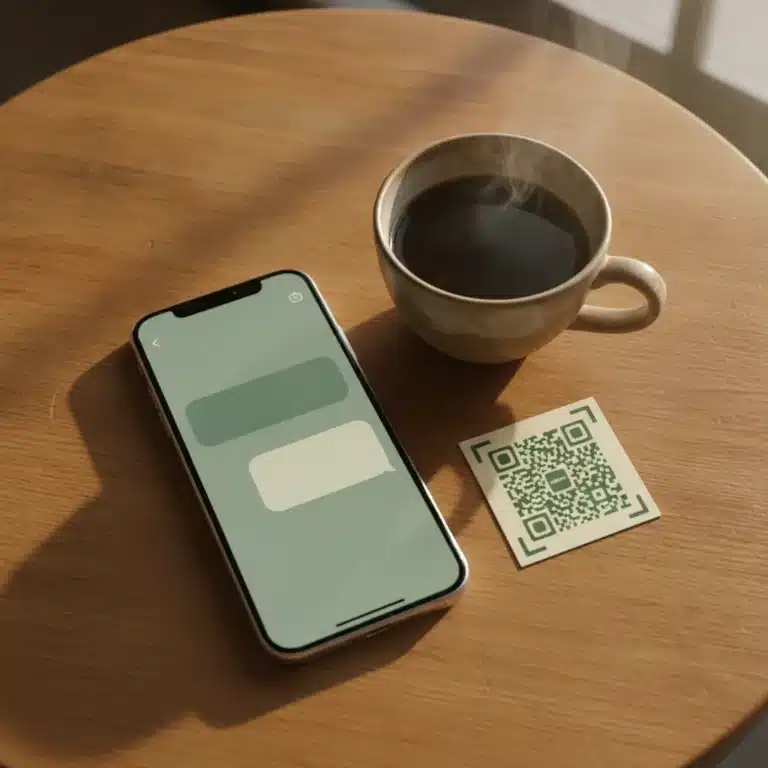
- Open your review link on your phone and hand it to them, or hand them a card with a QR code they can scan on the spot.
- If they want to do it later, send the link by text before you back out of the driveway.
That text message followup buys you a small extension on the timing window, but only if you send it immediately, not hours later. Keep it short: “Thanks again for the work today. Here’s that review link if you get a minute, a photo of the job would really help: [link].” That’s it. No paragraph. No list of instructions. One line.
Some contractors snap a photo of the finished work on their own phone during the walkthrough, then text it to the customer alongside the review link. The customer now has the photo already in their camera roll and just needs to attach it. That one move removes the biggest friction point in the whole process, and it works.
Mini-summary: Friction reduction means handing over the link, not just mentioning it. The shorter the path from “yes” to “submitted,” the more photo reviews you’ll collect. Send the follow-up text before you leave the property.
Building This Into a Repeatable System
A one-time ask strategy isn’t a strategy. You need to ask 100% of the time, on every job, or your review count stays inconsistent. Businesses that ask consistently collect two to three times more reviews than those that ask occasionally (BrightLocal, 2024).
The simplest way to make this consistent is to assign the ask to one person per job, usually the lead tech or crew foreman, and make it part of the job close checklist. It goes alongside collecting payment and confirming the customer’s satisfaction. If your team completes a job close checklist, the review ask belongs on it.
For multi-tech operations, brief your crew on the exact words to use. Role-play it once if you need to. The goal is for every tech to feel comfortable delivering the one-sentence ask without it sounding scripted or awkward. The ask works best when it sounds natural, and it sounds natural when you’ve said it enough times that it’s second nature.
Keep velocity in mind. Ten new photo reviews per month will outperform 100 older ones in terms of the signal Google rewards for recency (Sterling Sky). Google’s algorithm weighs fresh reviews more heavily than a stockpile of old ones. Asking on every job keeps your review stream active, which keeps your profile competitive. And if a customer hasn’t responded after two asks, move on. Don’t chase it further than that.
Summary
Getting customers to leave photo reviews on Google comes down to three things: ask at the right moment, ask with the right words, and remove every step between them and the submit button. The right moment is in person, at job completion, before you leave. The right words tell them exactly what to photograph and why it matters. The right system means handing over your review link, not just mentioning it exists.

Most contractors skip the photo prompt entirely and wonder why their review count isn’t moving their Google Maps ranking. Add the photo ask to your job close process this week and ask on every single job. That consistency, more than any tool or platform, is what separates the contractors who dominate local search from those who don’t.
Frequently Asked Questions
Should I take my own photos and send them to customers to use in their review?
Yes, and this is one of the best friction-removal tactics available. Snap a photo of the finished work during your walkthrough and text it to the customer alongside your review link. They now have the photo in their camera roll and just need to attach it. That single step removes the biggest reason customers abandon the photo review process before completing it.
In this video
- 0:00 Why ChatGPT Recommends Angi Over You
- 0:18 Run the ChatGPT Test Right Now
- 0:47 Why AI Skips Local Remodelers
- 1:25 Four Signals AI Looks For
- 2:24 YouTube as an AI Citation Source
- 3:06 Google Business Profile Is Ground Zero
- 3:47 How to Coach Customers on Reviews
- 4:43 Build One Page Per Service and Area
- 5:21 Houzz and BBB Directory Profiles
- 6:06 Real Numbers from Bear Restoration
- 7:48 How to Track Your AI Visibility
- 8:24 Common Mistakes Keeping You Invisible
- 9:17 Your Action List This Week
Full transcript: Why does ChatGPT recommend Angi instead of your remodeling company?
What if my customer says they’ll leave a review later but never does?
Send the review link by text before you leave the property. That immediate follow-up catches them while the job is still top of mind. If they haven’t responded after a second, brief reminder, don’t push further. Chasing reviews beyond two asks creates friction in the customer relationship and rarely converts.
In this video
- 0:00 Why Greenville Businesses Lose to Competitors
- 1:34 Four-Layer Local SEO System Overview
- 2:02 Google Business Profile Optimization
- 2:46 Google Reviews Strategy and Responses
- 3:29 Citations NAP Consistency and Directories
- 4:15 Technical SEO Mobile Speed and Schema
- 5:02 Time Investment and When to Hire Out
- 5:36 Tracking GSC GBP and Analytics Monthly
Full transcript: How to Improve Your Google Rankings in Greenville SC (2025)
Does asking for photo reviews violate Google’s guidelines?
No. Google explicitly encourages businesses to ask customers for reviews. What Google prohibits is offering payment or incentives for reviews, review gating (only asking customers you think will leave five stars), and asking customers to name specific employees (a rule added in 2026). Asking every customer to leave an honest review with a photo is fully within Google’s terms.
How many photo reviews do I actually need to rank higher in Google Maps?
There’s no fixed threshold, but the data points to consistency and velocity mattering more than a single total. Ten new photo reviews per month will outperform a stockpile of 100 older text reviews in terms of the recency signal Google rewards (Sterling Sky). Start by asking on every job and let the total grow steadily over time rather than trying to hit a number all at once.
What if I run a home service business without a physical location? Does this still apply?
Yes. Service-area businesses without a storefront can still build a fully optimized Google Business Profile and collect photo reviews. The photo ask works exactly the same way since the “finished work” is at the customer’s property, not yours. That’s actually an advantage: every job site becomes a visual proof point in your review section.
Is a follow-up text or email as effective as asking in person?
It’s less effective, but still worth doing as a backup. In-person asks convert higher because the finished work is visible and the emotional peak is live. Follow-up texts work best when sent immediately after job completion, not hours later. Many contractors see the best results by combining both: an in-person ask plus an immediate text with the direct review link.
Can I use a QR code card instead of handing over my phone?
Yes, and QR code leave-behind cards work well for customers who prefer not to handle your phone. Print a card with your Google review QR code and hand it over at job completion. Ask them to scan it right there if they have a moment. The key is making the link accessible on the spot, not hoping they’ll search for your business later on their own.
What’s the right way to train my crew to ask for photo reviews?
Give them one sentence to say and practice it until it sounds natural. Assign the ask to the lead tech as part of the job close checklist, alongside collecting payment and confirming customer satisfaction. Role-play it once so it doesn’t feel scripted in the field. Consistency matters more than perfect delivery: ask on every job, every time, and your review count will grow steadily.
Keep Reading
Want more customers from Google & AI search?
Get a free SEO audit of your site — see exactly what to fix first.
Your path · The Ultimate Google Business Profile Guide
Keep going: read these next

- Up nextHow to Handle and Remove Fake Reviews on Google Business Profile
- Asheville SEO Review Management: Turn Google Reviews into Local Business Growth
- The Ultimate Google Business Profile Guide: Dominate Local Search



Want this done for you?
Scan your site. See the gaps. Decide with numbers.
- Rankings, Google Business Profile and site-speed teardown
- Report lands in your inbox in about a minute
- No obligation · 4.9 from 67 Google reviews
 Continue reading

