
Social Media Marketing for Restaurants in Asheville: Food Photography & Community Engagement

Capturing Asheville’s Culinary Scene Through Social Media
Want it done for you? See our local SEO services.
In Asheville’s competitive dining landscape, standing out on social media isn’t just nice to have—it’s essential for restaurant success. With tourists and locals alike discovering new eateries through Instagram feeds and Facebook recommendations, your restaurant’s social media presence directly impacts your bottom line. The good news? You don’t need a national marketing budget to make an impact. The right combination of mouthwatering food photography and authentic community engagement can transform your social media from an afterthought into a reservation-generating powerhouse.
At PushLeads, we’ve helped numerous Asheville restaurants increase their visibility and bookings through strategic social media marketing. We understand the unique character of Asheville’s food scene and how to showcase your restaurant’s personality in ways that resonate with both visitors and locals.
Food Photography That Makes Diners Reach for Their Phones
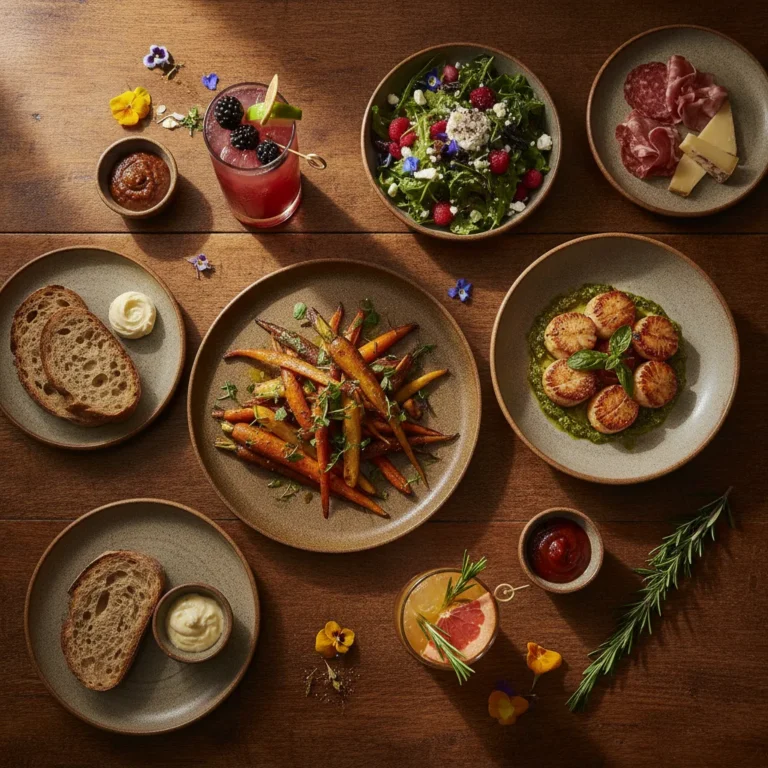
When it comes to restaurant marketing, the visual appeal of your dishes can make or break your social media success. In our experience, restaurants that invest in quality food photography see engagement rates up to 3-4 times higher than those using casual smartphone shots.
Effective food photography for Asheville restaurants isn’t just about making food look good—it’s about telling your restaurant’s unique story. Are you a farm-to-table establishment? Your photography should highlight fresh ingredients and relationships with local farmers. Craft cocktail bar? Those signature drinks deserve dramatic lighting and creative angles that capture their artisanal quality.
Many restaurant owners worry about the cost of professional photography, but consider this: one professional photo shoot can provide months of content that continuously drives new customers through your doors. We’ve seen clients book shoots quarterly to capture seasonal menu changes, generating fresh content that keeps their feeds engaging year-round.
Want more customers from Google & AI search?
Get a free SEO audit of your site — see exactly what to fix first.
Building Community Beyond the Plate
While stunning food photography gets attention, community engagement turns followers into loyal customers. Asheville diners are particularly responsive to restaurants that feel connected to the local community. This means going beyond simply posting food photos to creating content that reflects your involvement in Asheville’s unique culture.
Successful restaurant social media strategies we’ve implemented include highlighting staff members (putting faces to the experience), showcasing local partnerships (from breweries to farmers), and participating in community events. These approaches build authentic connections that resonate with Asheville’s community-focused clientele.

Engagement isn’t a one-way street. Restaurants seeing the best results actively respond to comments, share customer photos, and create interactive content that invites participation. This two-way conversation transforms your social media from a broadcast channel into a community hub.
Platform-Specific Strategies That Work for Asheville Restaurants
Not all social platforms serve the same purpose for restaurants. Based on our work with Asheville eateries, we’ve found Instagram remains the powerhouse for food-focused content, with its visual nature perfectly suited to showcase culinary creations. Facebook, meanwhile, excels for event promotion, special announcements, and connecting with the local community, particularly among older demographics.
Emerging platforms like TikTok offer exciting opportunities for restaurants willing to embrace video content—behind-the-scenes kitchen footage, chef techniques, or even the story behind a signature dish can perform exceptionally well and reach younger audiences.
Measuring What Matters: Beyond Likes and Followers
While growing your follower count feels good, what really matters is whether your social media efforts translate to more diners. Smart restaurant marketers track metrics that indicate real business impact: website clicks to reservation pages, redemptions of social-exclusive offers, and direct messages inquiring about bookings.

We help restaurants implement tracking systems that connect social media activity to actual business outcomes, allowing for data-driven decisions about what content performs best for your specific establishment.
Take Your Restaurant’s Social Media to the Next Level
Ready to transform your restaurant’s social media presence into a reservation-generating machine? PushLeads offers customized social media marketing strategies for Asheville restaurants that focus on what matters: beautiful food photography and authentic community engagement that brings diners through your doors.
Our approach combines professional visual content with strategic community building, all measured against real business outcomes—not just vanity metrics.
Call us today at (828) 348-7686 for a free consultation about your restaurant’s social media presence. Let’s create a strategy that showcases your culinary creations and connects you with more hungry Asheville diners.
FAQ About Restaurant Social Media Marketing
How often should restaurants post on social media?
For Asheville restaurants, we recommend 3-5 posts weekly on Instagram and 2-3 on Facebook. Consistency matters more than frequency—a regular posting schedule keeps you in followers’ feeds without overwhelming them.
Do I need professional photography for my restaurant’s social media?
While not every post requires professional photography, investing in quarterly professional shoots provides a foundation of high-quality images that can be supplemented with in-house content. Professional food photography typically increases engagement by 300% compared to amateur photos.
What types of content work best for Asheville restaurant marketing?
Asheville diners respond strongly to content that highlights local connections—partnerships with farms, breweries, and artisans; behind-the-scenes kitchen content; staff spotlights; and community involvement. A mix of food photography, people-focused content, and local stories creates the most engaging feed.
Key Takeaways
- You can shoot strong everyday food content with a recent smartphone, a window, and a repeatable five-step routine.
- A written shot list and a four-week content rhythm keep posting consistent without taking over your service hours.
- Social posts only fill tables when each one points to a clear next step, such as a reservation link, a menu page, or a direct message.
- Asheville’s seasonal swings, from busy tourist weeks to quiet winter stretches, should drive what you post and when you promote.
- Small paid budgets, local partnerships, and a simple monthly scorecard make results easier to repeat and explain.
A Phone-Based Food Photography Routine You Can Repeat
You can get usable, appetizing photos with a modern smartphone if you control light, background, and timing. The goal is not a perfect image. It is a consistent, clean look that people recognize as yours.
Use this five-step routine before service, when the kitchen can plate a dish for you and the room is calm.
- Find the best light first. Move the dish next to a window and turn off warm overhead bulbs, which can make food look yellow. Soft daylight from the side shows texture without harsh shadows.
- Clear the frame. Wipe plate rims, remove stray crumbs, and take away anything the camera does not need, like napkin dispensers or receipts. A plain wood table, a stone counter, or a dark plate often works better than a busy background.
- Choose the angle for the dish. Flat dishes such as pizza, charcuterie, and grain bowls look best from directly above. Tall items like burgers, layered desserts, and cocktails look best at eye level with the food.
- Add one human or place detail. A hand pouring sauce, a fork lifting a bite, or the corner of your bar in the background tells people where they are and what it feels like to eat there.
- Edit lightly and stay consistent. Brighten slightly, correct the color so whites look white, and skip heavy filters. Use the same adjustments on every post so your grid looks cohesive.
Take at least ten frames per dish, because the first few are rarely the best. Delete the rest the same day so your camera roll does not turn into a library you never use.
Lighting Problems Common in Mountain-Town Dining Rooms
Many Asheville restaurants are in older buildings with exposed brick, dark wood, and small windows. These rooms feel great in person but can be tough on a phone camera.
- Dim interiors: Shoot near the brightest window and use the phone’s exposure slider to lift the shadows slightly instead of using flash.
- Mixed light colors: If candles, string lights, and daylight all hit the plate, turn off what you can for a few minutes so the color stays natural.
- Patio glare: In direct midday sun, move the dish into the shade of an umbrella or building to avoid blown-out highlights.
- Night shots: Have a teammate hold a second phone flashlight to the side, diffused by a white napkin, instead of pointing it straight at the plate.
The Restaurant Shot List: What to Capture Every Month
A shot list tells you what to photograph so you are never staring at your phone wondering what to post. Build a shoot day around the list once a month, then draw from the library for the next several weeks.
| Shot type | What to capture | Best used for |
|---|---|---|
| Hero dish | Your top three sellers, plated cleanly, from the best angle | Feed posts, Google Business Profile, website |
| Process | Dough stretching, a pour, a flame, a sauce being finished | Reels, TikTok, Stories |
| People | Cooks, servers, bartenders at work, with names and a line about each | Staff spotlights, hiring posts |
| Ingredients | Produce, bread, or beer from a local supplier, ideally with the supplier’s name | Partnership posts, seasonal menu announcements |
| Room and atmosphere | Empty dining room before opening, a full bar at night, the patio | Event announcements, group booking inquiries |
| Menu moments | Specials board, a new dessert, a limited-run cocktail | Stories and short-lead promotions |
Keep the list in a shared note on your phone so any manager can run the shoot. Tick off each category as you go, and you will leave with weeks of material instead of a handful of images.

A Four-Week Content Rhythm for a Busy Restaurant
A simple weekly theme system makes posting easier because you decide the category once, not the idea every day. Each week has a focus, and the posts inside it can be quick.
- Week 1, the food: Feature a hero dish, a new special, and one short process video.
- Week 2, the people: Introduce a team member, share a “how I make it” moment, and repost a guest’s tagged photo with permission.
- Week 3, the neighborhood: Spotlight a local supplier, a nearby business you recommend, or an event you are part of.
- Week 4, the offer: Promote an upcoming event, a slow-night special, a private dining option, or a seasonal menu change.
Stories can fill the gaps between feed posts. A quick shot of the daily special, the line forming at the door, or a bartender mixing a drink takes under a minute and keeps your account active.
Plan one slot each week for something unplanned. A great plate that left the pass, a surprise guest, or a sudden rainstorm on the patio often gets more reaction than anything scheduled.
Matching Your Content to Asheville’s Seasons
Asheville’s visitor traffic rises and falls through the year, so your content should shift with it. Posting the same mix in October and February misses what diners are actually looking for.
Busy Visitor Periods
When tourists fill the downtown and the River Arts District, your posts should answer practical questions. Show your hours, your wait policy, whether you take reservations, and how to find parking or the entrance. Visitors scroll fast and decide quickly, so a clear photo with a caption that says “reservations open for Friday and Saturday” is more useful than a poetic description.
In these periods, make sure your Google Business Profile photos, hours, and menu link match what you post. Many visitors will check Google Maps before they ever open your Instagram.
Quieter Stretches
Slower weeks are when locals matter most. Use them for industry nights, tasting menus, weeknight specials, and invitations that speak directly to residents. A post that says “Tuesday locals’ night” feels more personal than a generic discount.
This is also the right time to shoot new content, test menu ideas, and build relationships with nearby businesses, so you are ready when the next busy stretch begins.
Seasonal Menu Launches
When the menu changes, build a short run of posts around it instead of one announcement. Tease an ingredient, show the dish being developed, post the finished plate, and then share a guest reaction a few days later. That sequence gives followers several chances to notice and act.

Short Video Ideas That Do Not Require an Editor
Short video works when it shows something real in the first couple of seconds. You do not need music trends or fast cuts. You need a clear moment people want to watch to the end.
- The pour or the pull: A beer, a cocktail, melted cheese, a cut through a layered dessert.
- Ten seconds of prep: Chopping, shaping, searing, or plating, filmed from the cook’s point of view.
- The ingredient story: A supplier drops off a delivery and you say what it becomes on the menu.
- Before and after: An empty plate and the finished dish, or the dining room at open and at peak.
- Answer a question: “Do you take walk-ins?” or “What is the best seat for a group?” filmed in one take by a host.
Film vertically, hold the phone steady against your body or a surface, and add captions on screen because many people watch without sound. For a deeper walkthrough of visual planning on that platform, see our Instagram visual strategy guide.
Turning Social Attention Into Reservations
A post only drives bookings when the next step is obvious and easy. Most restaurants lose people between “that looks good” and “I’ll book it” because the path is unclear.
Work through this checklist to close that gap:
- Put your reservation or order link at the top of your Instagram bio, not buried in a list of ten links.
- Use the reservation, menu, and order buttons available on your Google Business Profile and Facebook page.
- End captions that promote an event or special with one specific action: “Book Friday through the link in our bio.”
- Save a pinned Story highlight for hours, parking, menu, and private events.
- Reply to direct messages about bookings quickly, ideally within the same business day, and move them to your booking system or phone line.
- Add tracking parameters to the links you control so you can see which posts send people to your site.
Your social profile should also match the rest of your online presence. Our guide to digital strategies to fill restaurant seats covers how search, reviews, and your website work alongside social posts.
Local Partnerships That Extend Your Reach
Partnerships work best when both businesses gain something real and the audience overlaps without competing. In Asheville, that often means other food and hospitality businesses that already share your customers.
Breweries, Farms, and Makers
If you pour a local beer or serve produce from a nearby farm, tell that story with the supplier tagged in the post. They may share it with their own followers, which introduces you to an audience that already values local sourcing. Our look at brewery social media and community building shows how that audience engages, which can help you plan joint content.
Hotels and Lodging
Visitors often ask front desk staff where to eat. A friendly relationship with local lodging properties, along with clear, current photos and hours, makes it easier for them to recommend you. You can learn how those properties think about content in our piece on social media for Asheville hotels.
How to Pitch a Collaboration
Keep the first message short and specific. Name the idea, say what each side would post, and propose a date. “We would like to pair your pale ale with our fried chicken for one weekend, and each of us posts it twice” is easier to agree to than “Let’s work together sometime.”
Handling Comments, Tags, and Guest Photos
How you respond in public shapes how people see your restaurant. A fast, warm reply shows you are paying attention, and a calm reply to criticism shows future guests how you treat people.
- Positive comments: Reply with something specific, such as the dish name or an invitation to return, instead of a generic emoji.
- Questions: Answer in the comments and, when useful, add the answer to your Story highlights.
- Complaints: Acknowledge the concern, apologize where appropriate, and move the details to a direct message or phone call. Avoid arguing in public.
- Tagged guest photos: Ask permission before reposting, credit the guest, and keep a note of who agreed.
Make sharing easy by giving guests something worth photographing: a well-lit corner, a signature drink, or a plate that looks good from above. Simple signage that mentions your handle is enough, with no need for a forced “tag us” push at the table.
For more on building a loyal audience beyond your restaurant, read our overview of brand engagement tactics in Asheville.
When Paid Social Makes Sense for a Restaurant
Paid posts make sense when you have a specific, time-bound reason to reach people who do not follow you yet. Examples include a new menu, a grand opening, a holiday event, or a slow weekday you want to fill.
Start small. Many local restaurants test with a modest daily budget, often somewhere in the range of $5 to $20 a day, for a short run of one to two weeks. Use a clear image or short video, target a radius around the restaurant, and send people to a page where they can act immediately.
Avoid boosting every post. Choose content that already earned strong organic reaction, because it is more likely to perform when you put money behind it. Our guide to Facebook and Instagram campaign strategies goes into audience setup and budget pacing.
Common Restaurant Social Media Mistakes to Avoid
Most restaurant social media problems come from inconsistency and unclear goals, not from lack of talent. Fix these first before spending more.
- Posting only when it is slow. Followers notice when you disappear during busy weeks and return with a discount.
- Leaving outdated information live. Old hours, retired menu items, and expired promotions send guests to a closed door or a dish you no longer serve.
- Using stock or borrowed images. Guests expect to see what you actually serve, and a mismatch damages trust.
- Ignoring messages. Direct messages are often reservation requests, and unanswered ones are lost bookings.
- Copying the same caption everywhere. A long Instagram caption may not suit a Facebook event post or a TikTok video.
- Chasing trends that do not fit. A trending audio clip with no connection to your food or personality can confuse your audience.
- No owner for the account. If everyone is responsible, nobody is. Assign one person and one backup.
What Restaurant Social Media Costs and How Long It Takes
Costs depend on how much you do yourself and how much you outsource, and results build over months, not days. The ranges below are general planning guides and not quotes, so treat them as a starting point for budgeting.
| Approach | Typical monthly cost range | Time you spend | Best for |
|---|---|---|---|
| In-house with a phone | Low, mostly staff time and small tools | Several hours a week | Owner-operated spots with a motivated team member |
| Quarterly professional shoot plus in-house posting | Moderate, with a photographer fee per shoot | A few hours a week plus shoot days | Restaurants with seasonal menus |
| Freelancer or agency management | Higher, varies by scope and posting volume | A short weekly check-in and approvals | Busy operators who need consistency |
| Paid ads on top of any option | Set by your daily budget | Minimal after setup, with weekly review | Launches, events, and slow-night promotions |
Expect the first month to be about setup and testing. Most restaurants start to see a clearer pattern in what works after two to three months of steady posting, but the timeline varies with your location, audience size, and how often you publish.
A Simple Monthly Scorecard
A one-page scorecard shows whether your social media is doing its job. Review it at the same time each month and compare against the previous month, not against another restaurant.
- Reach and saves: Note which posts reached the most people and which were saved or shared, since saves often signal interest in visiting.
- Profile actions: Record taps on your website link, directions, call button, and reservation link.
- Messages and mentions: Count booking questions and tagged posts from guests.
- Offer redemptions: Track how many guests mention a social-only special.
- What to repeat: Write down the top three posts and what they had in common, such as a person, a process, or a seasonal item.
Ask your host team to log how guests say they found you. A simple tally sheet at the stand can reveal patterns that platform numbers do not show.
Choosing Where to Spend Your Limited Time
If you only have time for one or two platforms, pick the ones where your actual guests already are. A restaurant with a strong tourist base may get more from Instagram and Google, while a neighborhood spot with regulars may find Facebook events more useful.
Review which platforms bring profile actions and messages, then focus there. Our breakdown of choosing the right social channels can help you compare options before you commit staff time.
Next Steps for Your Restaurant
Start with one shoot day, one shot list, and one person responsible for posting. Once that rhythm holds for a month, add short video, local partnerships, and small paid tests.
If you would rather hand part of this off, you can talk with our team about your restaurant and we will look at your current accounts, your goals, and where a plan would make the biggest difference.
Frequently Asked Questions
How much should a restaurant budget for social media?
There is no single right number, but most small restaurants should plan for staff time, an occasional photo shoot, and a small ad budget. A reasonable starting point is a modest monthly ad spend of a few hundred dollars or less, plus a photographer fee a few times a year. Adjust up or down based on how many bookings and inquiries you can trace back to social.
Should a new restaurant start with Instagram or TikTok?
Start with Instagram unless your team is already comfortable making video. Instagram supports photos, Stories, and Reels in one place, and it is where many diners look at a restaurant before visiting. You can repurpose the same short videos to TikTok later without much extra work.
How do I get guests to tag my restaurant?
Make the experience easy to photograph and mention your handle in a natural way. Good lighting near a few tables, a signature dish, and a small sign or menu note with your handle all help. Thank people who tag you in comments or Stories, because public appreciation encourages others to do the same.
Is it okay to repost a guest’s photo?
Yes, but ask first and credit the person who took it. A short direct message such as “We love this photo, may we share it and tag you?” is usually enough. Save the reply so you have a record of permission.
How should I respond to a negative comment?
Respond quickly, politely, and without defensiveness. Acknowledge the concern, apologize if something went wrong, and invite the person to continue the conversation privately. Other readers will judge you by the tone of your reply as much as by the complaint itself.
How long before social media brings in more diners?
Most restaurants need a couple of months of steady posting to see a trend, though a well-timed event or promotion can produce a quicker response. Results depend on your audience, your posting consistency, and how clearly each post points to a booking or visit. Track profile actions and messages monthly so you can see progress before it shows up in sales.
Should I hire an agency or manage social media myself?
Manage it yourself if you have a team member with time, a good eye, and the discipline to post consistently. Hire help when posting keeps slipping, when you want paid campaigns, or when you need photography and strategy together. Either way, keep final approval so the account reflects your restaurant’s real voice and menu.
Want more customers from Google & AI search?
Get a free SEO audit of your site — see exactly what to fix first.
Your path · Industry
3 articles. About 50 minutes.
 Up nextIndustry-Specific Social Media Marketing: Asheville Success Strategies
- You’re hereSocial Media Marketing for Restaurants in Asheville: Food Photography & Community Engagement

Want this done for you?
Scan your site. See the gaps. Decide with numbers.
- Rankings, Google Business Profile and site-speed teardown
- Report lands in your inbox in about a minute
- No obligation · 4.9 from 67 Google reviews
 Continue to Part 1
