


The most powerful content a home service contractor can produce is sitting on every job site, usually captured by accident and rarely used strategically. Before and after photos are visual proof that your service works. They answer the customer’s primary question, “will they actually fix my problem,” better than any amount of copy ever could.
Most contractors who do take photos upload them to a single Google Business Profile album and call it done. That’s leaving serious marketing value on the table. A deliberate photo strategy turns the work you’re already doing into a content asset that attracts leads, builds trust, and supports your rankings for months after the job is finished.
According to a 2025 BrightLocal study, Google Business Profiles with photos receive 42% more requests for directions and 35% more click-throughs to websites than those without. Photos on your profile aren’t decorative. They’re functional.
Why Before and After Photos Work Psychologically
The psychology behind before-and-after content is straightforward. Customers are hiring you to solve a specific problem. Showing them a documented example of you solving that exact problem removes uncertainty from the purchase decision.
Consider how a homeowner researching water damage restoration thinks. They have a flooded basement. They’re scared, uncertain about cost, and worried they’ll hire someone who makes things worse. A series of before-and-after photos from a similar restoration job, with visible moisture readings, damaged materials, and then restored, clean results, answers every one of those concerns more directly than any service description.
“Visual evidence of completed work is the highest-trust content a service business can produce,” says Marcus Sheridan, marketing consultant and author of “They Ask, You Answer.” “Customers who can see what to expect from your service are significantly more likely to convert than those who only read about it.”
This is also why video content for home services performs so well. A before-and-after photo sequence is compelling. A short video walkthrough of the same project adds narration, personality, and context that photos alone can’t provide.

What to Photograph on Every Job
You don’t need a professional camera to build a strong photo library. A recent smartphone in good lighting conditions produces more than adequate quality. What you need is a habit, not equipment.
On every job, capture:
Before photos: The problem as it exists when you arrive. A flooded crawl space, a cracked flue liner, a clogged main drain, an HVAC unit with failing components. Shoot from multiple angles when possible. Include a wide shot for context and close-ups showing the specific damage.
During photos: Key moments in the process. Demolition or disassembly, the actual repair or replacement work in progress, equipment being used, moisture readings or diagnostic results. This documentation also protects you if a customer later disputes what was done.
After photos: The completed result from the same angles as the before shots. Good lighting, clean jobsite, equipment packed away. The before-and-after comparison is only powerful when the angles match closely enough for the viewer to understand what changed.
Your Google Business Profile should receive new photos from completed jobs regularly. Google uses profile freshness as a local ranking signal, and a profile with recently added photos outperforms one with a static gallery.
Want more customers from Google & AI search?
Get a free SEO audit of your site — see exactly what to fix first.
Building a Photo System That Works Without Extra Effort
The reason most contractors don’t have a strong photo library isn’t laziness. It’s that capturing photos wasn’t built into the workflow. Every step that requires someone to remember to do something will eventually get skipped.
The fix is making photo capture part of job completion, not an optional add-on. Add “before photos: 3+” and “after photos: 3+” to your job completion checklist or your field service software. Some platforms like Jobber and ServiceTitan have built-in photo capture fields attached to specific job phases. Use them.
Related: How raising your prices is the.
A simple rule: no job is marked complete in your system until before and after photos are uploaded. With this standard in place, you’ll have a growing photo library after just a few months of consistent implementation.
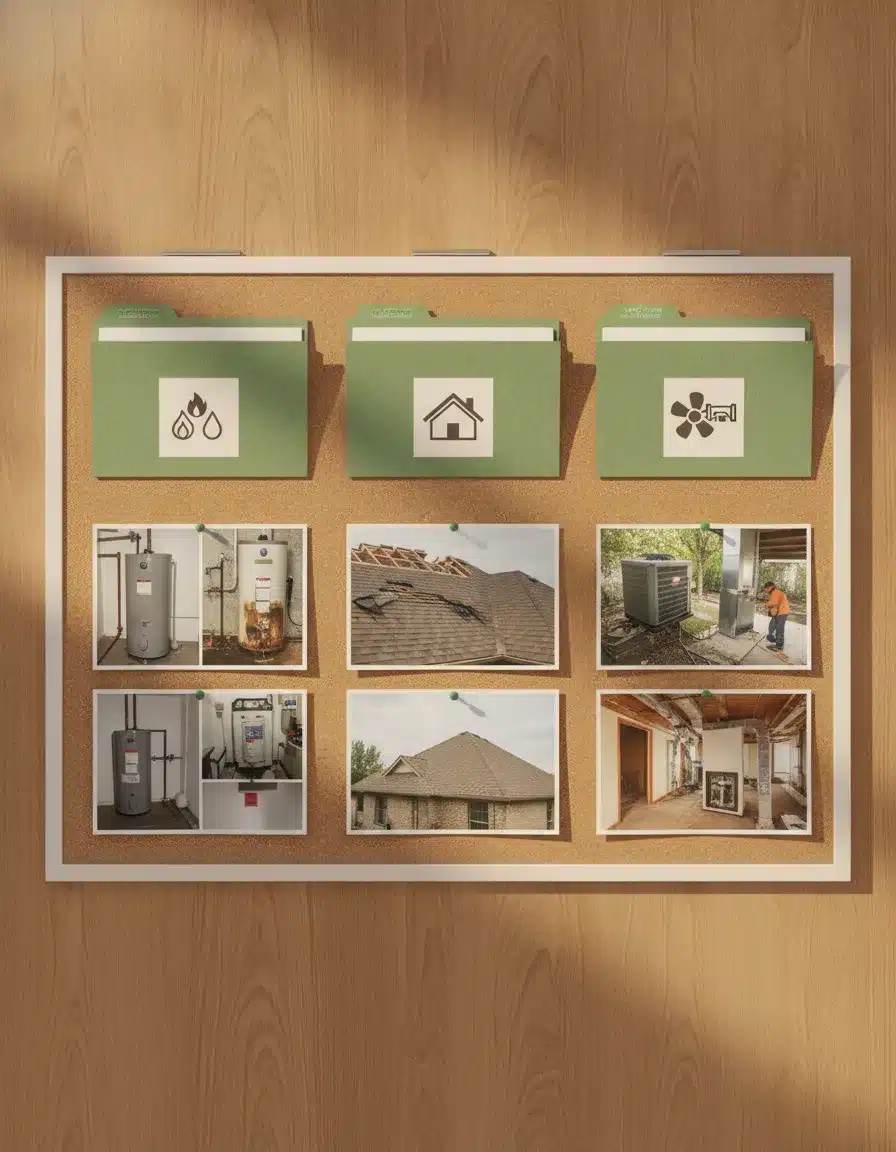
Consider creating a shared folder organized by service type. All the water heater replacement photos in one folder, roof repair in another, drain cleaning in another. When you need photos for a new service page or a social post, they’re easy to find without digging through hundreds of unorganized files.
Where to Use Your Photos Beyond Google
The photographers who create the most marketing value from before-and-after photos are the ones who distribute them across multiple channels rather than uploading to one place and stopping.
Website service pages: Each service page should include three to five before-and-after examples specific to that service. A page about sewer line repair becomes significantly more convincing when a visitor can see documented examples of the work.
Blog posts: A case study blog post walking through a specific job, with photos at each stage, performs extremely well in search and converts readers who are facing similar situations. “How We Restored a Flooded Basement in 72 Hours” with accompanying photos answers questions and builds trust simultaneously.
Social media: Before-and-after photo pairs are among the highest-performing organic content formats on Facebook and Instagram for local service businesses. According to a 2024 Hootsuite analysis, service-related before-and-after posts generate three times more engagement than generic company posts for small businesses.
Google Business Profile posts: Weekly or biweekly photo posts featuring recent jobs keep your profile active and provide Google with fresh signals about your services. Caption each post with the location, service type, and a brief description of the project.
Email follow-up sequences: A follow-up email to past customers showcasing recent project photos keeps your business top of mind when they need service again or refer someone.
The SEO Value of Photo Content
Photos contribute to your search rankings in several ways that most contractors aren’t taking advantage of.
Alt text on photos embedded in your website pages should describe what the image shows using natural language that includes your service and location. “Water damage restoration in Asheville NC before professional drying” is infinitely more useful to search engines than “IMG_2847.jpg.”
File names matter too. Rename your photos before uploading. “basement-flooding-restoration-asheville-before.jpg” and “basement-flooding-restoration-asheville-after.jpg” give search engines additional context about the content of the image.
Schema markup for images can further improve how search engines index your photo content, particularly for rich results and AI overview sourcing. Image schema signals to Google that your photos are professional documentation, not decorative elements.
Google Lens and visual search are growing as well. According to Google’s 2025 Search Trends report, visual search queries have increased 62% year over year. Contractor businesses with optimized, well-labeled photo libraries are beginning to capture search traffic from visual queries that text-based content alone couldn’t reach.

Using Photos to Rank for Local Searches
Photos with geographic signals can support local search rankings when used consistently. A Google Business Profile with photos regularly tagged to your service area, showing local landmarks or recognizable neighborhoods in the background, builds geographic relevance that helps Google understand where you work.
For service area pages that convert, including actual photos of jobs completed in that specific city or county makes the page feel local rather than templated. A page for HVAC service in Hendersonville, NC that includes photos from three actual Hendersonville jobs reads completely differently to a customer from that area than a generic service page with stock photos.
According to Moz’s 2024 local ranking factors research, engagement signals including photo clicks and profile completeness account for a meaningful portion of local map pack rankings. Photos that generate clicks and profile views directly contribute to local visibility.
Showcasing Specialty Work That Sets You Apart
Before-and-after photos have special power when they document work that competitors in your market rarely show. Most HVAC companies post photos of installed equipment. The company that posts thermal imaging before-and-afters, duct leakage test results, or documentation of complex commercial installs differentiates itself from everyone posting the same stock-looking job photos.
In this video
- 0:00 Guest Blog Backlinks Driving Local SEO Results
- 0:52 What a Guest Blog Backlink Actually Is
- 1:50 Domain Authority and Why Link Quality Matters
- 2:44 Keyword Rankings Jump from 14 to 46 Terms
- 4:07 Visibility Score Climbs from 5 to 14 Percent
- 5:20 Tracking Rankings Across South Asheville
- 6:07 Citywide Asheville Rankings Starting to Move
- 7:30 Next Steps and Who This Strategy Fits
Think about what you do that customers don’t fully understand. Show them. A restoration company that photographs the moisture mapping process, the drying equipment placement, and the final clearance readings educates prospects while demonstrating technical depth that a simpler company can’t claim.
AI search platforms increasingly pull from businesses that can demonstrate expertise visually, not just textually. A contractor whose website shows the work in detail, through documented photo sequences, has a content advantage in an environment where AI systems evaluate trustworthiness based on demonstrated expertise.
Frequently Asked Questions
Do I need to get customer permission before using job photos?
For exterior photos taken from public property, permission is generally not required. For interior photos of someone’s home, it’s professional practice to ask. Most customers who had a good experience are happy to say yes. Getting verbal consent takes seconds and avoids any future issues.
What’s the best lighting for job site photos?
Natural light from windows produces the best results indoors. Avoid flash when possible, as it creates harsh shadows and unnatural color. For dim spaces like crawl spaces or attics, use your phone’s Night Mode or add a portable LED work light out of frame.
Should I watermark my before-and-after photos?
A subtle watermark with your company name and website URL is worth adding for photos you share on social media, as they often get reposted without attribution. For website and Google Business Profile use, watermarks aren’t necessary and can reduce perceived quality.
How many photos should a strong Google Business Profile have?
There’s no ceiling, but profiles with 100+ photos consistently outperform those with fewer than 20 across most home service categories. Aim to add five to ten new photos per week and you’ll build a competitive library within a few months.
Can before-and-after photos help with conversion on Google Ads landing pages?
Yes. Landing pages with authentic before-and-after photos from real jobs consistently outperform those with stock photography in A/B tests. The specificity of real job photos communicates competence in a way stock images can’t match.
Every job you complete has a story worth showing. Start capturing it, and start putting those photos where they do the work for you.
Connect with PushLeads to learn how visual content strategy fits into a complete digital marketing plan for your contracting business.
Keep Reading
Want more customers from Google & AI search?
Get a free SEO audit of your site — see exactly what to fix first.
Your path · Emergency Service Marketing for Home Service Contractors
Keep going: read these next
 You’re hereBefore and After Photos: The Simple Content Strategy Contractors Ignore
- Up nextStorm Damage Marketing Strategy for Contractors: How to Win Roofing, Restoration, and Repair Jobs After Every Storm
- After-Hours Lead Capture for Contractors: How to Stop Losing Emergency Calls at Night and on Weekends


Want this done for you?
Scan your site. See the gaps. Decide with numbers.
- Rankings, Google Business Profile and site-speed teardown
- Report lands in your inbox in about a minute
- No obligation · 4.9 from 67 Google reviews
 Continue reading