
How to Master Google My Business for Asheville Service Providers

When customers in Asheville search for services like yours, will they find you before your competitors? Google My Business (GMB) has become the digital storefront for local businesses, and in a competitive market like Asheville, having a well-optimized GMB profile isn’t optional—it’s essential. Many service providers set up basic listings but miss out on the features that could put them at the top of local search results. Whether you run a plumbing business, a law firm, or a cleaning service, your GMB profile directly impacts how many local customers find and choose you.
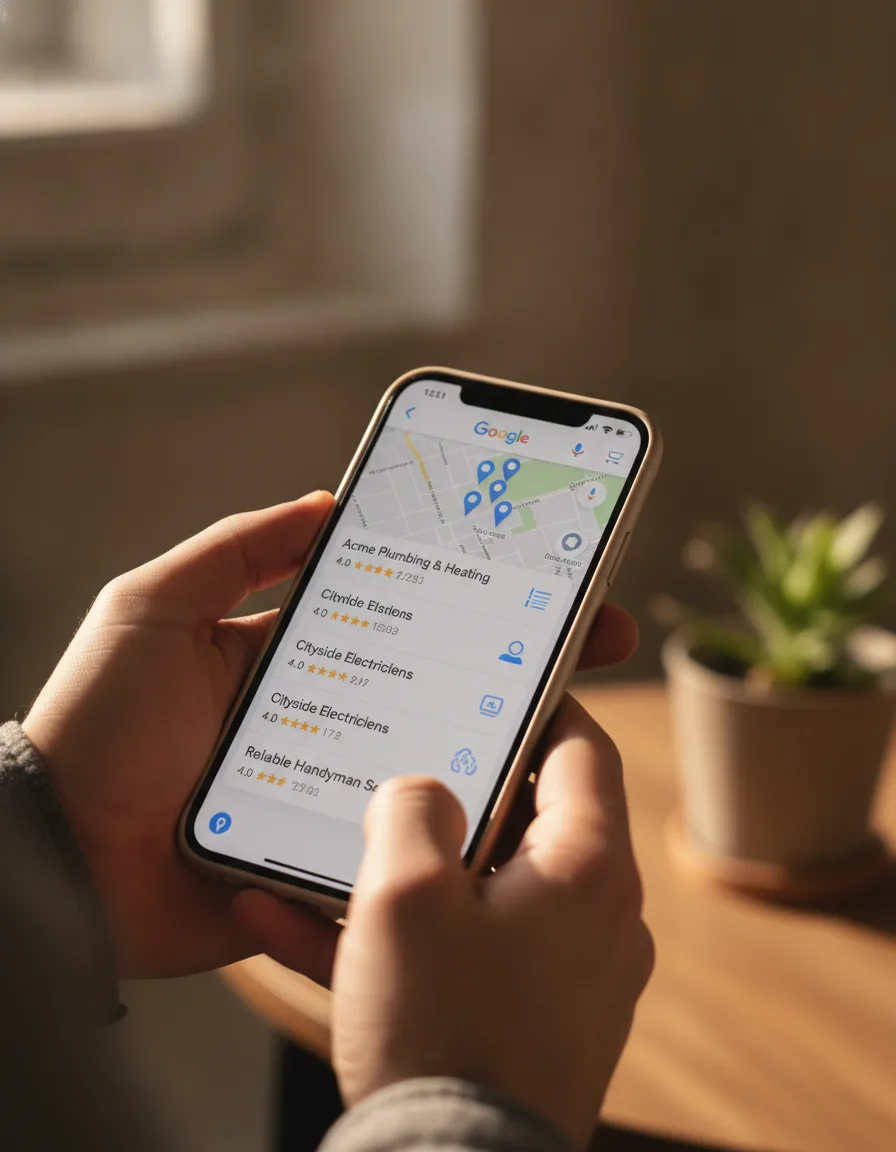
Why Google My Business Matters for Asheville Service Providers
Want it done for you? See our local SEO services.
Think about the last time you needed a service in Asheville. You probably pulled out your phone and typed something like “plumbers near me” or “Asheville lawn care.” Those searches trigger Google’s local pack—those map listings that appear before regular organic results. That prime real estate is determined largely by how well you’ve set up your GMB profile.
For service-based businesses in Asheville, this is huge. Unlike retail shops, you might not have a storefront that customers regularly pass by. Your GMB profile creates that virtual storefront, complete with reviews, photos, and service details that help locals decide whether to call you or your competitor down the street.
Setting Up Your Google My Business Profile the Right Way
Claiming and Verifying Your Listing
First things first: you need to claim your business. Visit business.google.com and check if your business already exists in Google’s database. If it does, claim it. If not, create a new listing. Google will need to verify you’re the actual business owner, usually by sending a postcard with a verification code to your business address. Don’t skip this step—unverified listings don’t show up as prominently in search results.
For service area businesses without a physical location customers visit, you can still create a GMB profile. Just specify your service areas instead of publishing your home address.
Completing Every Section of Your Profile
Half-filled profiles don’t rank well. Fill out every section Google offers:
Business name: Use your exact business name—no keywords or locations stuffed in.
Category: Choose the primary category that best represents your core service. You can add secondary categories too—for example, a home services company might select “Plumber” as primary and “Water Heater Repair Service” as secondary.
Services: List all your services with descriptions and pricing when applicable.
Hours: Keep these accurate and updated for holidays or seasonal changes.
Description: Write a compelling 750-character summary of what makes your Asheville service business special.
Want more customers from Google & AI search?
Get a free SEO audit of your site — see exactly what to fix first.
Local SEO Optimization Strategies for Your GMB Listing
Now that your profile is set up, let’s make it work harder for you with these Asheville-specific optimization tips:
Photos That Convert Browsers to Customers
Businesses with photos get 42% more requests for driving directions and 35% more website clicks. For Asheville service providers, this means uploading high-quality images of:
Your team in action (with permission) showing the quality of your work
Before and after shots of projects (especially effective for landscapers, painters, and renovation specialists)
Your service vehicles with your branding
Your team members (putting faces to your business builds trust)
Photos should be at least 720px wide by 720px tall and in JPG or PNG format.
Reviews: Your Most Powerful GMB Asset

Nothing influences potential Asheville clients more than reviews from their neighbors. Develop a simple system for requesting reviews after completing services. When you get reviews, respond to them—all of them. For positive reviews, thank the customer specifically for what they mentioned. For negative reviews, respond professionally and offer to make things right.
Google notices businesses that actively manage their reviews, and this engagement can positively impact your ranking.
Posts and Updates to Keep Your Listing Fresh
Think of GMB Posts as mini-ads that appear directly in your profile. Use them to:
Announce seasonal services relevant to Asheville (leaf removal in fall, HVAC tune-ups before summer)
Share limited-time promotions or service specials
Post helpful tips related to your services
Introduce new team members or services
Create at least one post weekly to signal to Google that your business is active and engaged.
Leveraging GMB Features Specifically for Service Providers
Appointment Booking
If you use scheduling software, connect it to your GMB profile so customers can book directly from your listing. This reduces friction in the customer journey and increases conversion rates.
Questions & Answers
Monitor the Q&A section of your profile regularly. Be the first to answer questions potential customers ask. Better yet, seed this section with your own FAQs and answers to control the narrative about your business.
Messaging
Enable the messaging feature if you can respond promptly. This gives potential customers another way to reach you and shows you’re accessible and responsive.
Measuring and Improving Your GMB Performance
Check your GMB Insights regularly to see how customers are interacting with your profile:
How they found you (direct search vs. discovery)
What actions they took (calls, website visits, direction requests)
Which photos are getting the most views
Use this data to refine your strategy. If you notice most of your calls come after viewing certain photos, upload more similar content.
Ready to Dominate Local Search in Asheville?
Your Google My Business profile is often the first impression potential customers have of your service business. With these optimization strategies, you’ll stand out in Asheville’s competitive service market and connect with more local customers looking for exactly what you offer. By regularly updating your profile with accurate information, high-quality images, and engaging posts, you can enhance your visibility and attract more attention. The google business profile services impact can significantly influence your local SEO, leading to increased foot traffic and inquiries. Additionally, responding promptly to customer reviews fosters trust and encourages potential clients to choose your services over competitors.
Need help making your Google My Business profile work harder for your Asheville service business? Our team specializes in local SEO and GMB optimization that turns searches into sales. By enhancing your visibility on Google My Business, you can attract more customers and ultimately increase your revenue. Our proven strategies leverage google my business for revenue growth, ensuring that your service business stands out in a competitive market. Let us help you transform your online presence into a powerful tool for driving sales and building lasting customer relationships. With our focused approach, we can help you optimize your Google Business profile to not only enhance your local rankings but also engage potential clients more effectively. Regular updates, positive reviews, and high-quality images are just a few elements we incorporate to make your profile shine. Experience the difference that a well-managed Google My Business presence can make for your overall marketing strategy.
Get Your Free Local SEO Audit
Discover how your business appears in local searches and get actionable tips to improve your visibility. Contact us today for a complimentary GMB assessment and start attracting more Asheville customers tomorrow.
Request Your Free GMB AuditKey Takeaways
- Google ranks local results on relevance, distance, and prominence, so a complete profile only wins when your reviews, website, and citations back it up.
- Service-area businesses should hide their home address and list the cities they actually serve, not every town in Western North Carolina.
- A repeatable review-request routine (ask within a day of finishing the job, send a direct link) does more than any one-time push.
- Most listing suspensions come from avoidable issues such as keyword-stuffed names, virtual addresses, and mismatched business details.
- Your profile data also feeds AI assistants, so accurate services, hours, and service areas help you get recommended in chat answers.
- Expect early movement in 4-8 weeks and stronger map visibility in roughly 3-6 months, depending on competition in your trade.
How Google Decides Who Shows in the Asheville Local Pack
Google’s own documentation says local results are based mainly on relevance, distance, and prominence. You can influence relevance and prominence directly, but distance is mostly out of your hands.
Knowing which factor is holding you back tells you where to spend your time. A plumber in Arden and one in Weaverville can rank very differently for the same search simply because of where the searcher is standing.
| Factor | What it means | What you can do |
|---|---|---|
| Relevance | How well your profile matches what the person searched | Pick accurate categories, list specific services, and write plain descriptions |
| Distance | How close your location or service area is to the searcher | Set a realistic service area and keep your address details accurate |
| Prominence | How well known and trusted your business appears | Earn reviews, build local mentions, and keep your website strong |
If you already rank in your own neighborhood but vanish a few miles away, that is usually a prominence problem. Reviews, links, and consistent listings are the fix, not more profile tinkering.

Set Up Your Service Area Without Hurting Your Rankings
Choose the cities and neighborhoods you genuinely serve, and keep the list tight. Listing every county from Asheville to Greenville will not make you appear in all of them.
Here is a practical way to set it up:
- Map your real job history. Look at the last 50 to 100 jobs and note where they were. Those areas are your starting list.
- Group by drive time. Most home-service companies can cover a 20 to 40 minute radius profitably. Anything beyond that is usually a stretch.
- Add areas in Google’s editor. Use city or ZIP-level areas such as Asheville, Black Mountain, Fletcher, Candler, and Weaverville rather than a single large region.
- Hide your address if customers do not visit you. If you work from home, choose the option to hide it so it is not shown publicly.
- Review every six months. Add areas as you build a customer base there and remove ones where you never get calls.
Your service area signals what you serve, but it does not override distance. If you want stronger visibility in a town outside your base, build proof there: reviews from customers in that town, job photos tagged to that area in your descriptions, and a matching page on your website.
Match Categories and Services to Real Searches
Your primary category is the strongest relevance signal on your profile, so it should describe the job customers hire you for most often. Secondary categories should reflect services you truly perform, not ones you hope to add someday.
Once your category is right, build out the services list underneath it. Use the words customers use, such as “tankless water heater installation” or “gutter cleaning,” rather than internal jargon. For a deeper walk-through of picking the right ones, see our guide to optimizing Google Business Profile categories.
A quick test: search your primary category in Google Maps and see what the top three local competitors use. If they all share a category you do not have, check whether it truly applies to you before copying it.
Avoid Verification Problems and Suspensions
Most suspensions trace back to a handful of mistakes: a name that does not match your real-world branding, an address that is not a real place of business, or a profile that suddenly changes critical details. Stay within Google’s Business Profile guidelines and you avoid most of them.
Common triggers include:
- Adding city names or keywords to your business name
- Using a P.O. box, mailbox store, or shared coworking address as a staffed location
- Creating multiple profiles for the same business to cover different towns
- Changing your name, category, and address all at once
- Listing a service area business with a public address that customers cannot actually visit
If your profile is suspended, do not create a new one. Read the reason shown in your dashboard, fix the issue, and submit a reinstatement request with clear documentation such as a business license, utility bill, or photos of your branded vehicle and signage. Reinstatement can take anywhere from a few days to a few weeks, so keep records and be patient.
Verification itself can happen by postcard, phone, email, or video, depending on what Google offers your business. If you are asked for a video, show your vehicle, tools, branded materials, and proof you can reach customers in your area. Keep it continuous and unedited.
Build a Review Request System That Runs Itself
The best review system is simple enough that your crew actually uses it. Ask while the work is fresh, make leaving a review take under a minute, and follow up once.

A workable routine looks like this:
- Get your direct review link. Copy it from your profile and shorten it so it fits in a text message.
- Ask at the finish. When the job is complete and the customer is happy, tell them you will text a link.
- Send the text the same day. A short, personal message works better than a template with a logo.
- Follow up once, 3 to 5 days later. If there is no response, send a single polite reminder and stop.
- Reply to every review within a couple of days. Mention the service and neighborhood naturally, without stuffing keywords.
A message might read: “Thanks for having us out today, Sarah. If you have a minute, a quick Google review helps neighbors find us. Here is the link.” Do not offer discounts or gifts in exchange for reviews, and do not screen out unhappy customers, since both go against Google’s policies.
Prepare for the occasional bad review too. Respond calmly, state the facts briefly, and offer to continue offline. If you want a fuller playbook, our post on Asheville customer review strategies covers handling difficult feedback in more depth.
Keep Your Business Details Consistent Across the Web
Your name, address, and phone number should match everywhere they appear online. Inconsistent details make it harder for Google to trust that your business is who it says it is.
Start by auditing these places:
- Your website footer and contact page
- Facebook, Yelp, Angi, Nextdoor, and Apple Business Connect
- The Better Business Bureau and your local chamber of commerce
- Industry directories for your trade
- Data aggregators and old listings from previous addresses or phone numbers
Fix duplicates first, since they cause the most confusion. Then align formatting: if your profile says “Suite 4,” do not write “Ste. 4” in one place and leave it off in another. An hour or two of cleanup for a small business can prevent months of mixed signals.
Local mentions matter too. Sponsoring a local team, joining the chamber, or being featured in a neighborhood newsletter often earns a link and a citation that supports prominence.
In this video
- 0:00 Why Asheville Businesses Miss the Map Pack
- 1:19 Hidden Address Suppresses GBP Visibility
- 1:55 Three Google Local Ranking Signals Explained
- 2:29 What Asheville Competitors Are Not Doing
- 2:56 How Long GBP Gains Actually Take
- 3:32 Review Recency Beats Review Volume
- 4:15 How Google AI Reads Your Profile
- 4:49 Six Steps from Position 17 to Top Three
- 6:03 Video Verification and NAP Consistency
- 6:37 GBP vs Website SEO Priority Order
- 7:24 Three Advanced Moves Competitors Skip
Use Asheville’s Seasons and Neighborhoods to Your Advantage
Asheville’s demand swings with the calendar, tourism, and weather, and your profile should reflect it. Update your content before the rush, not during it.
Some practical examples:
- Spring: Pressure washing, landscaping, and exterior painting profiles benefit from fresh before-and-after photos.
- Summer: HVAC companies should highlight cooling repairs and tune-ups, while vacation rental cleaners should emphasize turnover availability.
- Fall: Gutter cleaning, tree work, and chimney services see steady demand as leaves drop.
- Winter: Plumbers should feature frozen-pipe response, and heating contractors should advertise emergency availability.
Mountain terrain and older homes in places like Montford, West Asheville, and Biltmore Forest create specific problems: drainage, aging pipes, and storm damage. Mention those realities in your service descriptions and photo captions when they apply to your work. It shows you know the area and matches the way locals describe their problems.
Also consider how people find you. Many searchers, including visitors managing short-term rentals, are on a phone with a weak signal. A fast, readable site matters as much as the profile, so review your mobile website speed alongside your listing.
Common Mistakes Asheville Service Providers Make
The most expensive mistakes are the quiet ones, like an outdated phone number or a wrong category that no one notices for months. Check for these regularly.
- Letting hours go stale. Missed calls after holidays or storms cost jobs and generate bad reviews.
- Linking to a generic homepage. Point the website button to your most relevant page, or a local landing page if you have one.
- Ignoring tracking. Without call tracking or a UTM-tagged link, you cannot tell which actions bring in revenue.
- Using stock photos. Real images of your crew and work outperform generic ones for trust.
- Answering reviews with copy-paste replies. Customers and Google can both tell.
- Not monitoring edits. Others can suggest changes to your listing, so check your profile every few weeks.
- Setting up and forgetting. Competitors keep adding reviews and content, so a static profile slowly slips.
How Your Profile Feeds AI Search Answers
AI assistants and Google’s AI features draw on many sources, and your business profile is one of the cleanest structured ones they can use. If your information is clear and consistent, you are easier to recommend.
In this video
- 0:00 Why Asheville Visibility Gaps Cost Revenue
- 0:20 Who Jeremy and PushLeads Are
- 0:38 Asheville Market Stats That Drive Urgency
- 1:02 Why Generic SEO Fails Asheville Businesses
- 1:28 Local Pack Mechanics Relevance and Prominence
- 1:52 Google Business Profile Optimization Essentials
- 2:21 GBP Features That Separate Ranked Profiles
- 2:49 Citations NAP Consistency and Local Backlinks
- 3:27 Review Strategy for Local Pack Placement
- 4:00 Mobile Speed and Core Web Vitals
- 4:28 ROI Tracking and Monthly Data Sets
- 5:06 What PushLeads Builds for Asheville Businesses
To make your profile easy to quote:
- Write your description in plain sentences stating what you do, where you work, and how long you have operated.
- List specific services instead of broad labels.
- Keep reviews detailed by encouraging customers to mention the service and location in their own words.
- Make sure your website says the same things your profile does, including service areas and hours.
No one can guarantee placement in an AI answer. What you can do is remove contradictions and give these systems accurate, consistent facts to work with. Our broader guide to Google Business Profile for service companies shows how this fits with your wider local strategy.
A 90-Day Plan to Tighten Your Profile
You can make real progress in three months by working in short, focused blocks. Expect roughly 3 to 6 hours in the first month and 1 to 2 hours a week after that.
| Timeframe | Focus | Typical time |
|---|---|---|
| Days 1-14 | Audit name, address, phone, categories, and service area; fix duplicates | 3-5 hours |
| Days 15-30 | Build out services, upload fresh job photos, and set up your review request routine | 3-4 hours |
| Days 31-60 | Collect reviews steadily, answer each one, and clean up outside directory listings | 1-2 hours per week |
| Days 61-90 | Review calls, direction requests, and website clicks; adjust areas and services | 2-3 hours |
Early signs of progress, such as more profile views or calls, often show up in 4 to 8 weeks. Stronger rankings in competitive trades like HVAC, roofing, or law usually take longer, often 3 to 6 months or more.
Track What Actually Brings in Work
Views and impressions are nice, but calls, quote requests, and booked jobs are what pay the bills. Track those first.
Record how many calls each month came from your profile, then compare them with the jobs you won. Ask every new customer how they found you, and log the answer. If you want a framework for deciding what to measure, our article on local SEO metrics that drive growth explains which numbers deserve attention.
For a wider, step-by-step view of listing setup, our Asheville Google Business Profile guide is a good companion to this page.
When to Get Help
You can handle most of this yourself if you have a few hours a week. Bring in help if you have been suspended, compete in a crowded category, or simply do not have time to keep up the routine.
If you want a second opinion on your listing, reach out to our local team and we will look at your profile with you and tell you where the biggest gaps are.
Frequently Asked Questions
How long does it take to rank in the Google local pack in Asheville?
It usually takes a few months, not a few days. You may see more views and calls within 4 to 8 weeks of fixing basics and collecting reviews, while competitive categories can take 3 to 6 months or longer. Your results depend on competition, your location, and how active your profile is.
Should I hide my address on my Google profile?
Yes, if customers do not visit your location and you work from a home or shared space. Choose the service-area option and hide the address so only your service areas appear. If you run a staffed storefront or office customers visit, show the address instead.
How many reviews do I need to compete?
There is no magic number. Look at the top three local competitors in your category and aim to match their count and recency over time. A steady flow of new reviews each month usually matters more than a large batch collected at once.
Can I add keywords to my business name to rank higher?
No, and doing so can get your profile suspended. Your name should match what appears on your signage, invoices, and website. Put keywords into your categories, services, and description in a natural way instead.
What should I do if my Google Business Profile is suspended?
Read the reason in your dashboard, fix the problem, and submit a reinstatement request with supporting documents. Do not create a new profile, as that can make things worse. Business licenses, utility bills, and photos of branded vehicles or signage are common proof.
Do I need a website if I have a Google Business Profile?
Yes, you should have one. Your profile can bring in calls, but a website supports prominence, explains your services in detail, and gives Google and AI assistants another source to confirm your information. Keep the details consistent between the two.
How often should I update my profile?
Check it at least every few weeks, and update it whenever hours, services, or contact details change. Add new photos and posts regularly and respond to reviews promptly. Seasonal updates before your busy months help you stay relevant when demand rises.
Keep Reading
Want more customers from Google & AI search?
Get a free SEO audit of your site — see exactly what to fix first.
Your path · Dominating Local SEO
6 articles. About 105 minutes.

- You’re hereHow to Master Google My Business for Asheville Service Providers
- Asheville Local SEO Metrics: KPIs That Actually Drive Business Growth
- Speed Up Your Mobile Website for Better Asheville Tourism Rankings



Want this done for you?
Scan your site. See the gaps. Decide with numbers.
- Rankings, Google Business Profile and site-speed teardown
- Report lands in your inbox in about a minute
- No obligation · 4.9 from 67 Google reviews

