
Speed Up Your Mobile Website for Better Asheville Tourism Rankings

When tourists plan their Asheville getaway, they’re not sitting at desktops – they’re searching on their phones. In fact, over 60% of travel searches now happen on mobile devices. If your website isn’t optimized for these on-the-go visitors, you’re losing business to competitors who’ve mastered mobile SEO.
As a local business in Asheville’s competitive tourism market, your mobile site needs to load quickly, look great, and deliver the right information at the exact moment visitors need it. Let’s walk through the practical steps to capture more of Asheville’s valuable tourist traffic through mobile optimization.
Why Mobile Speed Matters for Asheville Tourism Businesses
Want it done for you? See our local SEO services.
Tourists planning trips to Asheville don’t have patience for slow websites. Research shows 53% of mobile users abandon sites that take longer than 3 seconds to load. That’s potential customers lost before they even see what you offer.
Google knows this too – their algorithms prioritize fast-loading mobile sites in search results, especially for location-based searches like “best restaurants in Asheville” or “things to do near me.” When tourists search these terms (which happens thousands of times daily during peak season), faster sites simply rank higher.
Mobile speed doesn’t just affect rankings – it directly impacts conversions. According to Google, improving load time from 8 seconds to 2 seconds can boost conversion rates by 74% for travel sites. For Asheville businesses, that means more bookings, reservations, and foot traffic.
Essential Mobile SEO Techniques for Asheville Tourism Businesses
Compress Images Without Sacrificing Quality
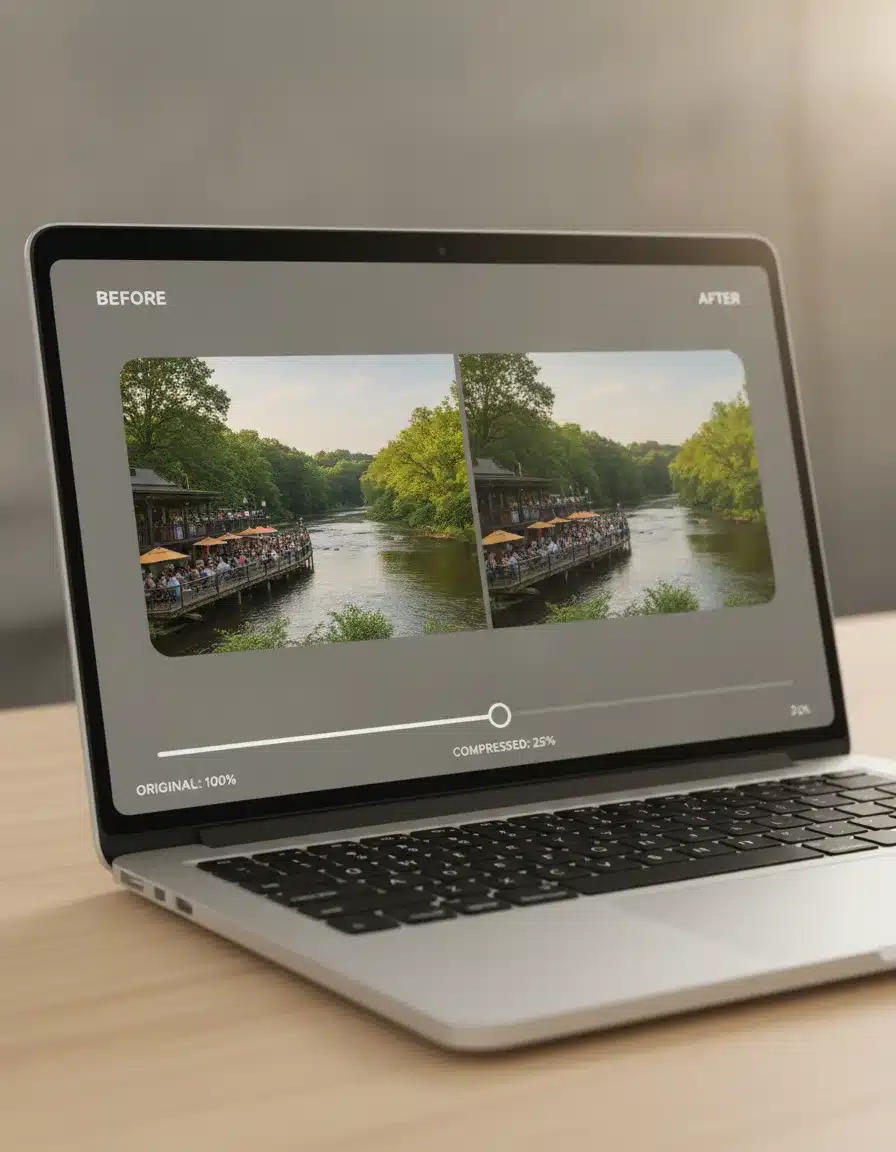
Those stunning photos of your riverside restaurant or mountain views are selling points – but they’re also likely slowing down your site. Compress images using tools like TinyPNG or Squoosh to reduce file sizes by 60-80% without noticeable quality loss. When showcasing Asheville’s natural beauty, the right balance of quality and speed is crucial.
Implement Local Structured Data
Help Google understand exactly what your business offers by adding location-specific structured data. This code tells search engines your business name, address, phone number, hours, and more. For Asheville businesses, this means appearing in those valuable “near me” searches that tourists use constantly while exploring the city.
Prioritize Mobile-First Design
Your site should be built for small screens first, then adapted for larger ones – not the reverse. This means large, easily tappable buttons, simple navigation, and content that doesn’t require zooming or horizontal scrolling. Remember that tourists are often using your site while walking downtown or hiking – make it easy for them.
Focus on Local Keywords with Mobile Intent
Mobile searches often have different intent than desktop searches. Tourists on mobile typically want immediate, location-based solutions. Target phrases like “open now,” “near me,” “walking distance,” and “directions to” in your content. For Asheville specifically, consider terms like “downtown Asheville restaurants open now” or “closest hiking trail from Biltmore.”
Want more customers from Google & AI search?
Get a free SEO audit of your site — see exactly what to fix first.
Technical Improvements That Make a Real Difference
Enable Browser Caching
When someone visits your site, their browser can save certain files locally so they don’t need to be reloaded on future visits. This is especially important for returning tourists who might check your site multiple times during their stay. Add proper cache headers to your server response for resources like images, CSS, and JavaScript files.
Minimize Redirect Chains
Each redirect adds precious loading time. Check your site for redirect chains – situations where one URL redirects to another, which then redirects again. These are especially problematic on mobile connections. Use tools like Screaming Frog to identify and fix these issues.
Implement AMP for Key Landing Pages
Accelerated Mobile Pages (AMP) create lightning-fast versions of your content. While not necessary for every page, consider implementing AMP for your most important tourist-facing content, like your homepage, “Top Things To Do” lists, or seasonal event pages.
In this video
- 0:00 Why Asheville Visibility Gaps Cost Revenue
- 0:20 Who Jeremy and PushLeads Are
- 0:38 Asheville Market Stats That Drive Urgency
- 1:02 Why Generic SEO Fails Asheville Businesses
- 1:28 Local Pack Mechanics Relevance and Prominence
- 1:52 Google Business Profile Optimization Essentials
- 2:21 GBP Features That Separate Ranked Profiles
- 2:49 Citations NAP Consistency and Local Backlinks
- 3:27 Review Strategy for Local Pack Placement
- 4:00 Mobile Speed and Core Web Vitals
- 4:28 ROI Tracking and Monthly Data Sets
- 5:06 What PushLeads Builds for Asheville Businesses

Ready to Capture More Asheville Tourist Traffic?
Don’t let a slow mobile experience send potential customers to your competitors. Our Asheville-based team specializes in speeding up local business websites and optimizing them specifically for the tourist search patterns unique to our region.
We’ll analyze your current mobile performance, identify the specific issues holding you back, and implement proven solutions that increase your visibility to visitors planning their Asheville adventures.
Contact us today for a free mobile speed analysis and discover exactly how much tourist traffic you could be gaining with the right optimizations.
Key Takeaways
- Measure first: run your top five pages through PageSpeed Insights and check the Core Web Vitals report in Google Search Console before you change anything.
- Aim for Google’s “good” thresholds: Largest Contentful Paint under 2.5 seconds, Interaction to Next Paint under 200 milliseconds, and Cumulative Layout Shift under 0.1.
- Third-party scripts, booking widgets, hero sliders, and embedded maps usually slow tourism sites more than any single image does.
- Test on a mid-range phone with a throttled connection, because visitors on the Blue Ridge Parkway or in a crowded downtown don’t have your office Wi-Fi.
- Most small tourism sites can fix the biggest problems in about 30 days, and you should finish before your busiest season starts.
How to Measure Your Mobile Speed Before You Change Anything
Start with data from real visitors, then use lab tests to diagnose what’s wrong. Guessing at fixes wastes budget, and many sites already pass on some pages and fail badly on others.
Use the Three Free Google Tools
Each tool answers a different question, so use all three:
- Google Search Console (Core Web Vitals report): shows which groups of pages Google rates as good, needs improvement, or poor, based on real Chrome users.
- PageSpeed Insights: shows field data for a single URL when enough visitors exist, plus a lab test with specific recommendations.
- Lighthouse in Chrome DevTools: lets you re-test after every change without waiting for field data to update.
Know the Difference Between Field and Lab Data
Field data is what actual visitors experienced over roughly the last 28 days. Lab data is a simulated test run once, right now. Field data is what Google uses for page experience signals, so treat lab scores as a diagnostic tool, not a final grade.
A common surprise: your homepage scores well in the lab but your “Things To Do” page fails in the field. That usually means the heavier page has more images, embeds, or scripts that the homepage skips.
Pick the Pages That Matter
Don’t test all 80 pages. Test your homepage, your top two or three pages by organic traffic, your main booking or reservation page, and your contact page. Those are the pages where a slow load costs you money.
Core Web Vitals in Plain English
Core Web Vitals are three measurements Google uses to describe how a page feels to a real person. Each one maps to a problem a tourist notices immediately.
| Metric | What the visitor notices | “Good” target | Common Asheville-site cause |
|---|---|---|---|
| Largest Contentful Paint (LCP) | The main photo or headline takes too long to appear | 2.5 seconds or less | Oversized hero image, slow hosting, slider scripts |
| Interaction to Next Paint (INP) | Tapping a menu or button feels laggy | 200 milliseconds or less | Heavy JavaScript, chat widgets, tracking tags |
| Cumulative Layout Shift (CLS) | The page jumps as you try to tap something | 0.1 or less | Images without dimensions, late-loading banners, ad or review embeds |
These thresholds come from Google’s published guidance, and they’re measured at the 75th percentile of visits. In practice, that means most of your visitors, not just the lucky ones on fast connections, need to have a good experience.
If you want a deeper walkthrough of tourism-specific speed work, see our website speed optimization guide for tourism businesses.
Test Like a Tourist, Not Like a Developer
Your site has to work on a weak signal, a mid-range phone, and a distracted user. Testing on your office computer tells you almost nothing about that experience.
Recreate Real Conditions
Asheville visitors search from parking lots, trailheads, breweries, and the Parkway, where cell service can be patchy. Build a simple testing routine:
- Open Chrome DevTools, choose a mobile device profile, and set network throttling to “Slow 4G” or “Fast 3G.”
- Turn on CPU throttling (4x slowdown) to approximate a phone that’s a few years old.
- Load the page with the cache disabled, as a first-time visitor would.
- Then test on an actual phone, off Wi-Fi, from a spot with only one or two bars.
Walk the Visitor’s Path
Speed isn’t only about the first load. Time the whole task a tourist wants to complete: find your hours, tap for directions, check availability, and book or call. If any step feels slow or fiddly, note it.
Check Both Orientations and Common Screens
Test a small phone, a large phone, and a tablet. Menus that work on a big screen often hide the call button or push the booking form below the fold on a smaller one.
Fixes That Usually Slow Tourism Sites the Most
For most tourism sites, the biggest delays come from add-ons, not the core pages. Once your images are compressed, look at these next.
Third-Party Scripts and Widgets
Every chat bubble, review carousel, social feed, booking widget, and tracking pixel is extra code your visitor’s phone must download and run. List every script on your site and ask a blunt question about each one: does it make money or answer a customer question?
- Remove anything nobody has looked at in six months.
- Load chat and social feeds only after the visitor scrolls or taps.
- Consolidate tracking through a single tag manager instead of pasting five separate snippets.
- Ask your booking vendor whether a lighter embed or a direct link to their hosted page is available.
Hero Sliders and Autoplay Video
A rotating slider of five full-width mountain photos is one of the most common reasons for a poor LCP. Replace it with a single well-compressed hero image and a clear headline plus call button. If you want video, use a short poster image that loads first and start playback only when a visitor taps.
Embedded Maps and YouTube Videos
A default Google Maps or YouTube embed pulls in a surprising amount of code even if nobody interacts with it. Use a “click to load” approach: show a static image of the map or video thumbnail, and load the real embed only when tapped. Keep a plain “Get Directions” link next to the map so the visitor can open their maps app directly.
Lazy Loading and Image Dimensions
Lazy loading delays images that are below the first screen so the top of the page appears sooner. Don’t lazy load the main hero image, though, because that delays the very thing Google measures for LCP. Always set width and height on images so the page doesn’t jump while they load.
Web Fonts
Custom fonts can hold up text if they’re loaded poorly. Limit yourself to one or two font families and a few weights, host them on your own domain where possible, and use a font-display setting so text shows immediately in a fallback font while the custom one loads.
Hosting and CDN
A slow server response affects everything else on the page. If your server takes more than about a second to start responding, no amount of image compression will fully fix the problem. Upgrading from bargain shared hosting to a quality managed host, and adding a content delivery network (CDN) that serves files from nearby locations, often delivers a noticeable improvement.
WordPress Plugin and Theme Bloat
Many small business sites run a multipurpose theme with a page builder and 25 plugins. Each plugin may add its own CSS and JavaScript to every page, even where it isn’t used. Deactivate plugins one at a time on a staging copy, re-test, and delete the ones you don’t need.
Mobile Features That Turn Fast Pages Into Bookings
Speed gets the visitor in the door, but the page still has to help them act. Tourists on mobile want to call, navigate, or book in as few taps as possible.
- Tap-to-call button: use a phone link that dials directly, and keep it visible in the header or a sticky bar.
- Directions link: link your address to a maps app so visitors don’t have to copy and paste it.
- Hours and “open now” information: put them near the top, and keep them identical to your Google Business Profile.
- Simple booking or inquiry form: ask for the minimum, use the right keyboard type for each field, and allow autofill.
- Parking and accessibility notes: downtown visitors often decide based on these details.
Watch Out for Pop-Ups
Google’s guidance warns against intrusive interstitials that cover the main content right after someone arrives from search. A full-screen newsletter pop-up on a phone annoys visitors and can hurt your page experience. If you need a promotion banner, use a small, easy-to-dismiss bar.
Your site and your listing should work together. Confirm that your hours, phone number, and links match, and review our guide to Google My Business for Asheville service providers for the details that matter most.
Which Fixes to Do First: Effort vs. Impact
Start with the changes that deliver the biggest improvement for the least work. The table below is a general guide, and your own test results should override it.
| Fix | Typical effort | Typical impact | Best for |
|---|---|---|---|
| Replace hero slider with a single image | Low (1-3 hours) | High on LCP | Homepages and landing pages |
| Remove unused plugins and scripts | Low to medium (2-6 hours) | Medium to high | WordPress sites with many add-ons |
| Click-to-load maps and videos | Low (1-3 hours) | Medium | Contact and “things to do” pages |
| Set image dimensions | Low to medium | High on CLS | Image-heavy pages |
| Upgrade hosting and add a CDN | Medium (half a day to a few days) | Medium to high | Sites with slow server response |
| Rebuild theme or template | High (weeks) | High, but expensive | Sites where nothing else gets scores into range |
A 30-Day Mobile Speed Plan
In this video
- 0:00 SEO Blueprint Five-Step Overview
- 1:47 Step One Keyword Research with Moz
- 3:24 Selecting Buying Keywords from Results
- 4:36 Step Two On-Page SEO Keyword Placement
- 8:24 Step Three Blogging Is Your Engine
- 11:07 Using Video and Transcription for Content
- 14:30 Step Four Social Media and Natural Link Building
- 17:00 Step Five Tracking Rankings with Pro Sites
- 20:09 Putting All Five Steps Into Practice
You can make meaningful progress in a month by working in four short phases. Keep a spreadsheet with before-and-after scores so you can see what actually helped.
Week 1: Baseline and Audit
- Record Search Console Core Web Vitals status and PageSpeed Insights scores for your five key pages.
- List every script, plugin, and embed on those pages.
- Test the full visitor path on a real phone over a weak connection.
Week 2: Remove and Replace
- Delete unused plugins and old tracking tags.
- Swap sliders for a single hero image.
- Switch maps and videos to click-to-load.
Week 3: Tune Delivery
- Set image width and height attributes and review lazy loading.
- Trim fonts to the essentials.
- Check server response time and ask your host about caching and a CDN.
Week 4: Test and Document
- Re-run lab tests and compare against your Week 1 baseline.
- Fix any layout shifts you introduced.
- Note the date of each change, since field data takes several weeks to reflect improvements.
Common Mobile Speed Mistakes to Avoid
Most speed problems come from well-meaning additions, not neglect. Watch for these patterns.
- Chasing a perfect score: a 100 in the lab doesn’t guarantee more bookings. Aim for passing field metrics on pages that earn revenue.
- Testing only the homepage: deeper pages often carry the heaviest content.
- Adding a speed plugin on top of a bloated site: optimization plugins help, but they can’t replace removing what you don’t need.
- Uploading phone photos straight from the camera: a single 6 MB image can outweigh the rest of the page.
- Ignoring layout shift: a late-loading banner that moves the “Book Now” button causes mis-taps and frustration.
- Making changes during peak weekends: a broken update in leaf season costs far more than one in February.
- Treating speed as one-time work: every new plugin, widget, or batch of photos can undo your progress.
Your Pre-Season Mobile Checklist
Run through this list a few weeks before your busiest period, whether that’s spring, summer, fall foliage, or the holidays. It takes about an hour once your site is in good shape.

- Core Web Vitals report in Search Console shows no new “poor” URLs.
- Key pages load acceptably on throttled mobile in the lab.
- Tap-to-call, directions, and booking buttons work on iPhone and Android.
- Seasonal hours, holiday closures, and prices are updated on your site and your Google listing.
- New event or seasonal pages use compressed images with set dimensions.
- No full-screen pop-ups cover content on first arrival.
- Forms submit properly and send you a notification.
- Unused plugins, old campaign scripts, and expired banners are removed.
If you run multiple services or locations, make sure those pages link logically to one another. Our internal linking step-by-step guide shows how to build that structure without adding clutter.
How to Tell Whether Speed Work Is Paying Off
Judge speed improvements by business outcomes, not scores alone. Faster pages should eventually show up in engagement and conversions, though rankings depend on many other factors too.
Metrics to Watch
- Core Web Vitals status in Search Console: the share of URLs rated good.
- Mobile bounce and engagement rates in your analytics: compare the same weeks before and after.
- Tap-to-call and direction clicks: track these as events so you can see mobile actions.
- Form submissions and booking starts from mobile: the clearest sign speed is helping.
- Google Business Profile actions: calls, website clicks, and direction requests.
Be Realistic About Timing
Field data usually needs several weeks of traffic to update, so don’t judge a change after three days. Compare the same season year over year where you can, since tourism traffic swings naturally. For a framework on which numbers matter, see our guide to local SEO metrics that drive growth.
Fast pages also make it easier to collect and showcase feedback. Once your site loads well, pair it with a steady review strategy for Asheville businesses so visitors see social proof without waiting for it.
DIY or Hire Help? Costs and Timelines
You can handle many fixes yourself, but some problems need a developer. A rough guide, which varies with site size and platform:
- DIY basics (images, plugin cleanup, click-to-load embeds): a few hours to a weekend, plus any small tool fees.
- Developer-assisted optimization: often one to two weeks of calendar time, with costs typically ranging from a few hundred dollars to a couple thousand depending on how tangled the site is.
- Hosting upgrade: usually a modest monthly increase over bargain hosting, and migration can take a day or two.
- Template or theme rebuild: several weeks and a larger budget, worth considering only if the current build can’t reach acceptable scores.
Get quotes in writing, and ask any provider which metrics they’ll measure before and after. Speed is only one part of visibility, so see how it fits with the rest of your Asheville tourism SEO strategy.
Get a Second Set of Eyes on Your Mobile Site
If you’d rather not sort through test reports on your own, we can review your mobile performance and tell you which fixes are worth your time. Contact PushLeads for a mobile speed review and we’ll point out what’s slowing your pages down before your next busy season.
Frequently Asked Questions
How fast should my Asheville tourism website load on mobile?
Aim for your main content to appear in 2.5 seconds or less, which is Google’s “good” threshold for Largest Contentful Paint. Interactions should respond within 200 milliseconds, and the page shouldn’t visibly jump around as it loads. Test on a throttled mobile connection rather than your office Wi-Fi.
Is Google PageSpeed Insights score the same as a ranking factor?
No, the overall score is not a ranking factor by itself. Google uses real-user Core Web Vitals data as part of its page experience signals, but relevance and content quality still carry more weight. Treat the score as a diagnostic tool and focus on the field metrics for your important pages.
Do I still need AMP to rank well on mobile?
No, Google doesn’t require AMP to rank in mobile search. A standard page that is lightweight, well built, and passes Core Web Vitals can perform just as well. If you already use AMP, keep it working, but for most small businesses the effort is better spent speeding up the regular pages.
Why is my site fast on my phone but slow for visitors?
Your phone probably has a cached copy of the site, a strong connection, and newer hardware. First-time visitors on slower networks and older devices must download and process everything from scratch. Test with caching disabled, network throttling, and CPU throttling to see what they see.
How long until speed improvements show up in Search Console?
Expect roughly four to six weeks for field data to reflect your changes, because Google uses a rolling 28-day window of real visits. Lab tests update immediately, so use them to confirm fixes in the meantime. Sites with low traffic may have limited data and take longer to appear.
What is the single biggest speed fix for a tourism website?
It depends on your site, but oversized hero images and sliders are the most common culprit for slow main content. After that, look at third-party scripts, booking widgets, and embedded maps or videos. Your PageSpeed Insights report will show which of these is costing you the most time.
Should I hire a local SEO agency for speed work or use a web developer?
Choose based on the problem. A developer is the right fit for deep code or hosting changes, while an SEO team connects speed work to rankings, listings, and conversions. If you want both handled together, our SEO Services Asheville NC cover the technical and local sides of the work.
Keep Reading
Want more customers from Google & AI search?
Get a free SEO audit of your site — see exactly what to fix first.
Your path · Dominating Local SEO
6 articles. About 105 minutes.
 How to Master Google My Business for Asheville Service Providers
- Asheville Local SEO Metrics: KPIs That Actually Drive Business Growth
- You’re hereSpeed Up Your Mobile Website for Better Asheville Tourism Rankings



Want this done for you?
Scan your site. See the gaps. Decide with numbers.
- Rankings, Google Business Profile and site-speed teardown
- Report lands in your inbox in about a minute
- No obligation · 4.9 from 67 Google reviews

