Key Takeaways
Want it done for you? See our local SEO services.
- Google Maps’ AI calling feature went live November 16, 2026, and now calls local businesses in beauty, pet care, auto repair, and home repair to check availability and book appointments on a user’s behalf.
- The booking process from homeowner request to confirmed job takes under 90 seconds, meaning businesses that go to voicemail lose the lead before they even know it existed.
- Google AI Mode now surfaces booking and quote links through Angi, Thumbtack, Housecall Pro, and Jobber at no additional lead fees for contractors.
- Nine out of ten top-ranking contractors have nearly empty Services lists on their Google Business Profile, which is now a key filter for AI booking results.
- Businesses can opt out of AI calling through Business Profile settings, but opting in with no operational preparation is the worst of both worlds.
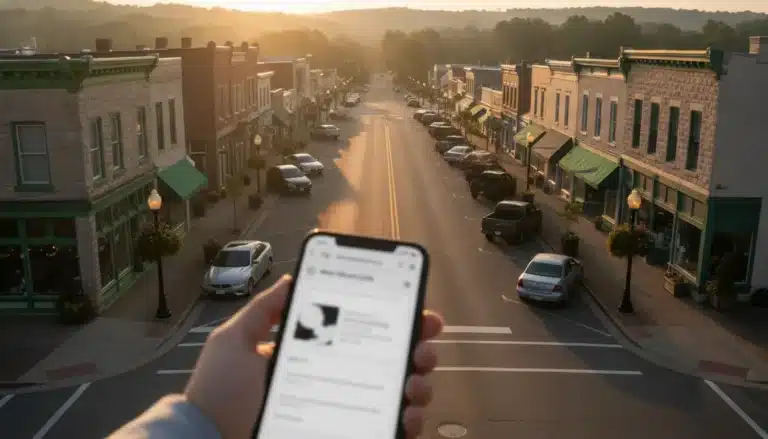
Google’s AI is now cold-calling your business to book jobs for homeowners, and if nobody answers, the algorithm moves to your competitor in seconds. The feature launched November 16, 2026 through Google Maps’ Ask Maps upgrade, and it covers plumbers, HVAC contractors, roofers, and landscapers explicitly. This isn’t a future threat. It’s happening right now, in your market, on every phone in your service area.
Most contractors have no idea this is live. They’re still screening calls from unknown numbers, letting jobs roll to voicemail during lunch, and running a Google Business Profile with half the fields blank. That behavior used to cost them a few leads. Now it costs them every lead the AI touches before a homeowner even sees their name.
Here’s exactly what changed, why it matters operationally, and what you need to do about it this week.
What Google’s AI Calling Feature Actually Does
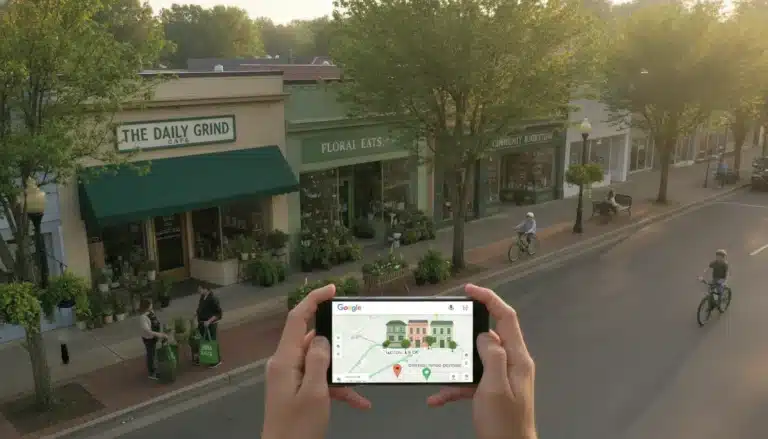
Google Maps’ AI doesn’t wait for homeowners to call you. It calls you on their behalf. A homeowner types something like “Find me an HVAC tech available Thursday afternoon near me” into Google Maps, and Ask Maps finds open slots by checking online booking systems first. When it can’t see availability online, it calls the business directly (PPC Land, 2026).
The whole process wraps up in under 90 seconds (Search Engine Journal, 2026). The AI presents the homeowner with available slots across multiple businesses. They pick one. The job is booked. You either appeared in that list with a confirmed time slot, or you didn’t appear at all.
Google confirmed the coverage explicitly: “For select categories like home repair, beauty, or pet care, you can ask Google to call businesses on your behalf.” Plumbers, roofers, and HVAC contractors were named directly. The feature is enabled by default at no charge and covers all U.S. states except Indiana, Louisiana, Minnesota, Montana, and Nebraska (PPC Land, 2026).
This isn’t the first time Google built calling capability into its products. Google Duplex launched in 2018 with the same basic idea. What’s different now is the scale, the AI quality, and the direct integration with Google Maps search results where homeowners are already making decisions.
The short version: If the AI calls and gets voicemail, your business is skipped silently. The homeowner never sees your name. You never get a chance to pitch.

Want more customers from Google & AI search?
Get a free SEO audit of your site — see exactly what to fix first.
Why Contractors Are the Most Exposed to This Change
Salon owners and auto shops already had online booking. Many contractors never built that habit. That gap is now a lead flow problem. The Google Maps Map Pack top three listings receive up to 48% of all clicks in local searches (BrightLocal, 2025), and AI booking results have been seen pulling in contractors outside the top three, which means the stakes extend beyond just ranking.
The bigger operational issue is call behavior. Contractors routinely screen unknown numbers because spam calls are relentless. That instinct, which made sense two years ago, now means the Google AI gets voicemail and moves on. There’s no callback. There’s no second chance. The homeowner already booked someone else before you finished your current job.
“Businesses that rely on phone calls may want to prepare staff or systems to handle more frequent, possibly scripted, AI-initiated inquiries,” says Search Engine Journal’s local search reporting team (Search Engine Journal, 2026). That’s polite language for a hard truth: if your phone operation can’t handle an AI caller asking about Thursday availability, you will lose those leads systematically.
The other exposure point is profile completeness. Nine out of ten top-ranking contractors have nearly empty Services lists on their Google Business Profile (Search Engine Journal, 2026). That list is now a primary filter the AI uses to match a homeowner’s request to your business. No services listed means the AI doesn’t know you do what the homeowner needs, and you don’t get called at all.
Your Google Business Profile services list isn’t optional anymore. It’s the first gate the AI checks before it ever dials your number.
The Exact Steps to Make Sure Google Books You
Getting in front of this comes down to four operational areas. None of them are complicated, but all of them need to happen before the AI calls and gets ignored.
Step 1: Answer every unknown number during business hours. Train anyone who handles your phones that calls from unfamiliar numbers during the workday are potential AI-initiated booking inquiries. The AI will ask about availability in a scripted, direct way. The right response is a clear yes or no with specific time slots, not a vague “we’ll call you back.”
Step 2: Fill out your Services list completely. Log into your Google Business Profile and add every service you actually perform. Use the specific terms homeowners search for, not trade jargon. “Emergency water heater replacement” beats “plumbing services” every time. This is the data the AI reads to decide whether to call you for a given request.
Step 3: Set accurate business hours and keep them updated. The AI won’t call you outside your posted hours (Google confirmed it won’t call late at night or early morning). But if your posted hours say you’re open and you’re not picking up, that’s a strike against your profile’s reliability signal over time.
Step 4: Connect a booking integration. Google AI Mode now provides direct booking links through Housecall Pro and Jobber, with ServiceTitan coming soon (PPC Land, 2026). Housecall Pro co-founder Roland Ligtenberg confirmed the AI Mode integration involves no additional costs for contractors. If you’re already on one of these platforms, check that your availability is current and that at least one service is enabled for online booking. A manual booking link in your profile also works and goes live in 24 to 48 hours.
“We do our best to keep the search algorithm details confidential to make the ranking system as fair as possible for everyone,” a Google spokesperson stated (Google, 2026). That means you can’t game the system directly, but you can make sure your profile gives the AI everything it needs to send work your way.

What Happens If You Ignore This

The worst outcome here isn’t dramatic. It’s silent. Your phone stops ringing as often. Jobs that should have been yours land with the competitor who answered, had their services listed, and had a booking link active. You don’t get a notification that the AI called and moved on. It just happens, job after job, day after day.
Google hasn’t disclosed how the AI handles failed calls or businesses that decline to book through an automated agent (PPC Land, 2026). That’s a gap in the public information right now. What’s reasonable to assume is that a pattern of unanswered calls during business hours eventually factors into how often the AI attempts to route leads your way.
The businesses that come out ahead from this shift are the ones that look operationally reliable from the AI’s point of view: answered phones, real availability, complete profile data, and a booking path that doesn’t require the homeowner to do more work. That bar isn’t high. Most of your competitors aren’t clearing it yet, which means the window to get ahead of them is open right now.
Google Business Profile Settings You Need to Check Today
Your Google Business Profile is the central control point for all of this. Start with verification. Google won’t add booking links to an unverified profile, and a suspended profile can’t show them at all. If you haven’t verified your profile, that’s the first thing to fix.
After verification, check five specific areas. First, confirm your primary business category matches your main service type, not a broad category that could mean anything. Second, look for “Bookings” in the “Edit Profile” menu. If it’s there, you’re eligible for a Reserve with Google integration. Third, add a direct scheduling link that takes users to a booking page, not your homepage. Fourth, make sure your business name, phone number, hours, and service area are consistent across your website, social profiles, and any directory listings. Google cross-references these signals. Fifth, opt-in status for AI calling is set through your Business Profile settings. The default is opted in. If you’re not ready operationally, opt out until you are, then opt back in once your phone coverage and booking path are set up.
Google says listings with photos get 42% more direction requests and 35% more website clicks (Google, 2025). Photos aren’t directly connected to AI calling, but they affect the overall trust signals on your profile that influence whether homeowners confirm bookings when presented with options.
Summary
Google Maps’ AI is calling local service businesses right now to book appointments for homeowners, and contractors that screen calls, leave their Services list blank, or have no booking path will lose those leads without ever knowing it. The fix is operational, not technical: answer unknown numbers during business hours, complete your Google Business Profile Services list with specific job types, connect a booking integration through Housecall Pro or Jobber if you use them, and verify that your posted hours are accurate. The businesses that do this in the next two weeks will capture leads that their competitors miss for months.
In this video
- 0:00 Schema Markup Overview for Local Businesses
- 0:28 What Schema Markup Actually Does
- 2:00 JSON-LD Format Why It Wins
- 2:43 Six-Step Implementation Sequence
- 3:35 Required Fields and Business Subtypes
- 5:54 Service Schema and Area Served
- 7:25 FAQ and How-To Schema for AEO
- 8:56 Common Errors That Kill Rich Snippets
- 9:49 Scaling Schema Across Multiple Pages
- 10:44 Tracking CTR Baseline and Results
- 12:51 Full Implementation Checklist
Full transcript: Local Schema Markup Implementation for Local Businesses
Frequently Asked Questions
Can I opt out of Google’s AI calling feature?
Yes. The feature is enabled by default but you can turn it off through your Google Business Profile settings. If your phone coverage or booking system isn’t ready to handle AI-initiated calls well, opt out until it is. Being opted in with no operational preparation means the AI calls, gets a poor response, and the lead goes elsewhere anyway.
In this video
- 0:00 Internal Linking Gap Hurting Local Rankings
- 0:25 What PushLeads Does and Who This Is For
- 0:50 Does Internal Linking Actually Move Rankings
- 1:09 Hub and Spoke vs Service Location Matrix
- 2:33 GSC and Screaming Frog Audit Workflow
- 3:56 Four Metrics That Reveal Linking Health
- 4:41 Three Phase Implementation for Agencies
- 5:36 Connecting Link Fixes to Client Revenue
Full transcript: 5 Internal Link Audit Fixes That Boost Local SEO Rankings Fast
Will the AI call my cell phone or my business line?
The AI calls the phone number listed on your Google Business Profile. If that’s a cell phone you sometimes screen, that’s a problem. Update your profile to show the number that gets answered consistently during your posted business hours. The AI won’t call outside those hours.
Do I need to pay for Housecall Pro or Jobber to get AI booking leads?
Housecall Pro co-founder Roland Ligtenberg confirmed the AI Mode integration involves no additional costs for contractors already on the platform. Jobber also confirmed it does not charge lead fees for requests arriving through Google AI Mode. You do need an active subscription to those platforms for the direct booking integration to work.
What if the AI calls and I can’t take the job that day?
Give a specific alternative time slot. The AI is checking availability, not demanding you drop everything. A clear “not Thursday, but I have Friday at 10am” keeps you in the running. A vague answer or a promise to call back will likely result in the homeowner being shown other options before you follow up.
Does my Google Business Profile ranking affect whether the AI calls me?
Testing showed that AI booking results surfaced contractors outside the top three map pack positions (Search Engine Journal, 2026). That’s good news if you don’t rank at the top. Profile completeness, specifically your Services list and booking availability, appears to be a stronger filter for AI routing than raw ranking position.

How do I add a booking link to my Google Business Profile?
Log into your Google Business Profile, go to Edit Profile, and look for the Bookings section. You can add a manual link to any scheduling page you already use. It goes live in 24 to 48 hours. If you use a Google-approved partner like Housecall Pro or Jobber, the integration connects your live availability directly and can take up to one week to appear.
What should my Services list include on my Google Business Profile?
List every job type you actually perform using the language homeowners use when they search. For a plumber, that means “emergency pipe repair,” “water heater installation,” “drain cleaning,” and similar terms, not just “plumbing.” The AI reads this list to match your business to a homeowner’s specific request. A vague or empty list means you won’t be called for most searches.
Is this feature available in all U.S. states?
No. As of November 2026, the AI calling and booking feature is unavailable in Indiana, Louisiana, Minnesota, Montana, and Nebraska. Google has not explained why those states are excluded. For all other U.S. states, the feature is live and active through Google Maps on Android and iOS.
Keep Reading
Want more customers from Google & AI search?
Get a free SEO audit of your site — see exactly what to fix first.
Your path · The Ultimate Google Business Profile Guide
Keep going: read these next

- Up nextGoogle Business Profile Posts: Boost Local SEO with a Strategic Content Calendar
- Google Business Profile Q&A: The Ultimate Guide to Converting Prospects into Customers
- The Ultimate Google Business Profile Guide: Dominate Local Search


Want this done for you?
Scan your site. See the gaps. Decide with numbers.
- Rankings, Google Business Profile and site-speed teardown
- Report lands in your inbox in about a minute
- No obligation · 4.9 from 67 Google reviews
 Continue reading