


PSA is a cloud-based restoration job management platform built for multi-location contractors. It integrates with Xactware, QuickBooks, and Matterport to cut manual data entry, uses flat-rate pricing that saves larger teams hundreds per month, and delivers real-time profitability tracking across job types, technicians, and customer segments.
How does Xcelerate compare for improving job costing accuracy?
Part of our Restoration SEO: The Complete Restoration Company SEO Guide. Want it done for you? See our restoration SEO and marketing agency.
Xcelerate was built partly for franchise job costing, with per-location fees ranging from $200 to $600 a month per unit. True job costing in Xcelerate compares actual labor and materials against estimates in real time and flags margin problems before a job closes, which is different from basic expense tracking that only records spending.
How does DASH compare for seamless integrations with restoration tools?
Dash starts near $200 a month and scales to $500 for larger plans. It bundles onboarding support into the first month, reducing surprise setup costs. Dash is well matched to companies running one or two locations, though its integration depth sits below enterprise platforms like PSA and Xcelerate at that price point.
Want more customers from Google & AI search?
Get a free SEO audit of your site — see exactly what to fix first.
How does Albiware compare for improving job costing accuracy?
Albiware’s core plan starts at $89 and its pro plan runs $199 to $249. Platforms priced below $200 to $300 a month typically offer only basic expense tracking rather than true job costing, so Albi Core likely falls into that category while Albi Pro approaches the threshold for real cost-versus-estimate comparison.
What’s the best cloud-based job management platform for restoration tool integrations?
PSA and Xcelerate lead on integrations for multi-location operators, with Xactimate and QuickBooks connectors, though those links sometimes cost extra on top of base plans. Always confirm in writing which integrations are included. Albi and Dash cover key integrations at mid-tier price points suited to one-to-two-location companies.
How does DASH compare for profitability tracking in restoration jobs?
Dash runs $200 to $500 a month and targets small-to-mid-size restoration contractors. At that price range, platforms typically include advanced job management and key integrations. Profitability tracking requires at least $200 to $300 a month to access true job costing rather than basic expense recording, which Dash’s mid and upper tiers can reach.
How does Albiware compare for reducing manual data entry in restoration?
Albiware charges per company account rather than per user, so the bill stays flat as a team grows. Its pro plan at $199 to $249 sits in the mid-tier range where photo documentation, customer communication tools, and key integrations are included, reducing the manual entry that comes from managing those tasks separately.
How does PSA compare for reducing manual data entry in restoration?
PSA starts in the $300 to $600 range based on contractor reports and targets mid-to-large operations. Its Xactimate integration pushes field data directly into the industry-standard estimating tool, eliminating duplicate entry. PSA and Xcelerate commonly charge onboarding fees of $200 to over $2,000, so factor that into first-year cost calculations.
How much does restoration software cost?
Entry-level tools start at $49 a month. Mid-tier plans run $200 to $500 and fit most growing restoration businesses. Enterprise platforms like PSA, reported around $450, and Xcelerate, reported around $650, can exceed $1,000 a month. First-year costs also include one-time onboarding fees ranging from $200 to over $2,000 at the higher-end platforms.
✓Are You Running Your Restoration Finances Like a Strong Operator?7 quick questions · about 1 minuteStart
=Restoration Company Net Profit CalculatorRun the same scenario the video walks through to see how your direct job costs determine your net margin.Open
0:00 PSA: The Profitability Engine for Multi-Location Restoration
0:28 One Number That Changes Everything
1:05 Flat-Rate Pricing Wins at Scale
1:30 Three Native Integrations That Kill Manual Entry
2:04 Real-Time Alerts Before Margin Disappears
2:48 PSA by the Numbers
3:26 How PSA Automates a Restoration Job End to End
4:08 Monthly Cost: PSA vs. Per-User Competitors
4:43 PSA vs. the Field — Head to Head
5:25 Custom Dashboards Drive Smarter Decisions
6:04 The Core Promise of PSA
6:35 Platform Comparison at a Glance
7:16 See Exactly Where Your Visibility Stands
Full transcript
0:00 PSA: The Profitability Engine for Multi-Location Restoration
If your restoration company runs more than one location, you already know the pain: estimates live in one system, billing lives in another, and your managers are burning hours every week just moving data between them. This video breaks down PSA — the cloud-based platform built specifically to fix that problem — and shows you exactly how it stacks up against every major competitor on price, integrations, and real-time profitability tracking.
0:28 One Number That Changes Everything
Here is the number that stops most restoration owners cold: a ten-person team using a typical per-user platform pays somewhere between six hundred and one thousand dollars a month just for software seats. PSA charges three hundred twenty-five dollars for the first five users, then five dollars and twenty-five cents for every additional user. That same ten-person team lands at roughly three hundred fifty dollars a month. That is up to six hundred fifty dollars back in your pocket every single month — and the gap keeps growing every time you hire.
1:05 Flat-Rate Pricing Wins at Scale
That savings comes from PSA's flat-rate pricing structure. Competitors charge sixty to one hundred dollars per user per month. PSA's base covers five users, then adds five twenty-five for each additional seat. A twenty-person team widens the advantage even further. When you are managing multiple branches and adding headcount to support growth, your software cost should not scale dollar for dollar with your payroll.
1:30 Three Native Integrations That Kill Manual Entry
PSA connects directly to the three tools restoration companies rely on most. Xactware estimates flow straight into job files — measurements, materials, and labor calculations carry over without anyone retyping a single line. QuickBooks fires the invoice the moment a technician marks a job complete, so billing happens in real time instead of days later when someone in the office finally gets to it. And Matterport three-D scans attach permanently to the job record, giving you an insurance-ready visual archive without a separate upload step.
2:04 Real-Time Alerts Before Margin Disappears
The single most valuable profitability feature in any restoration platform is a cost variance alert that fires before a job closes. PSA sends that alert the moment actual spending exceeds the estimate — while crews are still on site. Technicians log hours on their phones, those entries post instantly to the job budget, and managers can see the real cost picture at any point during the day. On a large water or fire job where crews from multiple teams are working simultaneously, that live visibility is not optional — it is the only way to catch margin problems before they end up on a closed-job report you cannot do anything about.
2:48 PSA by the Numbers
Three numbers tell the PSA story at scale. Over fifteen hundred contractors across North America already run their operations on the platform — that is a proven track record, not a beta product. The mandatory fifteen-hundred-dollar onboarding fee covers full setup and hands-on training, so your team uses the platform correctly from day one, not six months later after trial and error. And for context on where PSA keeps things simple: Albiware connects to over five thousand tools through Zapier — impressive flexibility, but that integration breadth adds setup complexity that PSA's native connections eliminate entirely.
3:26 How PSA Automates a Restoration Job End to End
PSA automates the entire restoration job lifecycle from the first customer call to the final paid invoice. When a lead comes in, PSA logs the referral source and routes the job automatically. The Xactware estimate flows into the job file with no retyping. When the crew arrives on site, the property owner gets an automatic confirmation. Hours log to the budget in real time all day long. The moment the field team closes the job, QuickBooks fires the invoice. And when work is done, PSA sends the completion notice with photos and next steps — without anyone in the office composing or tracking a single message.
4:08 Monthly Cost: PSA vs. Per-User Competitors
Look at the monthly cost comparison and the picture becomes impossible to ignore. PSA at ten users costs roughly three hundred fifty dollars. At twenty users it is about four hundred three dollars. Xcelerate at fifty-five dollars per user runs five hundred fifty dollars for ten people. Albiware and the sixty-dollar-per-user competitors hit six hundred dollars for that same ten-person team — and twelve hundred dollars at twenty users. PSA's flat-rate model is the only one where your software cost does not punish you for growing.
4:43 PSA vs. the Field — Head to Head
Head to head, the differences are clear. PSA enforces consistent workflows across every branch, delivers real-time cost variance alerts, and includes built-in CRM and custom profitability dashboards — all inside one system. DASH is built for enterprise companies doing heavy TPA and insurance carrier work, with pricing available only by contacting the vendor. Albiware offers enormous integration flexibility through Zapier but adds configuration complexity and costs sixty dollars per user. Xcelerate excels at tight per-job KPI discipline for single-location shops but lacks the branch-level consolidation multi-location operators need. Each platform fits a specific stage — PSA wins when consistent multi-location operations and cost efficiency are the priority.
5:25 Custom Dashboards Drive Smarter Decisions
PSA's custom reporting dashboards let you build your analytics around the KPIs that actually matter to your business. Filter margin by job type, customer segment, or time period and you stop reacting to problems and start seeing trends before they cost you revenue. Branch managers can pull those reports from any browser on any device while they are on site — no waiting for a weekly email summary. And PSA tracks where every job originated, so you can calculate the actual revenue value of each referral source and put your business development time where the numbers say it belongs.
6:04 The Core Promise of PSA
Over fifteen hundred contractors across North America use PSA. That is not a marketing claim — it reflects a platform that has been stress-tested on real multi-location restoration operations. One unified system for accounting, job management, CRM, and analytics means data entered once in the field flows everywhere it needs to go without a reconciliation step between your job data and your financial reports. That is the core promise, and fifteen hundred-plus contractors have decided it delivers.
6:35 Platform Comparison at a Glance
The comparison table puts it plainly. PSA starts at three hundred twenty-five dollars for five users. DASH requires a call to get pricing. Albiware and Xcelerate both charge per user in the fifty-five to sixty dollar range. On profitability tracking, PSA is the only platform with real-time cost variance alerts built in natively. On multi-location fit, PSA and DASH are both strong — but DASH is built for enterprise carrier work, not independent contractors managing their own branches. For manual data entry reduction, PSA's native integrations deliver the highest impact with the fewest moving parts that can break when a connected app updates.
7:16 See Exactly Where Your Visibility Stands
If you want to know exactly where your restoration company's online visibility stands — and which gaps are costing you jobs right now — PushLeads offers a free visibility teardown built specifically for restoration contractors. We connect your software stack, your digital presence, and your lead flow so every piece of your operation supports growth. Get your free audit at seo dot pushleads dot com slash audit — that link is in the description — or call eight two eight, three four eight, seven six eight six.
Why Multi-Location Restoration Companies Choose PSA for Tool Integration
PSA is purpose-built for multi-location restoration operations. It puts accounting, job management, CRM, and data analytics inside one unified system instead of forcing you to connect separate platforms. That single-system design matters most when you run multiple branches and need every location following the same process.

The unified structure solves the data silo problem that frustrates most growing restoration companies. Instead of manually moving information between your estimating software, accounting system, and project management tool, PSA connects everything. Your technicians enter data once in the field and it flows automatically to billing, customer communications, and management reports.
How does PSA's flat-rate pricing help multi-location teams?
PSA's flat-rate pricing works in your favor at scale. Competitors charge $60 to $100 per user monthly. PSA costs $325 for 5 users, then $5.25 per additional user. A 10-person team pays roughly $350 per month versus $600 to $1,000 with per-user alternatives. A 20-person team widens those savings further. Managing multiple locations and the digital footprint that supports them gets more affordable when your software cost scales slowly.
Does PSA enforce standardized workflows across branches?
Yes. PSA's workflow engine requires every branch to follow the same task sequences, approval steps, and documentation checkpoints. This prevents individual locations from drifting into their own habits, which is one of the main reasons multi-location restoration companies struggle to maintain consistent quality and margin. Standardization also makes it much easier to onboard new technicians because the process is the same regardless of which branch they join.
Which Cloud-Based Restoration Job Management Tool Has the Best Profitability Tracking?
PSA stands out for profitability tracking because it measures actual costs against estimates in real time and alerts managers the moment a project drifts from projected margins. This live visibility separates PSA from tools that only show profitability after a job closes.
What cost categories does PSA track in real time?
The platform tracks labor, materials, and overhead by job type, technician, and customer segment. You can spot which services produce the highest margins and which customers generate repeat work worth prioritizing. That data directly supports smarter pricing decisions that recover lost revenue.
Labor tracking ties directly into scheduling and payroll. When technicians log hours on mobile devices, those hours flow automatically to project budgets and payroll calculations. This prevents cost overruns on time-and-materials jobs and keeps billing accurate without a second data-entry step.

What Is the Best Profitability Tracking in Cloud-Based Job Management for Restoration Projects?
The best profitability tracking in cloud-based restoration job management combines real-time cost monitoring, custom reporting dashboards, and integrated labor tracking so you see margin on every active job, not just closed ones. PSA delivers all three inside one platform.
For the bigger picture, see our restoration SEO guide.
How do custom dashboards help restoration managers make better decisions?
Custom reporting in PSA lets you build dashboards around the KPIs that matter to your business. You can filter by job type, time period, or customer segment to identify trends before they become problems. That analytical depth helps you refine your service mix and adjust pricing based on what the numbers actually show. It also supports the kind of premium pricing strategy that holds up under competitive pressure.
Can mobile labor logging reduce manual data entry in restoration?
Yes. When field technicians log hours directly on their phones, those entries post immediately to the job budget. There are no paper timesheets to collect, no calls to the office, and no end-of-day reconciliation. The job cost picture stays current throughout the day, which is especially important on large water or fire jobs where crews from multiple teams work the same project simultaneously.
How Does Xcelerate Compare for Multi-Location Restoration Companies?
Xcelerate is strongest for managing individual projects with detailed KPI tracking at the job level. PSA outperforms it when you need to coordinate multiple simultaneous projects across different teams or locations. These two platforms solve different problems, and knowing which one fits your operation saves you a costly software switch.
What does Xcelerate cost compared to PSA?
Xcelerate at $55 per user monthly costs more than PSA for teams larger than roughly 7 people. It integrates with Matterport, QuickBooks, and Zapier, giving it broad connection options, but its customization is limited compared to other platforms. Where Xcelerate excels is process-focused companies that want tight KPI discipline on single-job execution.
When should a restoration company choose PSA over Xcelerate?
PSA wins when you need to track profitability across job types, maintain consistent workflows across multiple locations, and keep all business functions inside one system. For companies dealing with high employee turnover, PSA's structured workflows enforce standardization that Xcelerate's looser framework cannot guarantee. Xcelerate suits a single-location shop that wants close-up KPI focus on each project but doesn't need branch-level consolidation.
What Is the Best Cloud-Based Profitability Tracking Feature for Restoration Jobs?
The single most valuable profitability tracking feature in cloud-based restoration job management is real-time cost variance alerts that fire when a job's actual spending exceeds its estimate before the work is done. PSA includes this capability, which means you can intervene and correct course rather than discovering a margin problem at invoice time.
How does real-time cost variance alerting change job outcomes?
Paired with mobile labor logging, cost variance alerts close the gap between field activity and financial reporting. Technicians do not need to submit paper timesheets or call the office. Hours post to the job budget automatically, keeping your cost picture current at all times. This directly supports better estimating and follow-up discipline on future bids. When you know exactly where margin leaked on a finished job, you fix the estimate on the next similar job before it starts.
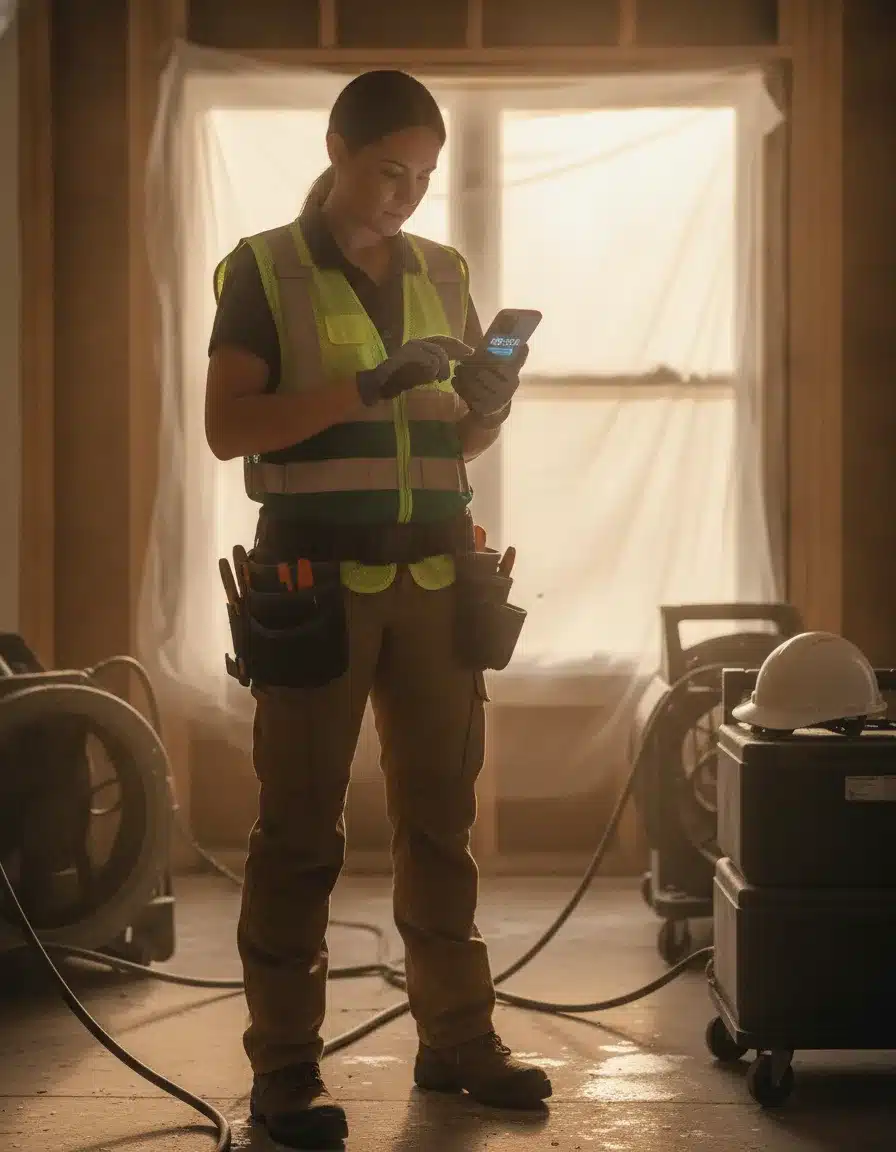
What Is the Best Cloud-Based Job Management Solution for Automating Restoration Project Workflows?
PSA automates restoration project workflows from the initial customer call through final invoice. Its workflow engine assigns tasks, triggers customer notifications, and advances project milestones without manual intervention from your office staff. That end-to-end automation is what makes it the strongest choice for companies that want to convert more incoming contacts into booked jobs without adding headcount.
How does PSA automate customer communication during a restoration job?
When technicians arrive on-site, PSA sends automatic confirmation messages to property owners. When work completes, the system generates notices with photos and next steps. Office staff stop manually tracking every project status and start focusing on work that actually requires human judgment. The communication templates are customizable so your brand voice stays consistent across every touchpoint.
Does PSA manage restoration compliance documents automatically?
Document management in PSA keeps certificates, work authorizations, and insurance paperwork organized by project. The system generates required forms automatically and flags expiring certifications or missing documentation before they create compliance problems. Thorough record-keeping also protects you when insurance questions arise months after a job closes, since every document is attached to the job record in the same system you already use daily.
What Are the Best Integrations for Restoration Tools in Cloud-Based Job Management?
The best integrations for restoration job management connect your estimating tool, accounting platform, and field documentation system so data moves automatically between them without manual re-entry. PSA achieves this through direct integrations with Xactware, QuickBooks, and Matterport.
How does the Xactware integration eliminate manual data entry in restoration?
The Xactware integration means estimates flow directly into job files. Measurements, materials, and labor calculations carry over without being retyped, eliminating the transcription errors that inflate costs on busy jobs. The QuickBooks connection handles automatic invoice generation and payment tracking so billing happens the moment your field team marks a job complete rather than days later when someone in the office gets to it.
What does Matterport integration add to a PSA job record?
Matterport integration inside PSA captures 3D documentation that becomes part of the permanent job record. Those scans support insurance documentation needs and customer communication without requiring separate file uploads. When questions arise months later about work performed or areas accessed, the visual record is already attached to the job in the same system you use every day.
What Is the Best Cloud-Based Profitability Tracking for Restoration Jobs in Reports and Analytics?
PSA's custom reporting dashboards are the strongest option for restoration profitability analytics because you build them around your specific KPIs rather than working around a fixed report library. You can analyze margin by job type, customer segment, or time period to surface the trends that drive strategic decisions.
How does data-driven reporting improve restoration business decisions?
This approach lets you identify which services are actually profitable and which are consuming resources without returning adequate margin. Companies that use this level of reporting consistently make better decisions about where to grow, what to price higher, and which customer relationships deserve the most attention. It also feeds directly into a stronger reputation strategy by helping you focus on the jobs and clients where you deliver the best outcomes.
Can restoration managers access profitability reports on mobile devices?
Yes. PSA's cloud-based architecture means dashboards and reports are accessible from any device with a browser. A branch manager can pull margin by job type while on-site without waiting to get back to the office. For companies running multiple locations, this means regional managers can monitor performance across branches in real time rather than waiting for weekly summary emails.
What Is the Best Cloud-Based Profitability Tracking for Restoration Jobs in a Job Management Platform?
For tracking restoration job profitability inside a single platform, PSA is the most complete option because it combines real-time cost monitoring, integrated labor tracking, and custom analytics without requiring a separate business intelligence tool. Everything feeds into one system so there is no reconciliation step between your job management data and your financial reports.
Over 1,500 contractors across North America use PSA, reflecting a proven track record in the restoration industry. The mandatory $1,500 onboarding fee includes setup assistance and training so your team actually uses the platform correctly from day one, not six months later after trial and error.
How Does Albiware Compare for Multi-Location Restoration Companies?
Albiware is the right choice when your company needs deep customization to match a unique operational style. PSA beats it for multi-location standardization because PSA enforces consistent workflows across every branch rather than allowing each location to build its own process. Standardization, not flexibility, is what keeps multi-location operations from drifting apart.
What does Albiware cost and what integrations does it offer?
Albiware starts at $60 per user per month and connects to over 5,000 tools through Zapier, which gives growing mid-market companies enormous integration flexibility. That breadth works well when your tech stack is still evolving. For companies that have settled on their core tools and need every team following the same playbook, PSA's structured approach and lower cost at scale are the stronger combination. Consistent processes also make it easier to present a unified brand across locations in your marketing.
How does Albiware handle profitability tracking in restoration jobs?
Albiware builds profitability reporting through its integration layer. You connect your accounting and estimating tools via Zapier and configure reports to pull data across systems. That approach gives you flexibility but adds setup complexity. PSA's profitability tracking is native and pre-built for restoration workflows, which means less configuration work and fewer integration points that can break when a connected app updates.

How Does DASH Compare for Restoration Job Management?
DASH targets enterprise restoration companies that do significant third-party administrator and insurance carrier work. Its pricing is enterprise-tier, available only by contacting the vendor directly. The platform's integrations lean toward carrier portals and TPA systems rather than the estimating-to-billing flow that independent contractors prioritize.
When does DASH make more sense than PSA?
DASH makes sense when your revenue depends heavily on TPA relationships and carrier-directed work where the payer controls the scope. Its reporting emphasizes insurance-side metrics like cycle time and supplement approval rates. PSA makes more sense when you want to own your customer relationships, track internal profitability margins, and standardize operations across independently managed branches. For reducing manual data entry in restoration, PSA's native integrations require fewer custom connections than DASH's enterprise setup.
Which Cloud-Based Restoration Job Management Vendors Provide the Best Profitability Tracking?
Among the leading cloud-based restoration job management vendors, PSA provides the most complete profitability tracking because it combines real-time cost alerts, custom dashboards, and integrated labor data inside one platform. DASH, Albiware, and Xcelerate each offer financial reporting, but none match PSA's combination of depth and integrated data flow for companies managing multiple locations.
The table below compares the four main platforms on the dimensions that matter most for restoration operations.
| Feature | DASH | Albiware | PSA | Xcelerate |
|---|---|---|---|---|
| Best For | Enterprise, TPA work | Growing mid-market | Multi-branch operations | Process-focused companies |
| Starting Price | Enterprise (contact vendor) | $60/user/month | $325 for 5 users | $55/user/month |
| Integrations | TPA, carrier portals | 5,000+ via Zapier | Matterport, QuickBooks, Xactware | Matterport, QuickBooks, Zapier |
| Customization | Moderate | Highly customizable | Custom report dashboards | Limited |
| Profitability Tracking | Insurance-focused reporting | Custom via integrations | Real-time cost variance alerts | Per-job KPI dashboards |
| Multi-Location Fit | Strong for enterprise | Moderate | Strong | Moderate |
| Manual Data Entry Reduction | Moderate | High via Zapier automations | High via native integrations | Moderate |
DASH is the go-to for enterprise companies doing heavy TPA and insurance carrier work. Albiware fits growing mid-market companies that need integration flexibility. Xcelerate serves process-focused shops that want tight discipline on individual job KPIs. PSA wins when you need consistent multi-location operations, cost-effective flat-rate pricing for larger teams, and real-time profitability visibility inside one system. Understanding which vendor fits your stage also connects to how well you retain the customers each completed job produces.
In this video
- 0:00 Why Revenue Alone Misleads Restoration Owners
- 0:22 Three Numbers Every Owner Must Memorize
- 1:23 Average Revenue Per Job Benchmarks
- 2:16 Gross Margin Targets for Mitigation and Reconstruction
- 3:28 Overhead and Net Profit Benchmarks
- 4:11 Equipment Utilization and Labor Efficiency
- 5:36 Close Rate and Customer Acquisition Cost
- 7:00 Revenue Per Technician Benchmark
- 7:36 Side-by-Side Margin Scenario Walkthrough
- 8:43 Five Common Financial Mistakes to Fix
PSA as a Field Service CRM for Restoration Teams
PSA functions as a field service CRM by tracking leads, managing referral sources, and routing new jobs to the right team without requiring a separate CRM platform. Field technicians log customer interactions on mobile devices and that data flows back to the customer record automatically.
How does PSA handle lead routing and referral tracking for restoration contractors?
PSA tracks where each job originated, whether that's an insurance agent referral, a property manager, or a direct homeowner inquiry. That referral data ties to completed job revenue so you can calculate the actual value of each referral source over time. This helps you make smarter decisions about where to invest your business development time and which relationships deserve the most attention. It also supports a restoration-specific CRM approach that connects marketing activity to actual job revenue.
Does PSA support digital marketing integration for restoration companies?
PSA captures lead source data that connects your marketing spend to job revenue. When a customer calls from a Google search or a referral partner sends a claim, PSA records the source. Over time that data shows which marketing channels produce the most profitable jobs, not just the most leads. PushLeads works with restoration companies to connect this kind of operational data to digital marketing strategy so your growth efforts target the customer segments your own numbers identify as most valuable.
Quick Recap
- PSA is designed for multi-location restoration companies that need consistent processes across every branch inside one unified system.
- Flat-rate pricing at $325 for 5 users plus $5.25 per additional user saves larger teams hundreds of dollars monthly versus per-user competitors.
- Native integrations with Xactware, QuickBooks, and Matterport eliminate manual data re-entry between estimating, billing, and field documentation.
- Real-time cost variance alerts let managers catch margin problems on active jobs before they show up on a closed-job report.
- Custom reporting dashboards let you analyze profitability by job type, technician, customer segment, or time period.
- Workflow automation handles customer notifications, document generation, and task assignment without requiring office staff to track every project manually.
- Mobile labor logging keeps job budgets current throughout the day and removes paper timesheet collection from the end-of-day routine.
- The $1,500 onboarding fee includes setup and training to ensure your team uses the platform correctly from the start.
- DASH fits enterprise TPA work, Albiware fits highly customized mid-market operations, and Xcelerate fits process-focused single-job KPI tracking. PSA wins on multi-location standardization and team-size cost efficiency.
- Over 1,500 contractors across North America use PSA, reflecting a proven track record in the restoration industry.
- PSA's built-in CRM tracks referral sources and routes leads without requiring a separate platform.
Frequently Asked Questions
What does PSA cost for a 10-person restoration team?
A 10-person team pays approximately $350 per month on PSA. The platform charges $325 for the first 5 users, then $5.25 per additional user. That compares favorably to per-user competitors that charge $60 to $100 per user monthly, which would cost $600 to $1,000 for the same team size. The flat-rate structure means your software cost rises slowly even as you add staff.
Does PSA integrate with Xactware for restoration estimating?
Yes. PSA integrates directly with Xactware so estimates flow into job files without manual re-entry of measurements, materials, or labor calculations. This eliminates transcription errors and speeds the handoff from estimating to project execution. Paired with the QuickBooks connection, data entered once at estimate flows all the way through to a paid invoice.
How does PSA handle profitability tracking across multiple job types?
PSA tracks actual costs against estimates in real time and alerts managers when a project drifts from projected margins before the job closes. Custom reporting dashboards let you filter by job type, customer segment, or time period. You can identify which services and clients generate the highest margins and adjust pricing or resource allocation based on live data rather than after-the-fact reports.
What is included in PSA's mandatory onboarding fee?
PSA charges a mandatory $1,500 onboarding fee that covers setup assistance and hands-on training. The fee ensures your team implements the platform correctly from day one rather than discovering configuration mistakes months later. Most companies recoup that cost quickly through reduced manual data entry and faster billing cycles in the first few weeks of use.
How does PSA compare to Albiware for growing restoration companies?
Albiware offers deep customization and over 5,000 integrations through Zapier, making it a strong fit for mid-market companies still building their tech stack. PSA provides structured workflows that enforce consistency across locations, which is the better choice for multi-branch operations where standardization matters more than flexibility. PSA also costs less per seat once a team exceeds roughly 6 users.
Can PSA automate customer communication during restoration projects?
Yes. PSA's workflow engine sends automatic notifications to property owners when technicians arrive on-site and generates completion notices with photos and next steps when work finishes. Templates are customizable and trigger based on project milestones without requiring manual action from office staff. This removes one of the biggest daily bottlenecks in busy restoration operations.
Which cloud-based restoration platform is best for TPA and insurance carrier work?
DASH is the strongest option for enterprise companies doing heavy third-party administrator and insurance carrier integration. PSA, Albiware, and Xcelerate are better fits for independent restoration contractors who prioritize multi-location business management, custom integrations, or tight per-job KPI discipline respectively. Match the platform to your primary revenue channel first.
Does PSA work well as a field service CRM for restoration teams?
Yes. PSA includes CRM functionality that tracks leads, manages referral sources, and routes new jobs to the right team without a separate CRM tool. Field technicians log activity on mobile devices and that data flows back to the customer record automatically. This gives managers a complete view of each customer relationship from first contact through completed job and follow-up.
Get a Free Visibility Teardown for Your Restoration Company
Running a restoration business means managing dozens of moving parts across jobs, teams, and locations. The right software connects those parts so nothing falls through the cracks. PushLeads works with restoration contractors to align their software stack, digital presence, and lead flow so every piece supports growth. If you want to know exactly where your online visibility stands and which gaps are costing you jobs, see exactly where your visibility stands with a free teardown at seo.pushleads.com/audit or call 828-348-7686.
Watch: How much does restoration company software actually cost?
What this video covers
- 0:00 — Restoration Software Pricing Overview
- 0:22 — Who Jeremy Ashburn and PushLeads Are
- 1:17 — Four Key Terms Explained
- 1:51 — Full Price Range Across Platforms
- 2:23 — Three Vendor Pricing Models
- 2:59 — Real Numbers for Top Platforms
- 4:14 — Three Tier Plan Breakdown
- 4:54 — Hidden Fees to Watch For
- 5:33 — ROI Math Does Software Pay Off
- 6:22 — Job Costing vs Basic Expense Tracking
- 7:04 — Why Software Alone Won't Fill Your Pipeline
- 8:21 — Four Questions Before You Sign
Full video transcript
If you run a restoration company and you are shopping for software, you have probably already noticed that pricing is all over the place. This guide breaks down exactly what platforms cost, how vendors structure their plans, and what you need to watch out for before you sign anything. We are building every concept from scratch, so no prior knowledge needed.
Before we go further, I'm Jeremy Ashburn. I run PushLeads, an agency built around one thing: leads for restoration owners. PushLeads has been at this since 2012, and I was ranking sites five years before that.
What we're covering in this video is a restoration software pricing breakdown — exact monthly costs for PSA, Xcelerate, Albi, Dash, and mid-tier tools, with ROI math. Here is the order we are going to follow. First, we cover how vendors charge you — the pricing models. Then we look at real numbers for the most popular platforms. After that, we walk through the three tiers every platform uses. Then we tackle hidden fees, the ROI math that tells you whether software is worth it, and finally the piece most contractors miss entirely: lead generation. Six concepts, built one at a time.
Before the numbers, four terms you will hear constantly. A CRM is a customer relationship manager — it tracks your contacts, open jobs, and follow-up tasks in one place. Job costing means comparing what a job actually costs you in labor and materials against what you estimated. Photo documentation means time-stamped, location-tagged site photos that insurance adjusters can verify. And Xactimate integration is a connector that pushes your field data into the industry-standard insurance estimating tool.
The price range for restoration software is genuinely enormous. At the low end, you can find entry-level tools for $49 a month. At the high end, enterprise platforms from vendors like PSA and Xcelerate can easily exceed $1,000 a month. Most restoration companies end up paying somewhere between $200 and $500 a month for a mid-tier plan. Getting this wrong — either overpaying for features you never use or underspending on tools that hurt your workflow — cuts directly into your profit margin.
Vendors charge in three main ways. The most common is a monthly or annual subscription, a flat fee per account or per user. Annual plans usually save you 10 to 20%, but they lock you in, so test month-to-month first. Per-user pricing charges for every person who logs in — a 10-person team at $100 per seat hits $1,000 a month before you add anything else. Per-job or usage-based pricing charges based on jobs processed. That can work if your volume is uneven, but costs can spike unpredictably during a busy storm season.
The actual numbers. PSA targets mid-to-large operations and starts in the $300 to $600 range based on contractor reports — they do not publish a price list publicly. Xcelerate is built for franchises and multi-location operators, with costs between $400 and $900 a month. Albi publishes its pricing: the core plan starts at $89, and the pro plan runs $199 to $249. Dash starts near $200 and can reach $500 for larger plans. Job Nimbus runs $149 to $349 on per-user tiers. Photo documentation add-ons like CompanyCam run $29 to $49 per user, and Encircle starts around $99 a month.
Looking at Albi and Dash side by side — these are the two platforms most small-to-mid-size restoration contractors evaluate together. Albi charges per company account, so your bill stays flat as your team grows. That is a meaningful advantage. Dash bundles onboarding support into the first month, which reduces surprise costs during setup. Both are well matched to companies running one or two locations. Neither PSA nor Xcelerate makes financial sense until you are managing multiple crews across multiple service areas.
Every platform organizes its plans into three tiers. Entry level runs $49 to $149 a month. You get basic job tracking and limited storage, but estimating tools and integrations are usually absent. That tier fits a solo operator or a very small crew. Mid-tier runs $200 to $500 a month and is the right fit for most growing restoration businesses — advanced job management, photo documentation, customer communication, and key integrations are all included. Enterprise plans exceed $1,000 a month, offer custom integrations and dedicated account managers, and require a sales call just to get a quote.
Now the hidden fees — this is where contractors get caught. Onboarding or implementation fees can run from $200 to over $2,000 and are charged one time at setup. PSA and Xcelerate commonly charge these. Storage overages are another trap. Restoration jobs produce enormous photo files, and plans with caps charge per gigabyte when you go over. Finally, integrations that connect to Xactimate, QuickBooks, or third-party apps sometimes cost extra on top of your base plan. Always ask for a full written cost breakdown before you sign. A good vendor will give you one without hesitation.
Does software actually pay for itself? Here is the math. If a mid-tier plan saves your team four hours of admin work per week and you value that labor at $50 an hour, that is $800 a month recovered. A $300 monthly plan pays for itself more than twice over. On the revenue protection side, one poorly documented job that triggers an insurance dispute can cost a restoration company anywhere from $2,000 to $10,000 in lost revenue or rework. If good documentation software prevents even one of those situations per year, the annual subscription pays for itself on that single event. At $1 million in revenue with a 15% margin, your annual software spend of $3,600 is only 2.4% of net profit.
One capability worth understanding on its own is job costing. True job costing means your software compares actual labor and materials against your original estimate in real time and flags margin problems before the job closes. That is different from basic expense tracking, which just records what you spent without comparing it to anything. To get real job costing, expect to pay at least $200 to $300 a month — platforms below that price point typically offer only basic expense tracking. For franchise operators, Xcelerate was built partly for this use case, with per-location fees ranging from $200 to $600 a month per unit.
Here is the concept most restoration contractors underestimate. Software manages jobs you already have. It does not go out and get you new ones. Your Google Business Profile, your website's ranking for searches like "water damage restoration in your city," and your online reviews — those are what bring in new customers. BrightLocal's annual survey consistently finds that most people searching for a local service provider check Google first. If your business is not visible there, the best job management system in the industry will not help you. Spending $400 a month on software and nothing on marketing can leave you with the most organized empty calendar in your market.
To put the platform costs in visual perspective: Albi Core is the most affordable major platform at $89. CompanyCam as a standalone add-on runs about $49 per user. Albi Pro sits at roughly $224 at the midpoint. Job Nimbus lands around $249. Dash's midpoint is around $350. PSA sits at roughly $450 based on contractor reports, and Xcelerate at about $650. These are midpoints of reported ranges, not guarantees. Always request a current itemized quote directly from the vendor.
Before you commit to any platform, run through these four questions. First, what is the true total cost for year one? Add monthly fees, onboarding, training, and add-ons together. Second, is pricing per user or per account? A 10-person team at $60 per seat is $600 a month before anything extra. Third, what are the storage limits and overage fees? Restoration photos add up fast. Fourth, are the integrations you need included, or are they line items? Xactimate connectors and QuickBooks links are sometimes extra. A transparent vendor answers all four of these without hesitation. If they hedge or redirect, treat that as a warning.
The biggest risk is not picking the wrong software platform. It is investing heavily in software while neglecting the marketing that fills your pipeline. Asheville and Western North Carolina restoration contractors face real competition. The businesses that show up well on Google capture a disproportionate share of emergency calls. A focused mid-tier software plan at $200 to $300 a month, combined with strong local marketing, is usually the smarter play than an enterprise plan that crowds out your marketing budget entirely.
If you want to see exactly where your restoration business stands online right now, PushLeads offers a free visibility audit at seo.pushleads.com/audit. We look at your market, your competition, and your current Google presence, then build a plan that fits your actual budget. We specialize in contractor SEO, Google Ads, and local search for restoration companies. Get the full picture — link in the description or call 828-348-7686.
Keep Reading
Want more customers from Google & AI search?
Get a free SEO audit of your site — see exactly what to fix first.
Your path · Restoration SEO
Keep going: read these next

- Restoration Job Management Software Compared: DASH vs PSA




Want this done for you?
Scan your site. See the gaps. Decide with numbers.
- Rankings, Google Business Profile and site-speed teardown
- Report lands in your inbox in about a minute
- No obligation · 4.9 from 67 Google reviews

