


0:00 PushRank Intro What It Does
0:23 The Problem With Traditional SEO
0:49 How PushRank Runs the Full SEO Loop
1:25 Keyword Scoring and Content Publishing
2:03 Self-Learning and Improving Success Rate
2:44 Scale 550 Pages a Month 40 Clients
4:06 Real Client Results Across Three Verticals
5:02 First 90 Days What to Expect
5:33 Manual Work Layered on the System
5:54 Cross-Platform Reporting Walkthrough
6:33 Free Analysis Next Step
Full transcript
0:00 PushRank Intro What It Does
Hey, I’m Jeremy with PushLeads, and I wanted to introduce PushRank to you. This is an SEO operating system that we’ve been working on and building for the last year and really running successfully the last three months. And essentially it publishes blogs and inner hidden pages on your website and actually learns as it goes, um, and it’s producing really great results. So let’s take a look at it.
0:23 The Problem With Traditional SEO
The problem with mostly how SEO is done is you have an agency that will publish four to eight inner pages a month. No one really knows. Sometimes agencies don’t publish anything, and they’re really not sure if publishing this page is gonna help you get higher in Google. And no one’s really measuring this. I mean, sometimes agencies do, but it’s really a lot of times not being measured, and a lot of times people don’t even know what to write about.
0:49 How PushRank Runs the Full SEO Loop
So what PushRank is, is an automated system that runs the full SEO loop, and we can actually have it run automatic or we can have it run on semi-automatic or we can have it just send you content to approve and then it publishes. It can run different ways, but regardless of how it’s working, it’s finding what people are looking for in Google. It’s deciding what to build. It’s then publishing that content, and then it’s measuring. Mostly, um, SEO agencies will find keywords and write content, but not necessarily measure the results, and this does all of that. And so how does it actually work specifically?
1:25 Keyword Scoring and Content Publishing
It’s finding keywords you can realistically win. It’s deciding, essentially scoring those keywords against other keywords and what’s actually worked before. Um, and then it’s building and publishing the content directly on the site. The content sounds like it was written by you in your language, um, or in your tone of voice, um, with your own specif- specif– with your own details. It’s measuring the real s– it’s measuring the real Search Console data, um, and it’s measuring real Search Console data. Is the page being indexed by Google? Is it rank b– ranked? Is it being clicked? And then it’s learning.
2:03 Self-Learning and Improving Success Rate
It… Whatever works. So whatever works is promoted, whatever doesn’t work gets retired. And mos- and most SEO companies will stop at step three. They will, they will find, decide, and build content, but they won’t measure and learn. And so we have a system that does that. So pretty exciting. The other thing the system does is it grades its own work. So nobody trained it by hand. It gets actually… It gets better by reading its own results. So we started with a nineteen point s– we started with a nineteen success rate in May, went up to thirty percent, and now we’re up to forty-six percent success, forty-six percent success rate. So the system is compounding, and it’s getting better and stronger.
2:44 Scale 550 Pages a Month 40 Clients
And so the average ranking for the keywords and for all the clients we’re working with, we have about forty clients in the system, is these keywords have gone from bas- basically position fourteen to position seven to position… These keywords have gone from position fourteen to position seven over the time period. And so the system is constantly working and getting better, and that’s the point. You want keywords moving up in Google, and yes, you can hire an SEO company, and yes, an SEO strategist will do this, but an AI does it better because it’s measuring all of it, and it’s measuring what works specifically for you. And it is built to run at scale. So we’re publishing around five hundred and fifty pages a month over forty clients. We actually found that publishing inner hidden pages and connecting those together is really the missing, um, equation. And, um, and then the cost per page is like less than a dollar. These are– The reliability of these pages are ninety-nine percent. Um, so everything is being published. And we have a hundred and twenty-two sort of robots, if you wanna call them workflows that actually do the work. Super proud of the system ’cause I spent about two or three months building it at the beginning of twenty twenty-six and then really put the refinements in May and been running it really the last three months. And so the c– because the cost per page is lit– because the cost per page is literally zero, the system is testing aggressively and is killing what doesn’t work.
4:06 Real Client Results Across Three Verticals
And here’s three different kinds of, um, clients we’re working with that you can see the results. An e-commerce store went from four to twenty-five to five hundred and seventy clicks per month. Their, um, organic click… So their organic clicks went up thirty-four percent. We have two hundred and forty-seven keywords that moved to the top of Google, and twelve pages that we published are now getting pa– are now getting traffic. Working with an estate lawyer here in the area that does estate law, and their organic clicks went from twenty-five to forty-eight in a month. It’s all from a single page that we published, and their rankings increased by an average of twelve percent. And then also a developer and also a local remodeler, they went from an average ranking of nineteen to fourteen. They went from an average ranking of nineteen to fourteen, um, and their clicks went up from twelve to twenty-two a month. And so they have four keywords now in the top ten, really just in the f– really just in the first couple… really just in the first month of working together.
5:02 First 90 Days What to Expect
So what the first ninety days looks like normally is we start in the first couple of weeks mapping the site, looking at the competitors, making sure we don’t have duplicate content on the website, making a list of all the internal links. Um, and we usually start publishing content on week two or three, and we get these pages indexed by Google. We’re measuring the results as we go. Usually by week nine to twelve, we get first measurable results, and then, um, by months three to six, we get meaningful traffic improvement. The great thing is that we actually do manual work on top of this
5:33 Manual Work Layered on the System
system. So we’re not just letting the system run. We’re actually coming in and m- making UX improvements on the website, in some cases building new websites if we need to. We have tracking tools that find out what people are doing on the site with measuring the beha– with measuring their behavior. And we’re sending you a cross-platform report of what’s happening.
5:54 Cross-Platform Reporting Walkthrough
So here’s one that we send right now to, um… This is a, this is a client that does voiceovers. Had them as a client for about three months so far. We can see, you know, their clicks are going down, their impressions are going up, their average positions are going up. I can get a snapshot of their actual keywords moving up, and I can see their organic sessions have gone up a hundred and thirty-five percent in the last month. And they’re, we’re, they’re also doing Google Ads, so we can see what’s actually working with Google Ads, top campaigns by spend, and sort of what’s happening here across the board. So I send this cross-platform report on a weekly basis as needed or once a month, and so that’s kind of… so that’s how that works.
6:33 Free Analysis Next Step
So I’d love to… And so I’d love to have a conversation with you. Let’s just start with a free analysis, and we’ll show you exactly what keywords you can win, where exactly you stand, and what’s realistic, and what’s realistic in the first ninety days. And it’s no fluff, no obligation. Let’s have a conversation. I’m Jeremy Ashburn with PushLeads. I’m Jeremy Ashburn with PushLeads, helping small businesses get more leads without struggle and frustration. Talk to you soon.
▶ Watch on its own page (6:58), with the transcriptMore videos in the library →
TL;DR: The best SEO dashboards for 2026 are Google Search Console, Google Looker Studio, SEMrush, Ahrefs, Moz Pro, AgencyAnalytics, and rank trackers like Serpwatch. Google Search Console is the best free option. For most small businesses in Asheville, the bigger question is not which dashboard to pick but whether you have the time and skill to act on what it shows you.
What Are the Best SEO Dashboards for 2026?
The best SEO dashboards for 2026 are Google Search Console, Google Looker Studio, SEMrush, Ahrefs, Moz Pro, AgencyAnalytics, and budget rank trackers like Serpwatch. Each serves a different use case and budget level. The best SEO dashboards give you clear visibility into rankings, traffic, and conversions without drowning you in data you cannot act on. For most small businesses in Asheville and Western North Carolina, the real question is not which dashboard to pick but whether you have the time and skill to use it well. The right tool in the wrong hands still produces guesswork.
Search engines are widely regarded as an important channel through which people discover local businesses online, making consistent ranking visibility useful for local businesses that depend on search traffic to generate leads.
Here is how the seven leading platforms compare across the metrics that matter most to small and mid-sized businesses:
| Dashboard | Cost | Best For | Competitor Data | Local SEO Tracking | Client Reporting |
|---|---|---|---|---|---|
| Google Search Console | Free | Every website, baseline tracking | No | Limited | No |
| Google Looker Studio | Free | Custom visual reports for clients | No | Yes with GBP connector | Yes |
| SEMrush | Paid (see current pricing on SEMrush.com) | All-in-one keyword and audit work | Yes | Yes | Yes |
| Ahrefs | Paid (see current pricing on Ahrefs.com) | Backlink research and technical SEO | Yes | Partial | Limited |
| Moz Pro | Paid (see current pricing on Moz.com) | Beginners and local pack tracking | Yes | Yes | Yes |
| AgencyAnalytics | Agency pricing | White-label client reporting | Yes | Yes | Yes |
| Serpwatch / rank trackers | Low cost | Simple keyword position monitoring | No | Limited | No |
1. Google Search Console
Google Search Console is free, pulls data directly from Google, and is non-negotiable for every website. It shows impressions, clicks, average position, and index coverage. Every PushLeads engagement starts with a full Search Console audit because this is the only dashboard using data straight from the source. The downside is zero competitor data and a 16-month historical limit. Still, if you use nothing else, use this. Pair it with local SEO services in Asheville for the full picture.
2. Google Looker Studio
Formerly Data Studio, Looker Studio is free and highly flexible. You can pull in Search Console, Google Analytics 4, and Google Business Profile data into one custom visual report. Setup requires real expertise. PushLeads builds custom Looker Studio dashboards for every client so they get a clean, branded report without touching a single connector themselves.
3. SEMrush
SEMrush is one of the most complete all-in-one platforms available. Keyword tracking, competitor analysis, site audits, and backlink data all live in one place. SEMrush tracks a large keyword database across many geographic databases. That scope is genuinely useful. The honest tradeoff is that it carries a significant monthly cost, which makes more sense inside an agency multi-seat plan than as a solo purchase for a small business in Buncombe County.
4. Ahrefs
Ahrefs has the strongest backlink index in the industry. If you are doing serious link building or competitive research, it is a top choice. PushLeads uses it internally for technical SEO work on client sites. The learning curve is steep for anyone not already comfortable with SEO concepts, so it sits firmly in the agency-managed category for most local businesses. See how this fits into broader search engine optimization work.
5. Moz Pro
Moz Pro is the most approachable paid platform for beginners and small businesses. Its local SEO tracking and Domain Authority metric make it particularly relevant for businesses in markets like Asheville, Black Mountain, and Weaverville where local pack visibility matters. The tradeoff is less real-time data compared to Ahrefs or SEMrush. According to Moz, Domain Authority is a predictive score intended to correlate with organic ranking potential, making it useful for benchmarking local competitors.
6. AgencyAnalytics
AgencyAnalytics is built for client-facing reporting inside agency relationships. It is not a DIY tool. PushLeads uses it to deliver clear, white-label monthly reports to clients across Western North Carolina. If your agency is not sending you a polished monthly report, that is a gap worth addressing. Learn more about what to expect from professional SEO reporting and dashboards.
You may also find this useful: Enterprise seo dashboard.
7. Serpwatch and Similar Rank Trackers
Budget rank trackers like Serpwatch or SerpRobot serve one purpose well: they show you where your keywords sit in search results. They are affordable and simple. The limitation is that they show rankings without context. You will not get technical health data, competitor insights, or traffic analysis. Good as a supplement, not a standalone solution.
Want more customers from Google & AI search?
Get a free SEO audit of your site — see exactly what to fix first.
What Is the Single Best SEO Dashboard Right Now?
Google Search Console is the single best SEO dashboard available in 2026 because it is free, pulls data directly from Google, and every website needs it regardless of what other tools you use. For businesses that want deeper insights, pairing Search Console with Google Looker Studio gives you a free, customizable reporting setup that covers most of what a small business actually needs.
Premium tools like SEMrush and Ahrefs carry meaningful monthly costs and deliver the most value when managed by an experienced SEO team rather than a solo business owner checking in once a week. The platform is not the problem. What you do with the data is what determines whether your rankings move.
Many people searching for the best SEO dashboard ultimately want someone else to manage it. If that sounds like you, PushLeads SEO services in Asheville include full dashboard setup and monthly reporting. You get the data without needing to become a data analyst to read it.
A few questions worth asking before you choose any platform: How often will you actually log in? Do you know what a keyword position change means for your revenue? Can you identify a technical crawl error from an audit report? If the honest answer to any of these is no, the tool’s feature list matters a lot less than having someone who can translate the numbers into action.
What Should a Dashboard for SEO Actually Show You?
A dashboard for SEO should show you organic traffic trends, keyword positions, click-through rates, Core Web Vitals scores, backlink changes, and conversion activity in one place so you can connect search performance to real business results rather than watching isolated numbers. Rankings alone do not tell the full story. A number going up or down means nothing without the context of why it moved and what to do next.
According to Google Search Central, Core Web Vitals are a confirmed ranking factor as part of Google’s page experience signals. That means your dashboard needs to track page experience data, not just keyword movement. If your current reporting setup does not surface page speed scores and layout stability metrics alongside rankings, you are working with an incomplete picture.
A ranking drop means something different in March than it does in August. Algorithm updates, local pack fluctuations, and competitor movements all require context that comes from watching many sites over time. A useful SEO dashboard connects those movements to what was happening on your site and in your market at that moment. Data without that context is just a report that sits in your inbox unread.
PushLeads clients across Asheville, Swannanoa, and the surrounding WNC area get monthly calls that translate every metric into plain-English action items. The goal is not to impress you with a dashboard full of numbers. It is to show you exactly what changed, why it changed, and what gets done about it this month. That is what separates a dashboard for SEO from a dashboard that just looks like SEO.
When evaluating any reporting tool, look for these elements before committing to a subscription or asking your agency to use it:
- Organic traffic broken down by page, not just site-wide totals
- Keyword ranking history with date-stamped algorithm update markers
- Click-through rate by query so you can spot titles and descriptions that underperform
- Core Web Vitals scores at the page level
- Backlink additions and losses with referring domain context
- Conversion tracking tied to organic sessions, not just total site conversions
If your current dashboard shows you less than half of those data points, you are making decisions with limited visibility. That does not mean you need to spend $500 per month on a new tool. It means you need a reporting setup that connects the dots between search activity and business outcomes. Review what that looks like through PushLeads SEO dashboard metrics guide for Asheville businesses.
What Makes a Dashboard for SEO Companies Different?
A dashboard for SEO companies differs from a basic analytics tool because it must handle multiple client accounts simultaneously, support white-label branding, pull data from search, social, and paid platforms into one report, and present findings clearly to clients who are not SEO specialists. Tools built for individual site owners fall short in agency environments because they are designed for a single user making decisions about one site, not for a team managing dozens of campaigns across different industries and markets.
See also our guide on Our Systems.
The platforms that hold up best for SEO companies are AgencyAnalytics, Google Looker Studio, and SEMrush. AgencyAnalytics integrates data from a wide range of marketing platforms and was built with agency client reporting as its core use case. Google Looker Studio gives agencies full design control over how reports look and what data sources they pull from, at no cost. SEMrush provides the underlying keyword, audit, and competitive data that agencies surface through those reporting layers.
What separates a well-run agency dashboard from a poorly structured one is not the software. It is the workflow behind it. An agency needs to pull data consistently, flag anomalies before the client notices them, and frame every metric in terms the client actually cares about. A contractor in Weaverville does not need to understand domain authority. They need to know whether more people called them from search this month than last month.
PushLeads builds its reporting workflow around that principle. Every client report starts with the business outcome first, then works backward through the data that explains it. Rankings, traffic, and technical health scores all appear, but they are framed around the question that matters: is your site bringing in more qualified leads than it was 90 days ago? That framing is what makes a dashboard for SEO companies genuinely useful rather than visually impressive.
If you are evaluating SEO companies in Asheville and want to understand how their reporting is structured before signing anything, ask them to show you a sample client report. A firm that cannot show you a clear, structured monthly deliverable is a firm that does not have a repeatable process behind their work. Learn more about what to look for in an Asheville SEO company before you commit.
What Is the Top Rated SEO Dashboard for Clients?
AgencyAnalytics is a well-regarded SEO dashboard for clients because it is purpose-built for client-facing reporting, supports white-label branding, and pulls data from Search Console, Google Analytics, Google Business Profile, and paid ad platforms into a single clean report. Google Looker Studio is a strong free alternative for agencies that want to build fully custom branded reports without a monthly platform fee.
Both tools are far more useful than sending a client a raw CSV export or a screenshot of keyword rankings. A well-structured client dashboard shows what moved, what caused the movement, and what happens next. Without that narrative, a client is left interpreting numbers they did not ask to learn how to read.
If your current SEO provider is not delivering a clear monthly report showing traffic, rankings, and conversions, that is a problem worth fixing. Review what PushLeads delivers through our SEO reporting services, and see what a well-structured client dashboard actually looks like for businesses in Western North Carolina.
What Is the Top Rated Client Dashboard for SEO Agencies?
AgencyAnalytics is a leading client dashboard for SEO agencies because it was built specifically for agency workflows, supports white-label reporting, and integrates data from a wide range of marketing platforms into a single branded report. PushLeads uses AgencyAnalytics to deliver monthly reports to clients across Western North Carolina.
The platform lets agencies show clients exactly what is happening with their rankings, traffic, and conversions without requiring the client to log into multiple tools or interpret raw data on their own. Clients see one report, formatted consistently, with their business name on it. That clarity matters more than the number of data sources feeding into the backend.
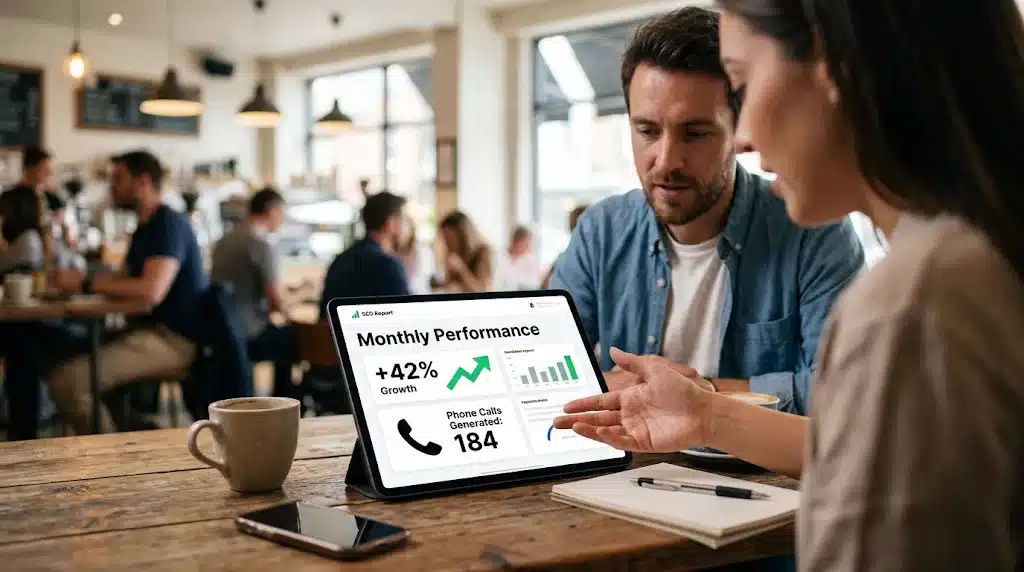
Google Looker Studio is the strongest free alternative for agencies that want full design control. It requires more setup time and connector expertise, but it costs nothing and gives you complete flexibility over how the report looks and what it includes. PushLeads uses both platforms depending on client needs and reporting complexity.
If your agency is not sending you a polished monthly report, that is a gap worth addressing with your provider. The absence of consistent reporting is usually a sign that the work itself lacks a consistent process. You can review the full scope of what structured monthly reporting looks like through professional SEO reporting and dashboards.
For the bigger picture, see our client SEO dashboards guide.
DIY SEO Dashboard vs. Hiring a Local SEO Agency
Building and managing your own SEO dashboard is a reasonable choice if you have the time to log in weekly, the background to interpret what you see, and the capacity to act on it. For most small and mid-sized businesses in Asheville, none of those three conditions are consistently true, and that is where the DIY approach breaks down.
The tools themselves are not the barrier. Google Search Console is free and not difficult to navigate. The barrier is knowing what a 12% drop in click-through rate on your top service page actually means and having a plan to fix it before it compounds. That takes pattern recognition built from watching search performance across many sites over many months, not just your own.
Here is a practical breakdown of what each approach actually costs:
- DIY with free tools: $0 per month in software, but requires 5 to 10 hours per month of focused attention to produce any actionable insight. Most business owners do not sustain this.
- DIY with paid tools: Variable monthly software costs depending on the platform and plan, plus the same time investment, plus a steeper learning curve. Value depends entirely on your willingness to develop SEO fluency.
- Agency-managed with reporting: Monthly retainer that covers tool access, strategy, execution, and reporting. You receive a clean monthly report and a call that explains what it means for your business.
The right answer depends on your situation. A marketing manager at a mid-sized firm with dedicated time and interest in SEO may get real value from managing dashboards directly. A solo service contractor in West Asheville running five jobs a week almost certainly will not. PushLeads works with both types, and the starting point is always an honest conversation about what your business actually needs. See the full range of SEO services in Asheville to understand what managed SEO looks like in practice.

What Local Businesses in Asheville Should Look for in SEO Dashboards
Local businesses in Asheville should prioritize SEO dashboards that track Google Business Profile performance, local pack rankings, and location-specific keyword positions alongside standard organic traffic data, because local search behavior in a market like Buncombe County differs from broad national search patterns. A tool that tracks 21 billion keywords globally is only useful if it can tell you whether someone searching for your service in South Asheville is finding you or finding a competitor.

Asheville has a distinct search market. It serves a mix of year-round residents, seasonal visitors, and regional buyers across Buncombe, Henderson, and Madison counties. Service businesses, eCommerce sellers, and creative professionals all compete in a market where local pack visibility, Google Business Profile completeness, and neighborhood-level keyword targeting matter more than they do in larger metros where brand recognition carries more weight.
The dashboards that support local SEO best are Google Search Console paired with Google Business Profile Insights, Moz Pro for local pack tracking, and AgencyAnalytics for client reporting that surfaces local data clearly. SEMrush and Ahrefs support local keyword research but are more useful for identifying opportunities than for day-to-day local monitoring.

PushLeads works specifically with businesses across Asheville, Black Mountain, Weaverville, Swannanoa, and the broader WNC region. That geographic focus means the keyword data, competitive benchmarks, and reporting context are built around what is actually happening in your market, not national averages. If your current reporting does not show you how you rank in the local pack for your core services in your specific service area, you are missing the data that matters most. Explore what local-focused reporting looks like through local SEO services in Asheville.
Frequently Asked Questions
What is the best free SEO dashboard for small businesses?
Google Search Console is the best free SEO dashboard for small businesses. It is the only tool that pulls ranking and traffic data directly from Google, it is available to every website owner at no cost, and it covers the core metrics that matter most for organic search performance: impressions, clicks, average position, and index coverage. For businesses that want a more visual reporting layer on top of Search Console, Google Looker Studio is also free and can combine Search Console data with Google Analytics 4 and Google Business Profile data into one custom report. Neither tool requires a monthly subscription, and together they provide a reporting foundation that many small businesses in Asheville rely on without paying for a premium platform.
How often should I check my SEO dashboard?
Most small business owners should review their SEO dashboard once per month rather than daily. Daily monitoring creates noise because rankings fluctuate naturally, and short-term variation rarely requires immediate action. A monthly review gives you enough time for trends to become visible and for any changes you made to show measurable impact. Weekly monitoring makes sense if you have recently launched a new page, completed a site migration, or noticed a significant traffic drop that needs to be tracked closely. PushLeads delivers monthly reports to clients with a call that walks through the key changes, so the business owner does not need to interpret raw data independently.
Do I need a paid SEO dashboard or will free tools work?
Free tools like Google Search Console and Google Looker Studio handle the core reporting needs for most small businesses without a subscription fee. Paid platforms like SEMrush, Ahrefs, and Moz Pro add competitor research, deeper keyword data, backlink analysis, and site audit capabilities that free tools do not cover. Whether you need a paid tool depends on how aggressively you are pursuing SEO growth and whether you have someone with the expertise to act on the additional data those tools provide. For a small service business in Asheville focused on local search visibility, free tools paired with professional SEO management often outperform expensive software used without a clear strategy.
What metrics should an SEO dashboard track for a local business?
A local business SEO dashboard should track organic sessions by page, keyword positions for location-specific search terms, click-through rates by query, Google Business Profile views and actions, Core Web Vitals scores, and conversion activity tied to organic traffic. For businesses in Asheville and Western North Carolina, local pack ranking positions and Google Business Profile engagement data are particularly important because many customers find local service businesses through the map pack rather than standard organic results. A dashboard that only tracks keyword rankings without showing Google Business Profile data is missing a significant portion of local search performance.
What is the difference between an SEO dashboard and an SEO report?
An SEO dashboard is a live or regularly updated view of key metrics that you can check at any time to see current performance. An SEO report is a structured summary of what happened during a specific period, usually a month, with context about what drove the changes and what actions follow. Dashboards are better for ongoing monitoring. Reports are better for communicating results to clients or stakeholders who do not have the background to interpret raw data. Most professional SEO agencies, including PushLeads, use dashboards internally to monitor performance and deliver formatted monthly reports to clients that translate the data into plain-English outcomes and next steps.
Your rankings, traffic, and conversions should be visible in one place, explained in plain language, and connected to a clear plan every single month. If your current setup does not do that, PushLeads can help. We build and manage SEO dashboards for small and mid-sized businesses across Asheville and Western North Carolina, and we translate every data point into action your business can actually take. Contact us today to see what your site’s search performance looks like right now and where the real growth opportunities are.
Quick answers on video
Why do I have hundreds of search impressions in Google Search Console but zero clicks?
Zero-click impressions with unusual long-form queries are likely AI bots, not humans. When someone asks ChatGPT or Google AI a question, the AI spins up multiple bots to read relevant pages and assemble answers directly, never sending a real visitor to your site. The AI read your content instead of a person clicking through.
Keep Reading
Want more customers from Google & AI search?
Get a free SEO audit of your site — see exactly what to fix first.
